Canon 6D Odd Noise

Hello. I've searched over Youtube and over the forums here and haven't been able to find anything that would help explain my issue I'm having. I've been using Capture One for a few weeks now and have been going through a couple hundred photos and haven't come across this yet. I'm running Capture One 22 (15.4.2.10). I did upgrade from a pervious version but the issue persists.
I'm working on my long exposure photos and noticed they have a lot of harsh Red, Green, and Blue pixels. I've played around with various settings with only one change half working. When I up the Single Pixel slider from 0 to 1 in Noise Reduction but it only fixes these hotspots when at 100% zoom. When at the fit option they're still present.
I've opened the raw file up in other programs and they are not present so I can rule out sensor issues with my camera.
From other posts I found I attempted tweaking Hardware acceleration options and regenerating the previews but the "hot" pixels are still there. I've included some color read outs in the screenshot to help show there's values there.
As I said this isn't present when doing a 100% view or exporting the photo after changing the Single Pixel value to anything >0. Does anybody have any ideas as to remedy this? Thank you in advanced!
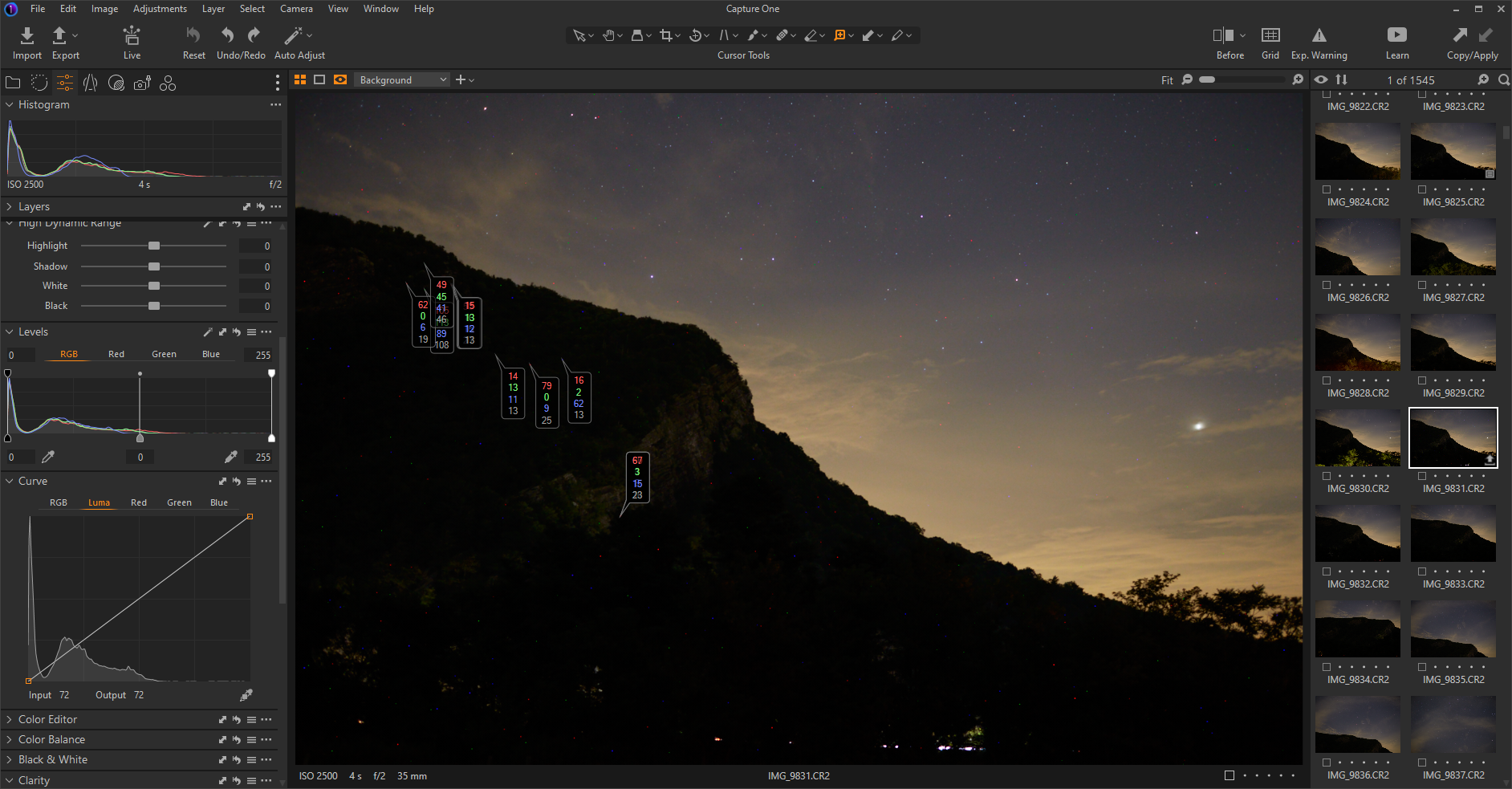
-
but it only fixes these hotspots when at 100% zoom. When at the fit option they're still present.
From my observation, in the preview window, the NR tool has only effect at a certain zoom level and above, e.g. 66% or higher on my computer, but maybe the exact level depends on monitor resolution and computer performance. So in "zoom to fit" mode you're probably seening a downsized representation of the hot pixels from the sensor averaged with its surrounding pixels. without NR (and probably without sharpending too).
0

Cette publication n’accepte pas de commentaire.
Commentaires
1 commentaire