Underwater Color Correction

I'm looking for an easy way to bring back natural colors in underwater photos.
As there can usually be over hundreds of pictures after a trip, I'm trying to find a quick, streamlined process to bring back the color without having to fiddle for too long on the vast amount of these shots (saving this time for the few highlights).
The tools I've found to be helpful for that are White Balance, Levels and Curve.
White Balance doesn't seem that helpful unless there is only a slight change needed as the slider is usually too limiting and the only way to bypass appears to be the white balance picker where you have no fine tune possibility and just click until you're happy (as seen below, this is with ~60 tint)

Levels is probably my favorite for now, giving decent results when simply moving the points to the edge of histogram in all RGB channels.
Only problem I have with it is that the photos tend to have a little too much contrast, but I guess I can play around in Curve or Exposure afterward.
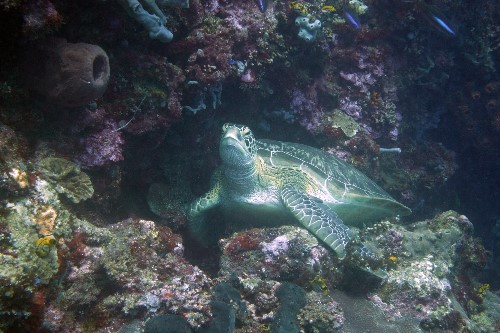
Raising the red channel in Curve works good on a part of the photos, others will have some sort of strong color cast / haze-like effect (just like White Balance).
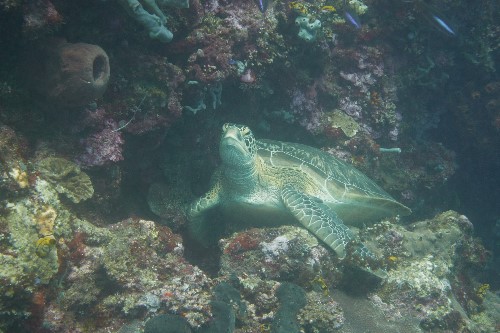
What are your preferred methods of correcting these type of shots?
Link to the RAW here in case someone wants to see the original file:
https://www.dropbox.com/scl/fi/vqcua4n2d2o7a4rnfzyf3/DSC00713.ARW?rlkey=sgf06qs9jcn26xbsd31hx7vet&dl=0
-

In the future, maybe try a waterproof white balance/gray card.
0
投稿コメントは受け付けていません。
コメント
1件のコメント