Crop tool, keep accidentally resizing "tools" and filmstrip

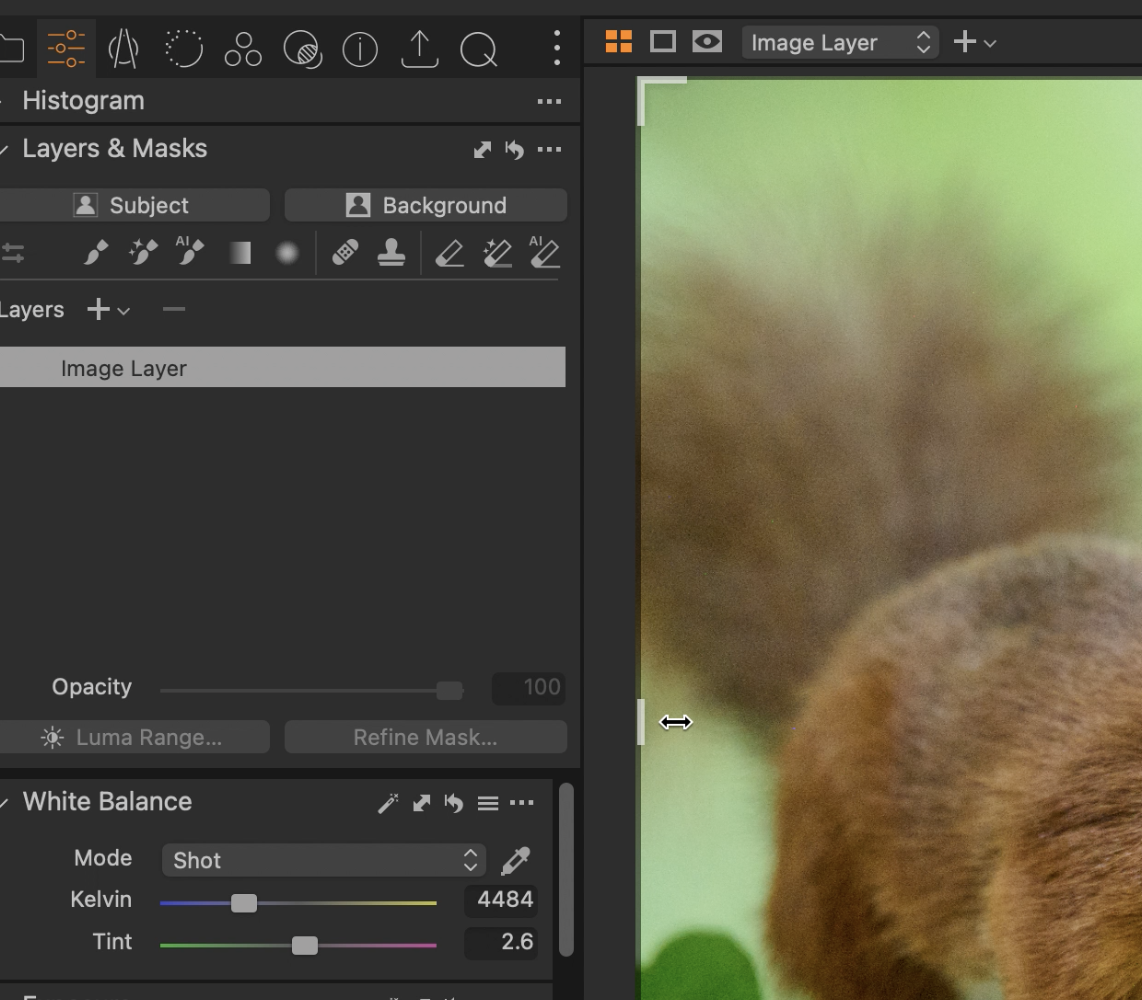
The handles for resizing the diferent parts of a the capture one window are right next to the laft and right crop handles. this means that I keep accidentally dragging the edges of the "tools" panel instead of the crop handle.
Is there a way to sort this. EG lock the tools panel from being resized etc?
-
There isn't a way to lock the tool panel from being resized. But here's a hint that might help.
You don't have to drag on the very edge of the crop - being close to the edge will do. See screenshot.
 0
0 -
Ian: Thank you for the response. This is true, but it's unintueitive to me, and breaks my concentration flow to conciously have to click next to the thing I want to interact with instead of directly aiming for it.
Anyone agree this needs attention? if so, I'll submit a feature request. I think locking the controls automatically in crop mode, or locking the controls if clicking close to a crop handle would be a good solution.
1

投稿コメントは受け付けていません。
コメント
2件のコメント