IMAGES UNAVAILABLE / CORRUPTED

HELP!
I uploaded images into a session from a card as usual, checked them and did a preselection. I went back to them and now it gives this unavailable/corrupted message.
They seemed to be on the rated folder, as I can see in the numbers but they no longer show on my capture folder either. They vanished. And I no longer have them on the card where I shot them.... is this savable or my whole day of work is gone? I have tried a few tricks from other threads....but nothing. 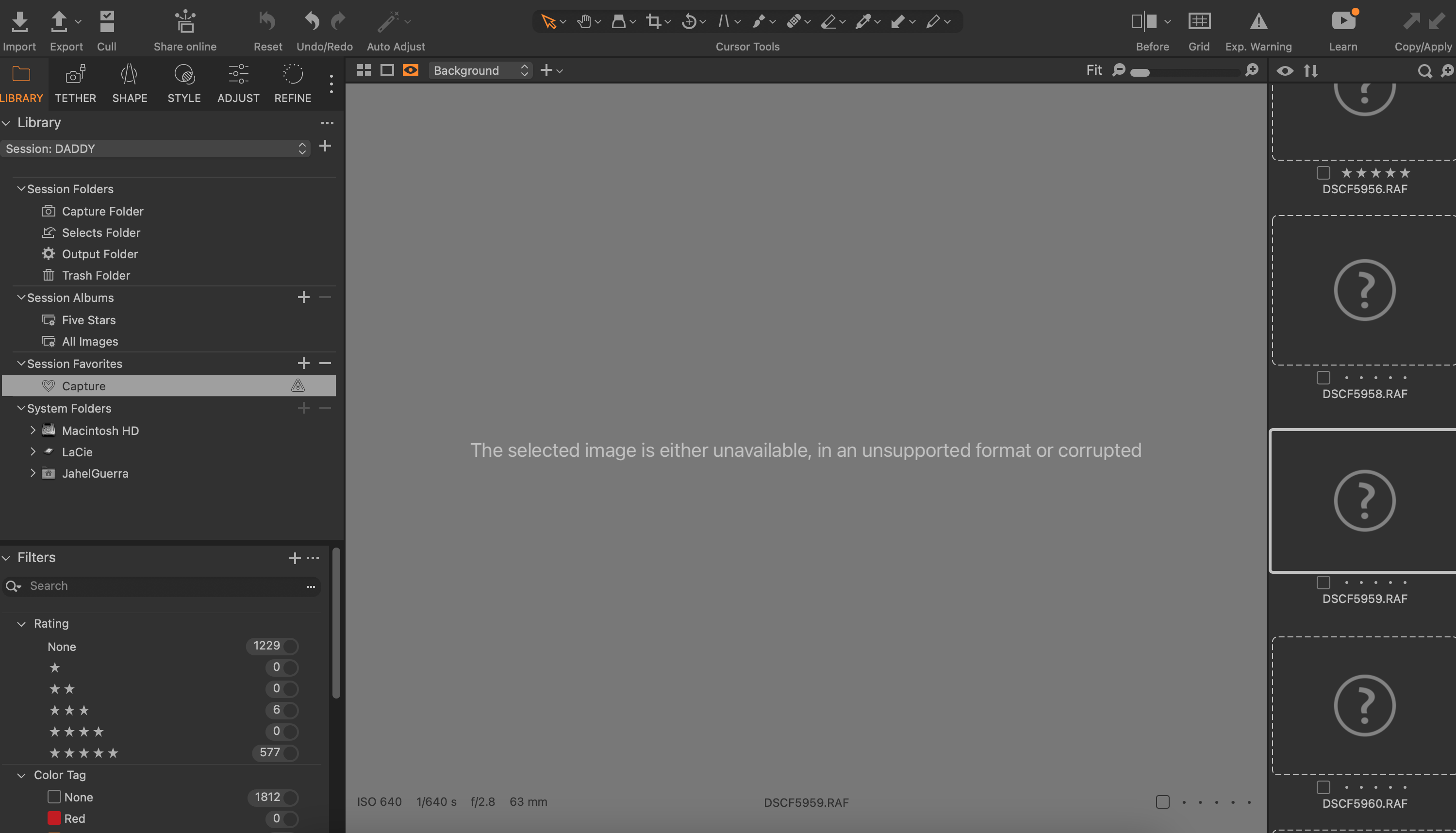
-
The normal capture folder for a session is in the "Session Folders" section of your screen shot. The "?" symbols indicate the files are offline. Also note that the "Capture" folder selected in the left sidebar has a "?" inside a triangle also indicating that folder is not present. Do you still have the card? Can you insert it back into the computer? I wonder if that capture folder is the folder on your camera card and not on your computer somewhere.
0

投稿コメントは受け付けていません。
コメント
1件のコメント