How to Quickly Copy Only the First Layer in Capture One?

I'm experiencing difficulties copying only the first layer of an image in Capture One and would like to request your assistance. The adjustment layers menu don't have an option to uncheck the layers, and din't find any other menu or place in the copy/apply icons.
- Is there a specific method to copy only a single layer in Capture One?
- Am I missing any steps or configurations?
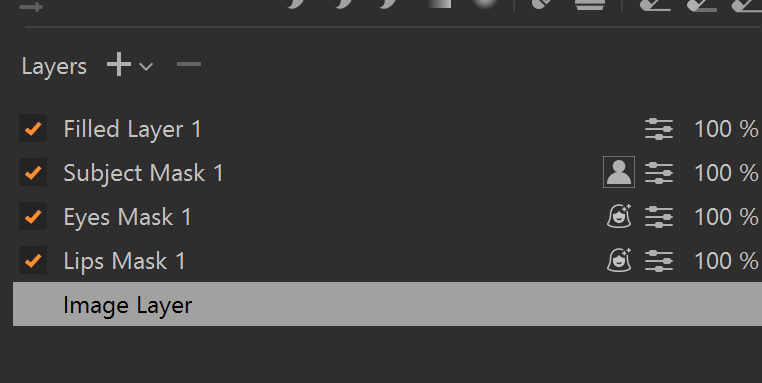
I have attached a screenshot that shows the Layers panel for reference.
I need to copy only the Image Layer, so when a I make small ajdustaments (like exposure and WB, I don't need to exclude one layer by one to copy and paste to the others that I made this processes of create the Smart Layers Before).
Thank you in advance for your help! Any guidance or tips would be greatly appreciated.
-
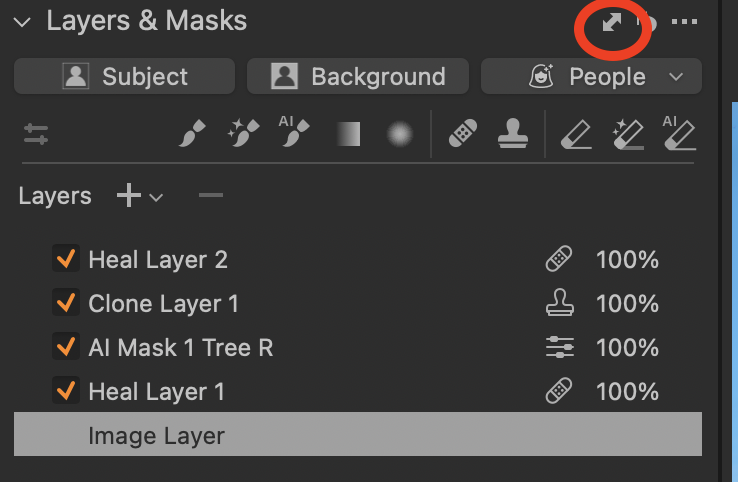
Yes, you can do this.
- Click here.
- You'l see a dialog box like this.
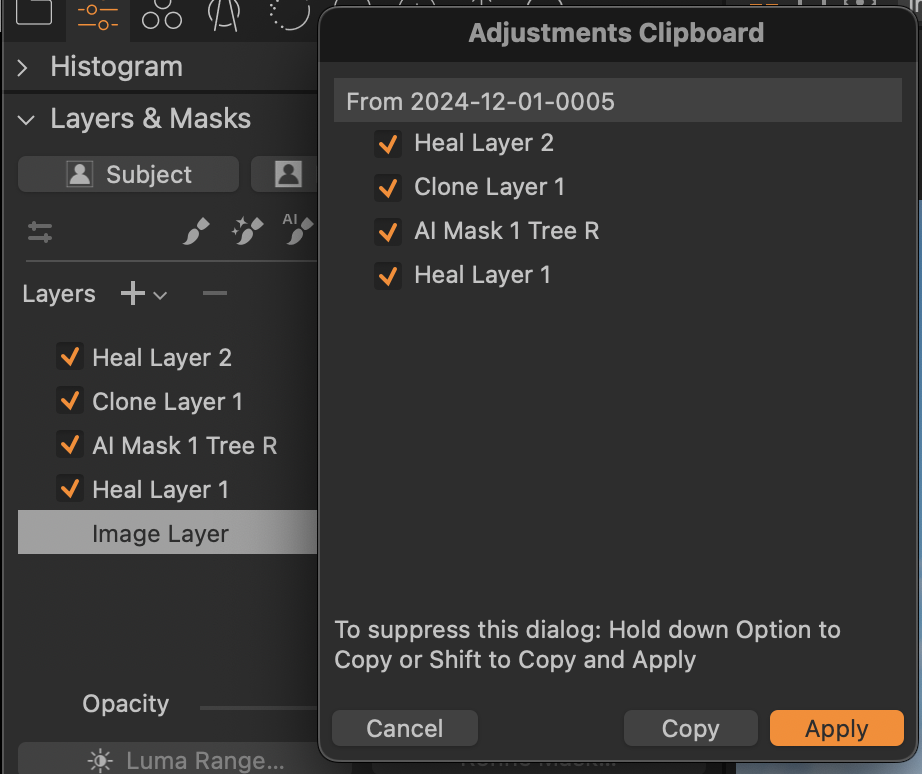
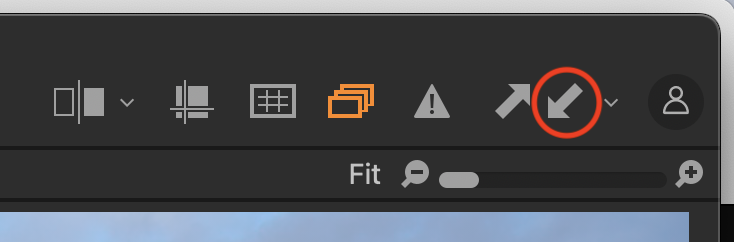
Deselect the layers you don't want to copy, and click the Copy button. - Click here to apply the selected layer(s) to another image.
Ian
1 - Click here.
-
Thanks Ian, you're a life saver!
0 -
But if want just to copy the Image Layer (background image), I can't? Actually, I need to copy only the base layer, so this method I have control over the layers, but I can't just copy the image Layer. The workaround that I find, iis that I need to delete all layers, copy the image adjustments, and ctrl + z to give it back (because I don't want to copy the layers). This method that you showed I can use for other things, but for my problem now I think that I need another approach right?
0 -
You can't exactly copy the image layer to another image. BUT ...
Here's what you can do.
- Use the fairly new feature that lets you move the image layer adjustments to another layer. Right click the image later to see these options.
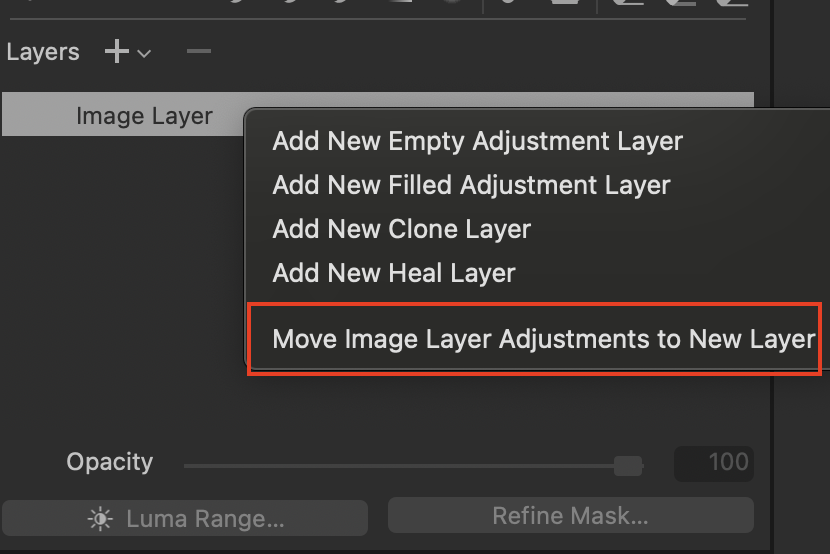
- That will give you this.
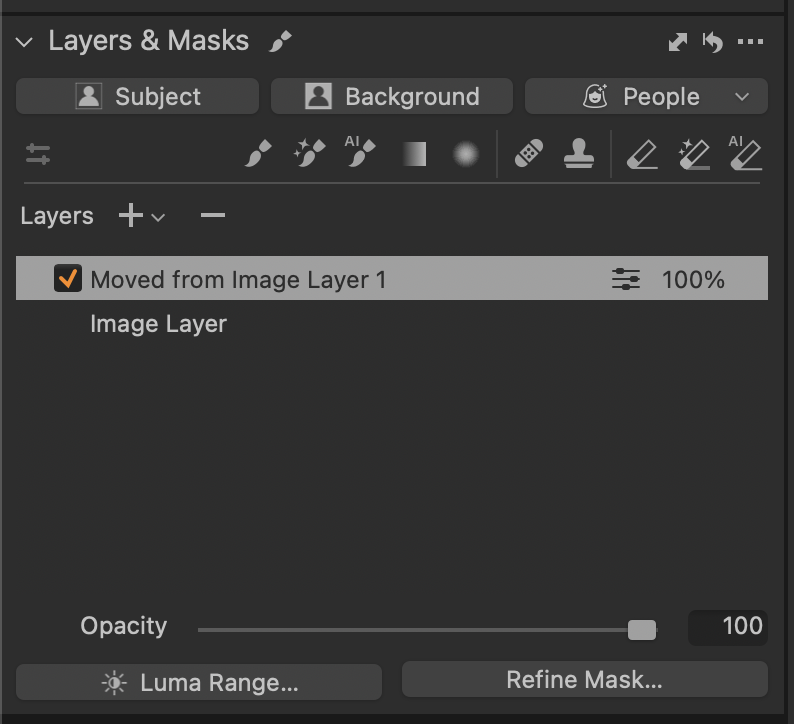
- Then you can copy the newly created layer to other images as before. You might want to rename it first.
Ian
1 - Use the fairly new feature that lets you move the image layer adjustments to another layer. Right click the image later to see these options.

投稿コメントは受け付けていません。
コメント
4件のコメント