Can't adjust\edit any photos. Sliders appear disabled

I am switching from Lightroom. I imported my catalog. I can browse all of my photos, but can't change any of them because the sliders are all disabled (greyed out). I don't know what I did wrong or how to fix it, but it's super frustrating. Anyone see this before and know how to fix it?
Thanks
Thanks
1
-
What licence are you on? Check what About says on the menu. Possibly on the wrong mode, such as trying to edit Nikon files on a Sony only mode?
Ian0 -
Yup, this was the issue. I switched from a Nikon to a Fuji. I'll have to archive my Nikon photos. Thanks for the assist. 0 -
alpha700 wrote:
Yup, this was the issue. I switched from a Nikon to a Fuji. I'll have to archive my Nikon photos. Thanks for the assist.
If you have paid for the full Pro version, that will handle both your Nikon and Fuji files. If you are using the Fuji version because that is what you paid for, then it won't handle the Nikon files. But I know some users are confused and think they must use the Fuji version for Fuji, which isn't the case, so I though I'd mention it.
Ian0 -

In addition to Ian3's comment, you can upgrade your Fujifilm license to a full Pro license. You can start with a 30 Pro trial as well, postponing spending money for another month... 😉 0 -

Hi Guys,
I have a similar problem with my capture one pro 12, therefore i add my question here. (I can create a new post at the capture one pro 12 area, if you want.)
So here is my issue:
I have purchased a Sony licence for capture one pro 12. But now the editing functions are suddenly deactivated although the licence is still active and valid.
I guess there is a licence issue, because i purchased the license for sony at calumet photo here in germany and they first sended me a wrong fuji licence key that is useless to me because do not need anything else but sony . After talking to their hotline i've received a new and correct key for the sony version. Meanwhile the old key was deactivated (i guess by phase one) and after entering the new key everything worked just fine for about a half year now. But like i said the editing functions are suddenly deactivated now although the sony licence is still aktive and valid according to my capture one. I hope you can help me.
Thank you.
Best regards
Karl0 -
NNN636963078362127907 wrote:
Hi Guys,
I have a similar problem with my capture one pro 12, therefore i add my question here. (I can create a new post at the capture one pro 12 area, if you want.)
So here is my issue:
I have purchased a Sony licence for capture one pro 12. But now the editing functions are suddenly deactivated although the licence is still active and valid.
I guess there is a licence issue, because i purchased the license for sony at calumet photo here in germany and they first sended me a wrong fuji licence key that is useless to me because do not need anything else but sony . After talking to their hotline i've received a new and correct key for the sony version. Meanwhile the old key was deactivated (i guess by phase one) and after entering the new key everything worked just fine for about a half year now. But like i said the editing functions are suddenly deactivated now although the sony licence is still aktive and valid according to my capture one. I hope you can help me.
I have no suggestions based on your information. Maybe support can help me.
And yes, next time I suggest you post in the proper subforum.0 -

I have an issue to adjust my files. It marks photos that I saved to capture one from photoshop as "read only"
Preference settings are all fine.
Other picture didn't mark as "read only" (I don't know why capture one decided to mark some images and some not) but i still can not make adjustments (sliders are grey and I can not do anything)
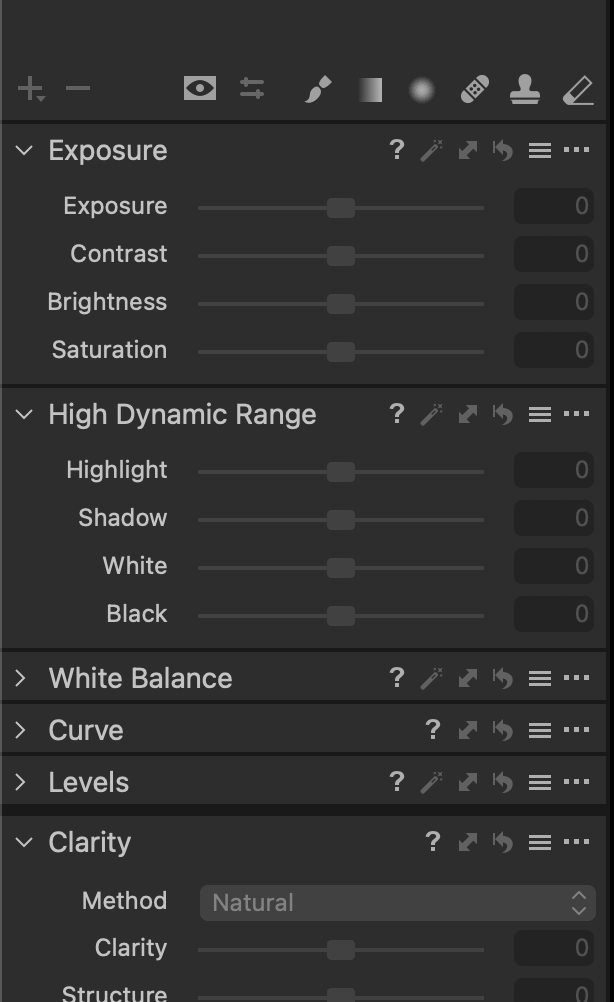

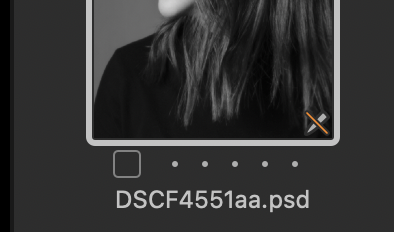 0
0 -
Anastasiia,
In case the read-only status applies only to .PSD files that you saved from Photoshop, I suggest you check in Photoshop that the maximum compatibility setting for PSD is enabled.
0

投稿コメントは受け付けていません。
コメント
8件のコメント