Can't sign in using Firefox or Brave

I'm unable to sign in using Firefox and Brave.
With Firefox I get this message:
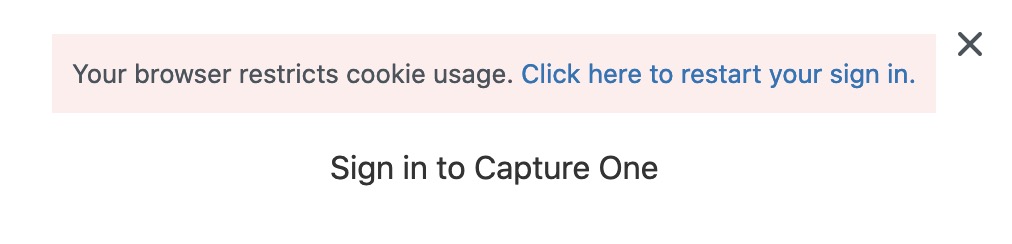
(Following the link doesn't solve the issue.)
With Brave I end up here:

With Safari it works.
-

Hi,
Can you tell me more about your configuration?
This is Zendesk's list of supported browsers:- Google Chrome: latest two versions
- Mozilla Firefox: latest two versions
- Apple Safari: latest two versions
- Microsoft Edge: latest two versions
And Browser configuration:- JavaScript must be enabled
- Cookies must be enabled
- Local storage must be enabled
- TLS v1.2 or above
0 -
Firefox 73.0 and Brave 1.3.115.
Cookies, javascript and local storage enabled. I have no issues on any other sites with these two browsers.
(macOS 10.15.3)
0 -
Okay, I will try to replicate. Are you on a Mac?
0 -
0
-
I just signed in with no issue with Firefox 73 on Mac OSX 10.15.3.
Let's see if there are others that experience the same thing as you.
I assume that you can use Safari until there is a solution?0 -
0
-
Got it working now. It turned out extensions were causing the issue.
0 -
Good to hear!
0 -
In the old forum, people are writing that they're unable to log in here – see the last posts.
0 -
Here as well.
0
投稿コメントは受け付けていません。
コメント
10件のコメント