Moving grid lines

Having difficulty moving grid lines in C1 20.Any assistance is helpful, thanks.
-
In v20 you can only use the move tool for this (press V on the keyboard, or the arrow symbol on the cursor panel). In previous versions you could also use the pan (hand) tool.
Ian
1 -
I'm still not getting this. I have the V key pressed, cursor goes to move tool. but the grid lines do not move.I must be missing a step here...
0 -
So you do mean the grid lines shown here, don't you?
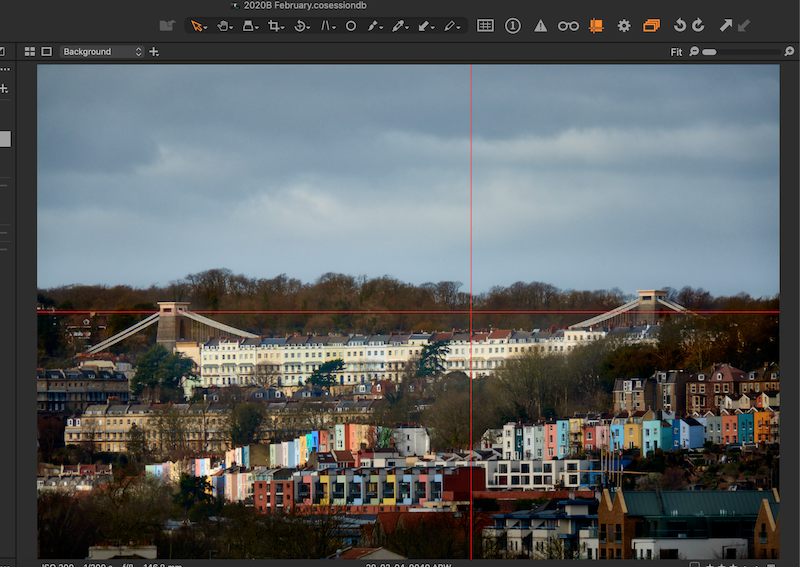
If you press the V key, and move the mouse to the line, you should see it change to a double headed <> symbol and you should be able to drag it.
Ian
0 -
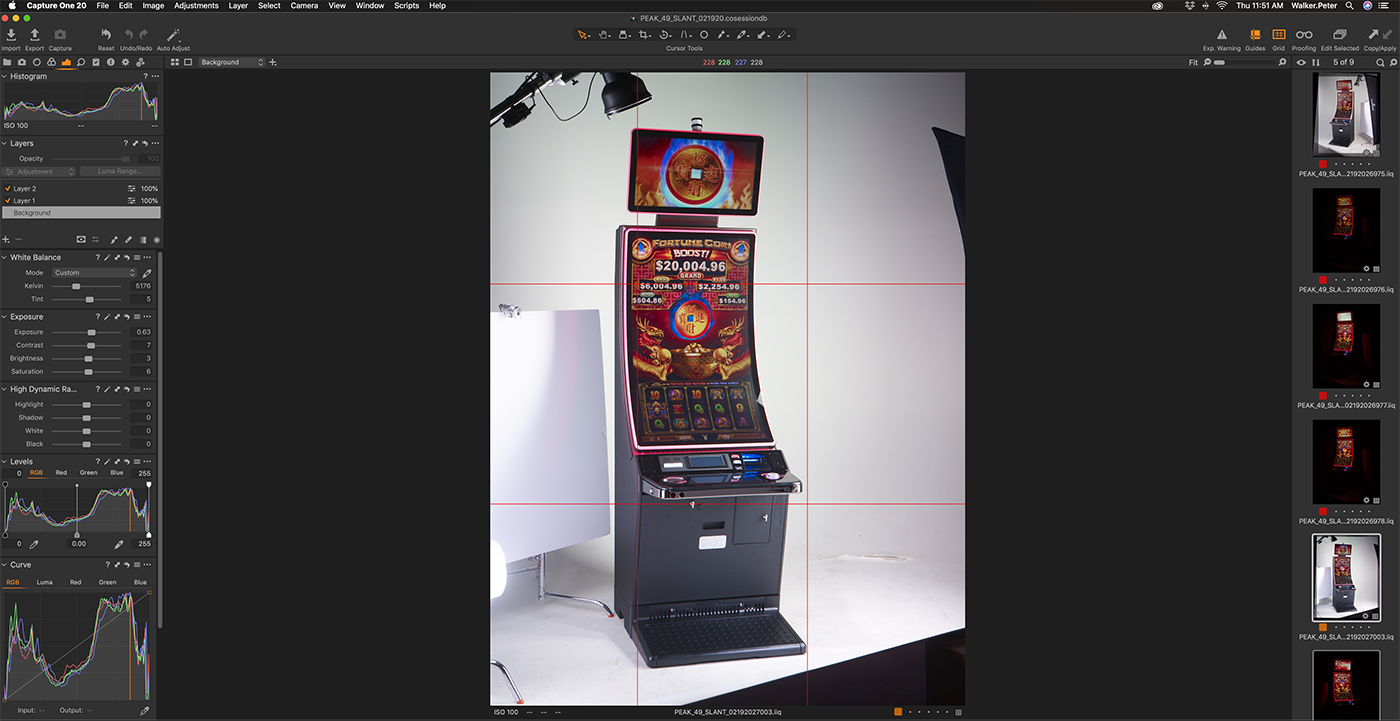
I've been using Capture One for years, and feel like an idiot. I'm doing exactly what you describe but the grid lines do not move, not do I get a double line to move the grid. V Key does not engage the grid line. Frustrating as I must be missing something but I can;'t think of what that is.
 0
0 -
Ah. I see from your toolbar that you have both guides and grid turned on. You can move the guides, but not the grid. Try turning off the grid button. If you still see guides you should be able to move them.
Ian
0 -
Success! Thank you for walking me thru this Ian, I appreciate it.
Peter
0

投稿コメントは受け付けていません。
コメント
6件のコメント