Random Dialogs About "Restoring Files from Trash"

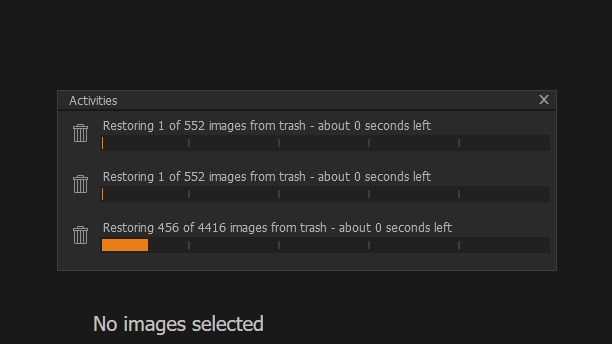
Some rather odd behaviour recently. Capture One 20 Catalogs have started bringing up this dialog randomly. I haven't deleted any images in these catalogs. These dialogs never progress or finish. They just stay there until I close Capture One. What's happening here?
-
A software bug. It actually moves variants to trash and then shows this dialog. It happend to me when assigning images to the selects album with ctrl+j. You should check your trash and move them back.
1 -
The crazy part is, there are less than 1,000 images in the current catalog... where is it finding all these non-existent images?
0 -
I've just checked and there is nothing in the "trash" folder. What gives here, Capture One?
0 -

Been seeing this for awhile. Sometimes exiting C1 and restarting fixes it. Sometimes it just comes right back. As you say, there is nothing in the trash to restore. It just sits there appearing to run while nothing happens. Quite bothersome.
0 -

Same thing here too, it is a pain in the backside. I'm sure you are getting the same thing, it says something like 4 seconds left but it can take hours for it to finish/clear. Or it never seems to finish the activity and the only way to get it to go away is exit C1 and start it up again. I usually have to do it a couple of times to get it out of the way.
0

投稿コメントは受け付けていません。
コメント
5件のコメント