Is their a Nikon only version like the Sony and others at the better price?

Been using the trial version and comparing it to the new Lightroom I am running a trial on as well. Have used LR 6 for years and all versions before that. both work well. Each has its own color look. I have been running both side by side today working to get the same colors and look. I can do this after working out how to get better shadows in Capture 1 but still for some images LR still is better for shadows I can not match in Capture one.
I like the color control better in Capture 1 but I never had a problem within LR.
I was hoping Capture one would support using LUTs as a feature tool as this is something we are starting to create and use.
I like Capture 1 but the price at $300 vs Lightroom for $10 a month and it included PS.
The $300 is a hard price to pay as next year if I do an upgrade and it cost $150 I will be in at $450 for two years of use. VS Lightroom and PS for almost 4 years.
Do you have a Nikon only version for $129 we only shoot Nikon? That would put it in a price range we would go for as the updates would cost less as well.
I have a few days left to decide if I am going to start the LR PS payments or cancel and get Capture one.
I have been using the same raw files from weddings and portrait sessions and editing them in both side by side and exporting the images out as full size to compare. I like some of each no real winner. I have the colors and look super close now. LR lets me use the Luts/profiles easy and Capture one has better use of layers. LR produces much better shadows very easy but I like the Capture 1 color tools.
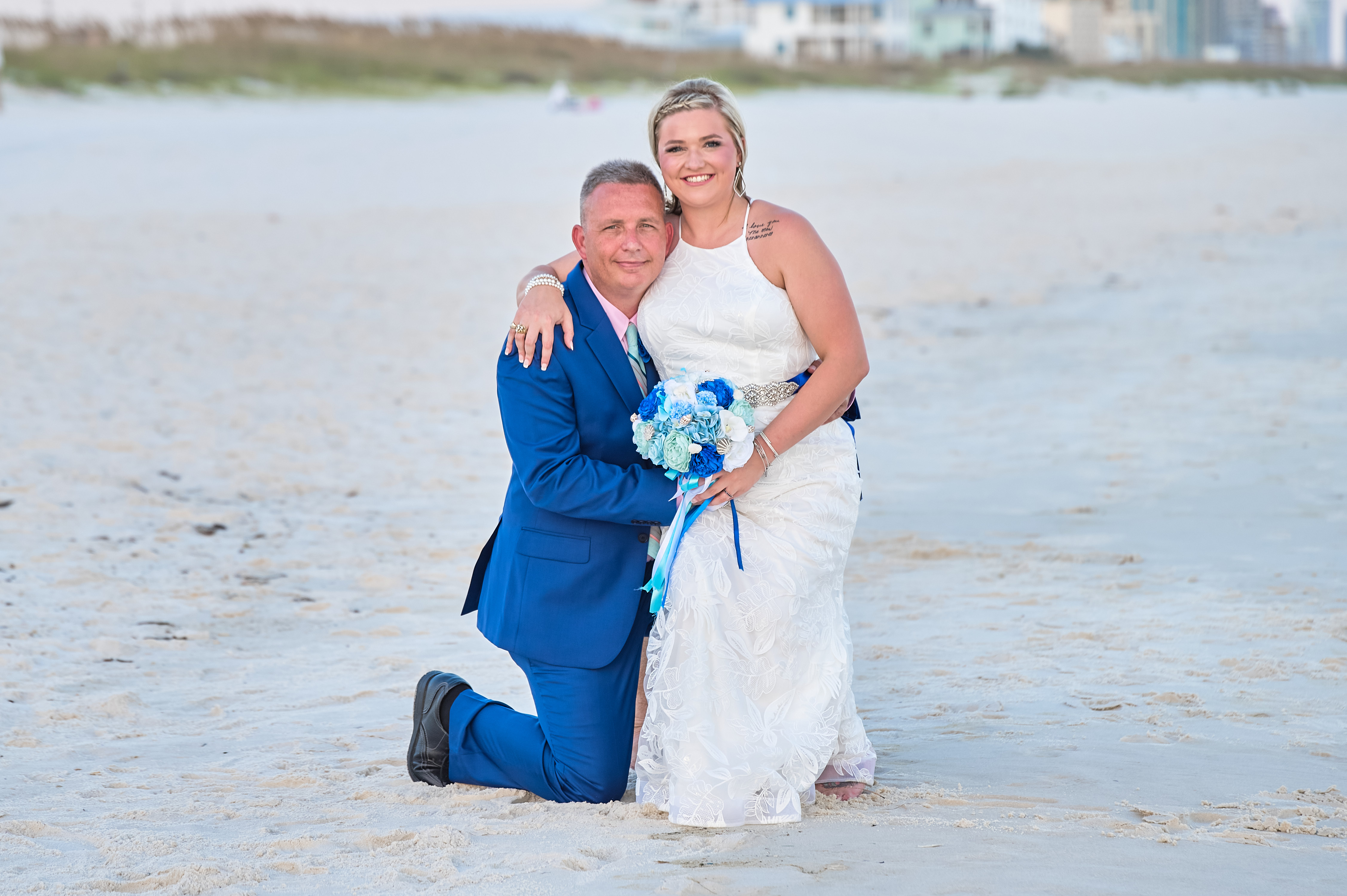
Here are two photos one from each
Capture one first
Then Lightroom
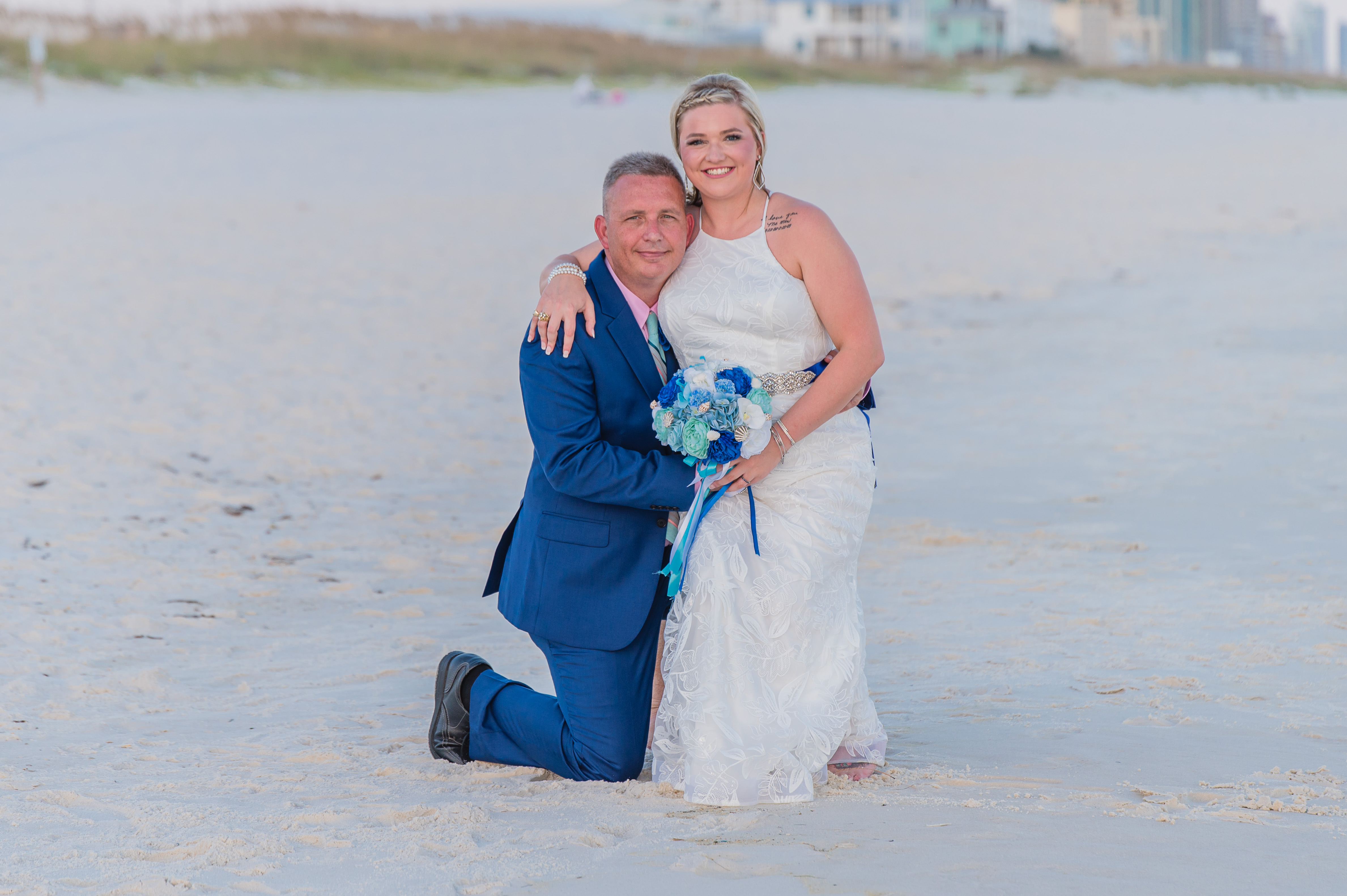
Thanks
-
There isn't a Nikon only version.
For this particular photo, I think the Capture One version has come out a slightly better colour, though no doubt you could tweak the LR version a bit. (To me in the LR version, the bride's skin colour is a bit reddish.)
Ian
0 -
They don't provide a portrait curve for all Nikons (unfortunately). And it was the LR version that I thought was a bit reddish on this occasion.
Ian
0 -

Hi FistName LastName
There is often a 25% off coupon available for C1 Pro periodically that softens the blow for initial purchase. There was one running last week I think??
The special prices for Sony and Fuji are not really a Capture One offer. Both camera manufacturers subsidize the software, presumably because they believe it offers the best files form their cameras.
I used LR from V1-6 and it is difficult to change to new software because you don't know how it works and so tend to just pull sliders witht he same name even though they don't do the same thing. I know this from experience:-)
Your comment on shadow performance is certainly strange form my experience, it is at least equivalent. C1 has excellent shadow control, as has LR. However, the levels tool is important in C1 and LR does not have this tool. In LR you use the Black and White sliders to set the Black and White point. In C1 you use the levels tool. In C1 this step can be automated and I set the clipping level to 0% in the preferences as I like to control the amount of clipping. It is important to set the levels prior to using the HDR shadows and Black control. The new Blacks control uses the set levels as a sort of hard stop. The HDR controls allow fine control over shadow details and importantly contrast.
On my calibrated monitor your images look a little strange in that the C1 image looks vibrant with good contrast and pops, like I would expect C1 to give. The LR image looks dull and muddy. These were my long suffering wife's comments when I asked her to look at the photos. It maybe something to do with the forum software. This is not to start a C1 is better than LR discussion just an observation of the images presented. It was something that I observed when testing C1. If I took a selection of new images. Processed them quickly in LR and then left them for a week. Came back after the week and processed the same folder with C1 and compared the results they were similar to the two images shown. I could then further process the LR images and make them look like C1. However, if I hadn't used C1 I would be non the wiser.:-)
This may be due to C1 giving a better starting point but whatever, C1 became my default software. Interestingly, a user on a recent DPreview forum thread recounted the same experiences, testing DXO, LR and C1.
Changing software is difficult and there is no one best software only what is right for you. In the same way we don't all use the same cameras. LR is very good and you can't lose by sticking with it.
Ian
0 -
From image to image I get some I think look better in LR and others I think look better in Capture1.
But for shadows recover LR for sure dose it better I can load in hundreds of images and can not recover the same in Capture one I do in LR easy.
It starts to brighten more of the fill image - when LR keeps it to just the shadows. I had to create a preset that lifts the shadows in Capture one to apply to all my images to match what I do easily in LR.
I was going to show some examples but it will not let me load it as it is over 2mb.
I wish that had a better normal everyday price. I can not see paying double and not getting anything like using PS as well.
Shooting a portrait session tomorrow on the beach will edit it in Capture one and Lightroom classic and DXO for a last test.
0 -
Hi DigitalEd
Are you using the "Black" slider in C1 or are you limiting yourself to the shadows slider? The Black slider was introduced to increase the C1's control of shadow recovery.
On a side note I have posted below the DPreview post that where a user compared DXO, LR and C1. As I mentioned in an earlier post I had conducted independently a similar exercise when I was considering changing from LR to C1 - not an easy decision after 10 years with LR, and found the same result when I asked other people to evaluate the prints. Scientist by trade so very well aware of observer bias :-)
Well, I am an enthusiastic user of C1 and I reasonably often process files in LR and C1, and I can't get the detail in C1 that I can from LR, even if I prefer the results from C1.
The 3D look didn't originate with me. Several years ago when trying to make a final decision between LR, DXO and C1, I made ten different prints (I think it was ten) of different subjects from each program.
It turned out to be a massive project as each print was made several times because I picked the best print from the three and then reprinted the other two to match. This then gave me a new best print, so I had to reprint the other two again etc I went through this multiple prints until I had three prints of each photograph that closely matched. They were just A4 prints.
I asked 10 people (not photographers) to choose which print they liked best. No one liked the DXO prints, one LR print was chosen and all the rest were the prints from C1.
The comments on why they liked the C1 prints best were things like "more natural" "more realistic" and "more 3-dimensional" than the other prints.
I repeated this a couple of years later, in a reduced form, with identical results (only one LR print liked).
If you look at the detailed area (e.g. small feathers) in prints from C1 and LR, the C1 images seem to have microcontrast in the finer detail that gives them a "lift" that I can't match in LR.
It also gives the impression that the C1 images have more detail than LR, until you make a direct comparison.
But I reckon with more practice, RT is going to exceed the detail from LR and match the micro contrast of C1.
But there is always the issue of how much of this is due to my skills, or lack of them, and how much is a genuine limitation of the program being tested.
This is not to say C1 is the best it is whatever works for you. It is however an interesting exercise to undertake, particularly as we all have time on our hands given the current situation :-) However, it is quite expensive in paper and ink:-(
Question: Which of the OP photos do you prefer? Again no right answer just personal preferences. If possible ask a relation or friend to make a judgement :-)
Ian
0 -
Ian yesterday I spent all day and night editing another set of images from different jobs i pulled a wide mix of what we shoot all the time.
I edited them all in the 3 programs DXO, Capture One, and the new Lightroom classic.
This time I edited each on their own like a normal edit session so I was not looking at any others till everything was done.
When done looking at them all the DXO images just did not look as good the color was not as good at all but the brightness and shadow recover was very good but with the colors not as good I have dropped that out now.
So next Capture one VS Lightroom classic.
First off in this new version of Lightroom I do see the output quality is better than my old V6 and with the new texture tool and dehaze tool I can bring in even better details.
Looking at both one is no better than the next for details and or exported sharpness.
Both produced excellent images the only difference in them was a slite color difference.
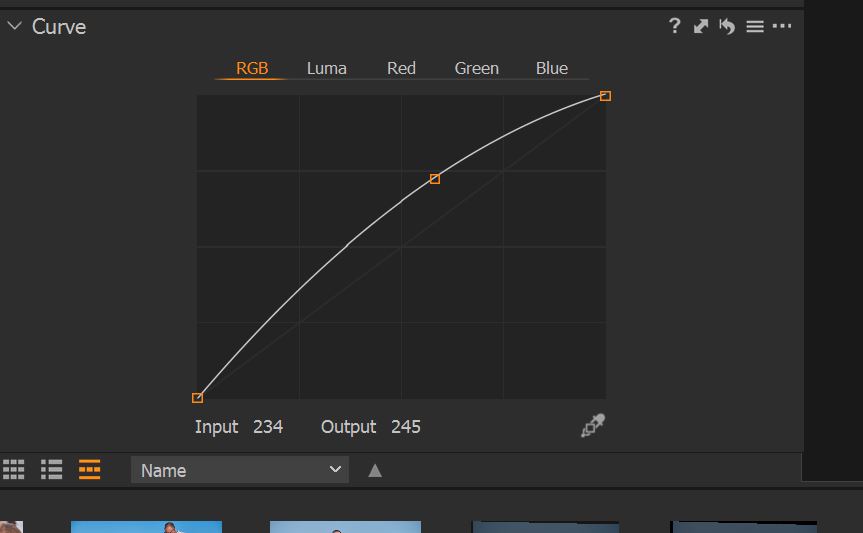
The other day I created a preset in Capture one to bring up the shadows like I get in lightroom already and when I use the setting on all my images it gets me very close to the shadows look I am used to in Lightroom. So both programs when using this boosts shadows are so close now not one is a winner over the other.
Here is the setting I found to work on all my images to get me the same shadows as lightroom then when I use the black and Shadow tool sliders it works more like Lightroom. Without this boost I can not get the same shadow recovery and even with this some things I can not recover as well as in Lightroom but it is close now
Doing more of the image looking at them some i still like better from Lightroom and some I still like better from Capture One but both would be ok as they are very close. Bioth are just as detailed now no problem at all their.
The difference all comes down to the colors.
Capture one has more of a dark orange tint in the skin tones and Lightroom has a lighter orange. Lightroom has a little bit more brighter red and C1 has a darker red in skin tones.
So on some photos, the skin tone looks too orange on some C1 images and better in LR but on some others, the extra darker orange looked better as LR looked not as ritch.
We shoot almost everything on the beach and when we have an orange sunset the C1 image have to much orange and kind of hard to get out VS LR that deals with the more easy. but on a bright sunny day that extra darker orange can look a little better.
But we start out sunny and end at sunset for almost every jobs so we have a mix of colors changing as we are shooting so you say C1 would be better for the sunny day parts and LR better as the sun is setting and after sunset color.
But I am not going to break a job into parts for different programs and the amount of difference in the two is very small only small shades of more orange or darkness. If you do not have them side by side to see it you would be happy with any version of the image. Some people may like the more darker orange color or the other way around to.
One other color I am going to look more into today to see what setting i had on each on is the water ocean and sky colors.
I seem to be getting a different version of the blue tint from each program. could be I used a different WB or it could be that I do boost the blues and bring the lightness down to make them darker to enhance the sky and watercolors.
But they both look good still a slite shade different but one not looking better than the other.
Using a tool to remove some people in the water in some images behind the subject was much easier in LR by far and faster to do.
For fast raw editing with the great quality output I do not think one is any better the next. I set up some output settings with my logo on them in C1 and I like how LR does this a lot better. Also the new LR Luts or profiles feature I am already playing with and love that C1 has a way to use LUTs but it is not a built-in feature and you can not control the amount applied.
C1 has an overlay feature I have not tried yet but I could see using that. And C1 has better color tools but in LR I really do not have a problem with them but it would be nice to have the C1 extras for this at time. But a lot of this can be done using LUTs in LR to deal with set colors.
Both programs are just as fast I was thinking C1 was a little faster but when editing a lot of images fast C1 does slow down some at times so i would say they are even.
LR supports the Tamron lens we are using the most now and C1 still dose not the 35-150.
So with output quality being equal for the most part, it comes down to price do I want to pay $10 a month and get LR and PS for $120 a year or pay double and not get PS and get the same quality output but have a few extra tools that may be fun to play with but do not give me all that much better of output on the end resulting image. And does not give much of anything that I get in PS. If they both were the same price I would go with C1 as I like it and i have other tools to replace PS. But at double the price for not double the abilities and less for some items and including what you do not get in PS. I do not think i am going to do that.
I have one full job I will edit in both for one last shot at it but I could use the extra money to buy other plugs or lut packs for LR.
I can not post much as most the files are over the 2mp upload limit here but here are a few the are under 2mp
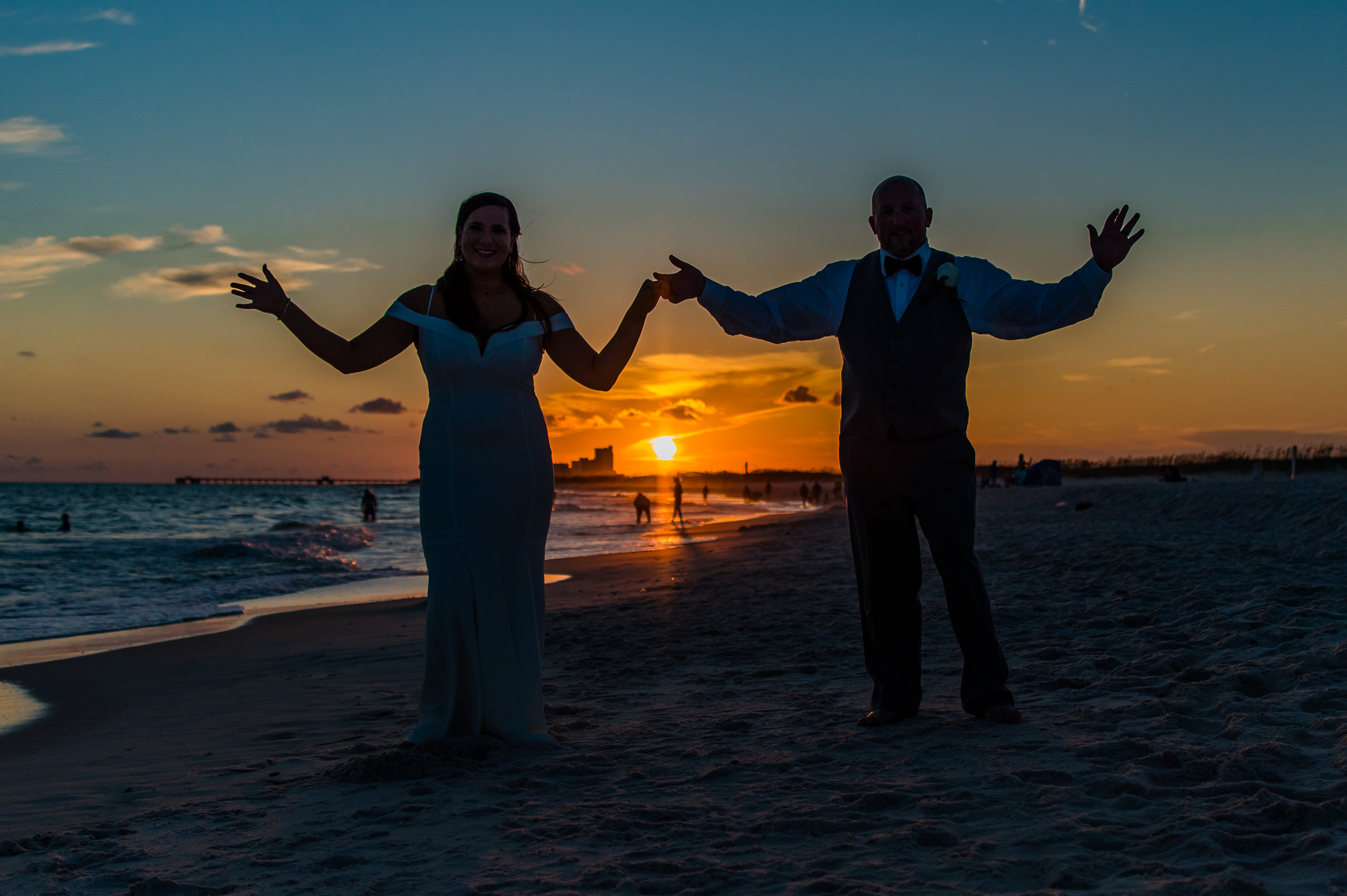
This is the kind of image that in C1 I can not recover the shadows as much as in LR. In LR I can keep some of the ground and parts of the people and still get a very dark look in C1 I can not but it is close and good enough unless you see them side by side it would not matter much.
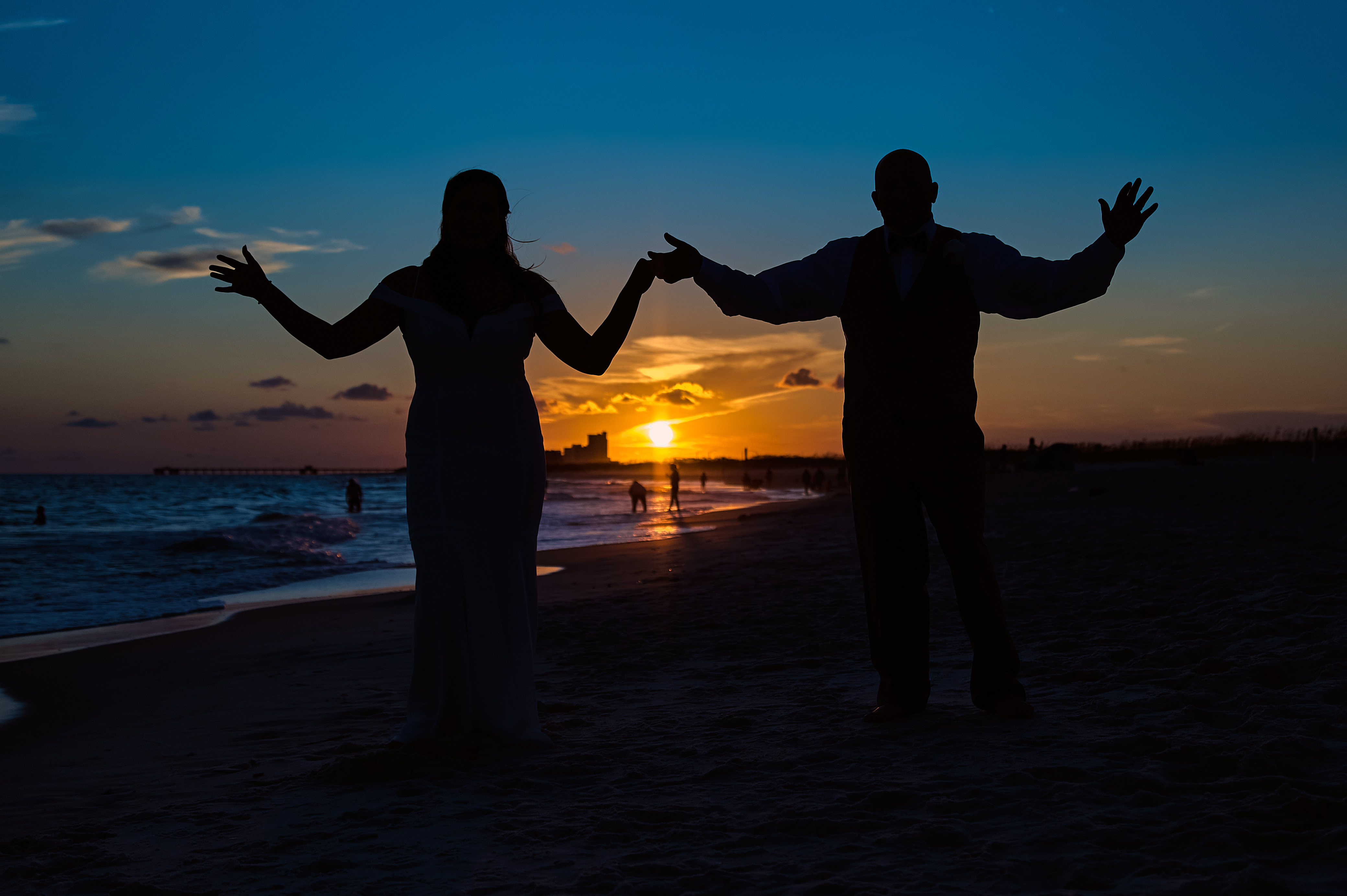
Here is the LR Version keeping the shadows dark areas like this is no effort at all a few seconds of time. In C1 I just could not do it after a long time trying. I spent a few mins in C1 playing to get to that and this was a few seconds in LR to get to it. You can see how both produce a different shade of blue in the upper sky maybe I had the lightness down more in C1 as I played with it much longer.
 0
0 -
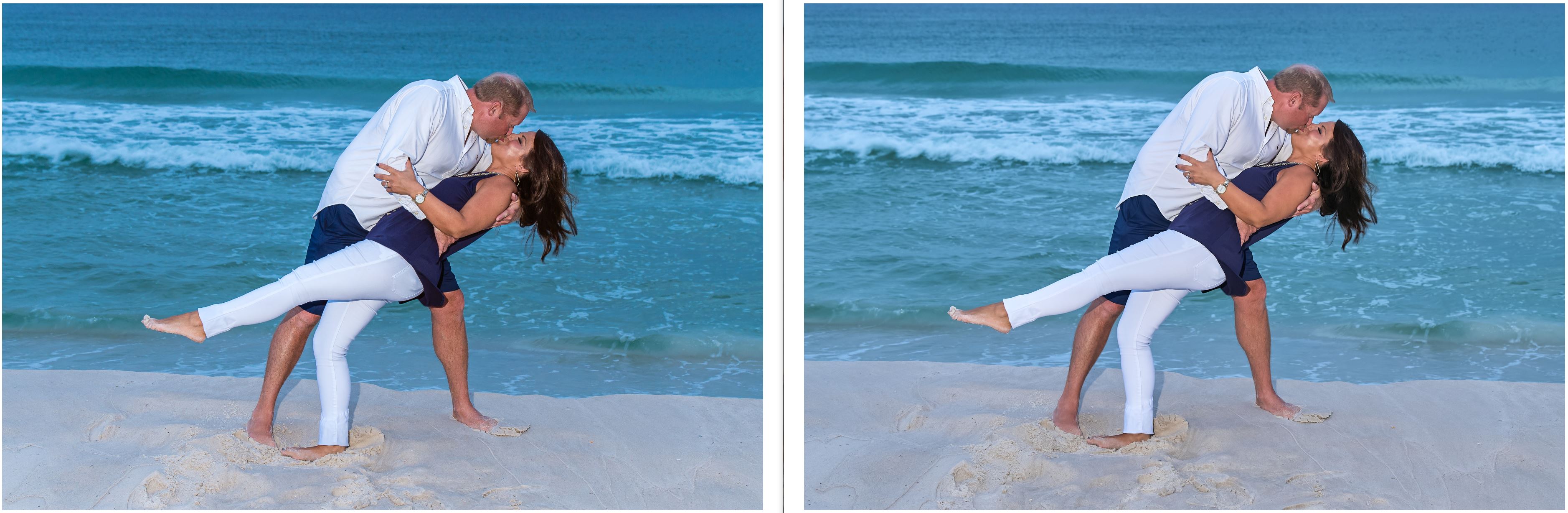
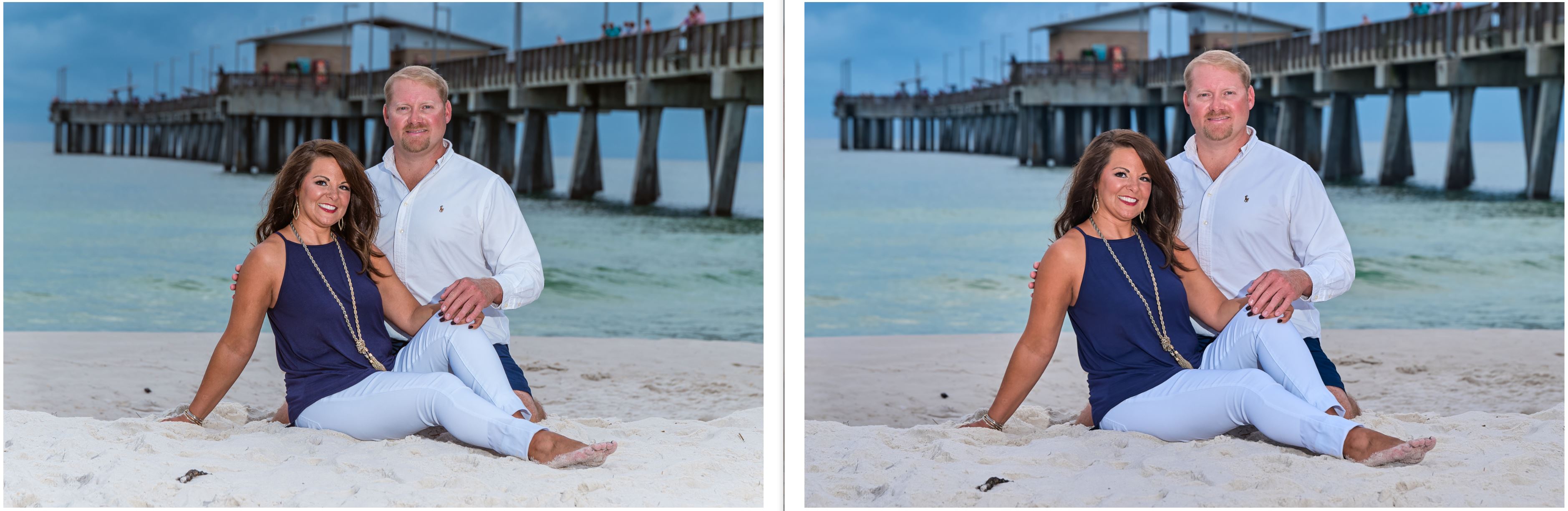
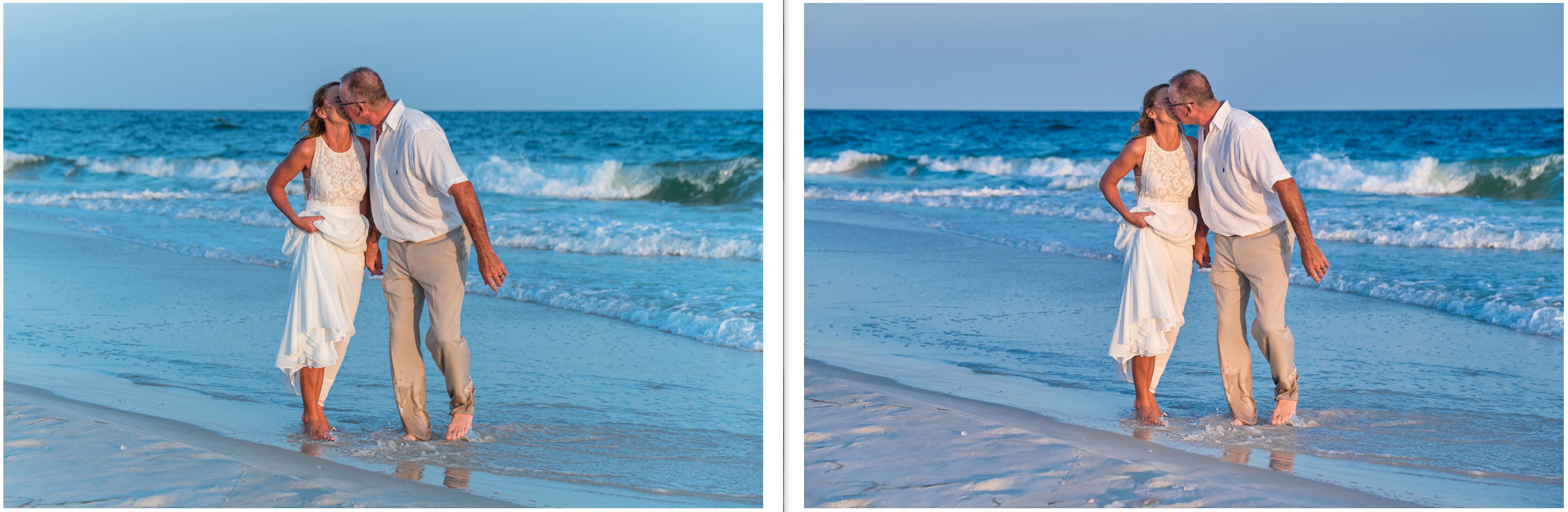
Here are some side by side screengrabs
Lightroom on the left and C1 on the right only mild differences that a slider up or down could change in eather ones.
 0
0 -
Hi DigitalEd
The heavily backlit shot doesn't look all that difficult. Pop it into a drobbox link and let others have a go. The problem with evaluating software is knowing how to use the new software. Did you use the levels tool before Dark slider?I am not sure why you needed the curve without actual raw files to look at.
Also you are probably not aware of the Linear response curve under the Base Characteristic tab which some people set by default although I find that normally auto curve works well. Allows you to fine tune colour by controlling contrast. The interaction between contrast/tone in image editors is by design but again you have the option in C1 of using the Luma curve which allows you to adjust contrast without impacting colours. You can do this in LR by round tripping to PS and using luminosity blending layers for example.
However, you can't go wrong with LR, just enjoy :-)
Ian
0 -

It is only my personal and subjective opinion, nobody feel offended please.
I agree with Walter, a fill flash could have been used if the faces and the couple should be visible. But sometimes you just don't have it at hand in that very moment, or have a different artistic intent.
What I don't like about the brighter image (LR, right?) is the muddy/dark aurora around the silhouette especially seen around his head. I find this very distracting, especially in smaller formats as it is exaggerated.
I would rather try to "sell" this as an intended silhouette image, but then, if the couple want to see their faces then you have a hard time arguing, and a raw converter able to rescue would be most welcome then.
Walter's result is 'dreadful' because he had to use a jpeg instead of the raw file.
Isn't there a saying that C1 is better with highlight recovery and LR better with shadow recovery?
If LR and C1 image quality are en par in the eye of the beholder, and other C1 features are not needed, then LR is the better choice, probably.
regards
0 -
Walter the thing is in LR I do not need to do any extra work it takes seconds no masking needed. If i had to mask out hundreds of images a day just to bring back shadows that would be crazy.
I did a full edit on a job we shot today in C1 and I will re-edit the full job in LR so I can compare them. If I do not use the curve adjustment I created I can not recover the shadows as much with the normal sliders at all.
Even on todays edit, I can see shadow area I can not touch with the normal sliders. Today's shoot was a mix of starting out in bright sunlight then clouds and then darker clouds and a lot of wind. I had to use more flash today then I like to due to the wind direction and sun creating shadows. We have to place people, girls, with long hair with the wind blowing the hair, back and not into the face. It was from 12 to 18 mph wind. Then we had another photographer shooting a model stand right behind our family we were shooting. Only have two more jobs this month all the rest got canceled. Then in June, we have 9 still left.
We have lost over half our jobs due to the virus we will not even break even this year. We have to pay for shooting permits and full coverage liability insurance in the name of the state park. Then they just raised the wedding permits from $60 to now $150 for each wedding.
I am still trying C1 and I do like it.
One thing I see it it deals with sunburned faces better that we deal with all the time working on the beach.
Here is an example from today.
This guy has sat out in the sun with his legs in the sun way too long.
The first I reduced some of the red saturation.
In the second I did use a mask but still when I would take to much red out it left almost no color so I had to leave some. I also tried to change the color and that was too limited to work well.
This is why I am starting to use some luts as I can change that color red into another color more like a normal skin tone. I wish C1 would add this in as it is such a great tool now I am spending the money on the main LUT creation tool and it is amazing what you can do I have been playing with the demo. I can use a lut to enhance the watercolor and skin tones and remove sunburns easier. Presets just can not do it to change a full color to another well. I try not to have to take any photo into another program.
 0
0 -
BO the silhouette shot was just an example to show shadow recovery for that image. We have a flash on hand all the time we use when needed. But we try and shoot as much as we can with no flash. I use a AD200 all off-camera flash. I shoot it direct with no softbox as we work on the beach in the wind it softboxes blow the stand over or blow apart in the wind and working on the beach like the photo above this is a very long walk to even get to the beach down a long walkway plus in summer it can be another block or more walk from parking and then when you get to the end of the walkway the beach is very deep of a walk till you even get to the water. Plus we walk around to different locations on the beach. We have around 1 hour to get everything shot this is from 2 to sometimes 50 people. Today we had ten people to shoot and break down in small groupings and single shots of the kids. We book one hour sessions that start an hour before sunset so we shoot into sunset walking back many times in the dark.
So we go as lite as possible. I carry the AD200 on a light stand in one hand and my Nikon Z6 in the other or on a Spider holster belt. Some days it over 100 degrees out in summer. My wife carries a bag with waters and some small props and a blanket we have them put their cell phones and other things on. And she helps with posing and dealing with small kids.
0 -
Edward,
I wonder if you are familiar enough with the Advanced Color Editor with which you can shift the hue(s) more than once and make a preset. Maybe it can do what you used to do with LUTs, I don't know.
Maybe the Skin Color Editor can shift the burnt skin into the direction of the face skin. The Skin Color Editor is tricky to use if you do not know exactly how (main point: you have to pick the target color, whereas in the Advanced Color Editor you pick the source color for your adjustments).
A raw file on dropbox would maybe trigger one or the other member to play with it... :-)
regards
P.S. That's a lot of permits you have to pay...
P.P.S. Personal interest: Did you find any phase detect pixel "banding" issue with the Z6 (or Z7 if you have) when lifting shadows?
0 -
Assuming the LUT works on the whole image without doing harm to some areas, and assuming the C1 Color Editor is an equivalent replacement for LUTs (at least for the beach and water shots in question), then a layer mask is also not needed in C1. Can be set as a preset or style on import for the background layer.
Only if the Color Editor is doing harmful things which the LUT does not, the layer and image specific masking is needed in C1.
regards
0 -
Hi DigitalEd
Wow, you asked for it and Capture One delivers a special Nikon only version.
What's it like to have so much influence:-)
Ian
0 -
On Windows, can I run version 20 Pro for my old cameras and version 21 and following for Nikon on the same computer, same Windows user?
It was not recommended in earlier C1 versions but wasn't there a change recently (customization, imgcore, Appdata, ...)
0


投稿コメントは受け付けていません。
コメント
15件のコメント