EXIF shows Color Space as Uncalibrated

I'm using Capture One for Windows. I would assume this has no bearing on how pictures are displayed. But I notice that this field is always 'Color Space - Uncalibrated'. It doesn't matter what color space was used to export.
How hard would it be to correct this. All other apps I use, seem to be able correct update the 'Color Space' field in the EXIF data.
I know it's an OCD thing. :)
-
Hi Terry,
I do not see "Uncalibrated". Which field in which application exactly do you mean?
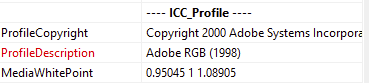
C1 shows a "Color Space" under Metadata Basic, and this seems to be the "ICC_Profile" field (not genuine EXIF I think) with the name "Profile_Description". But raw does not have this.
Hence I assume you do not expect a color space for a raw file even after an export was done (because it does not have it) but rather for the exported file only.
And C1 actually embeds the ICC profile and its name into an exported file, see an example with an exported tiff using AdobeRGB below.
raw
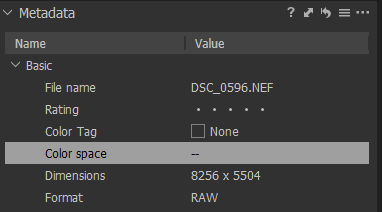
exported as tiff and imported again:
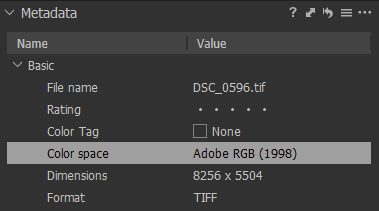
ExiftoolGUI for the tiff:
What is an OCD thing?
0 -
Hi Terry,
maybe this wasn't the point you were trying to make?
regards
0

投稿コメントは受け付けていません。
コメント
2件のコメント