Difference in Color after "open with"

Hi
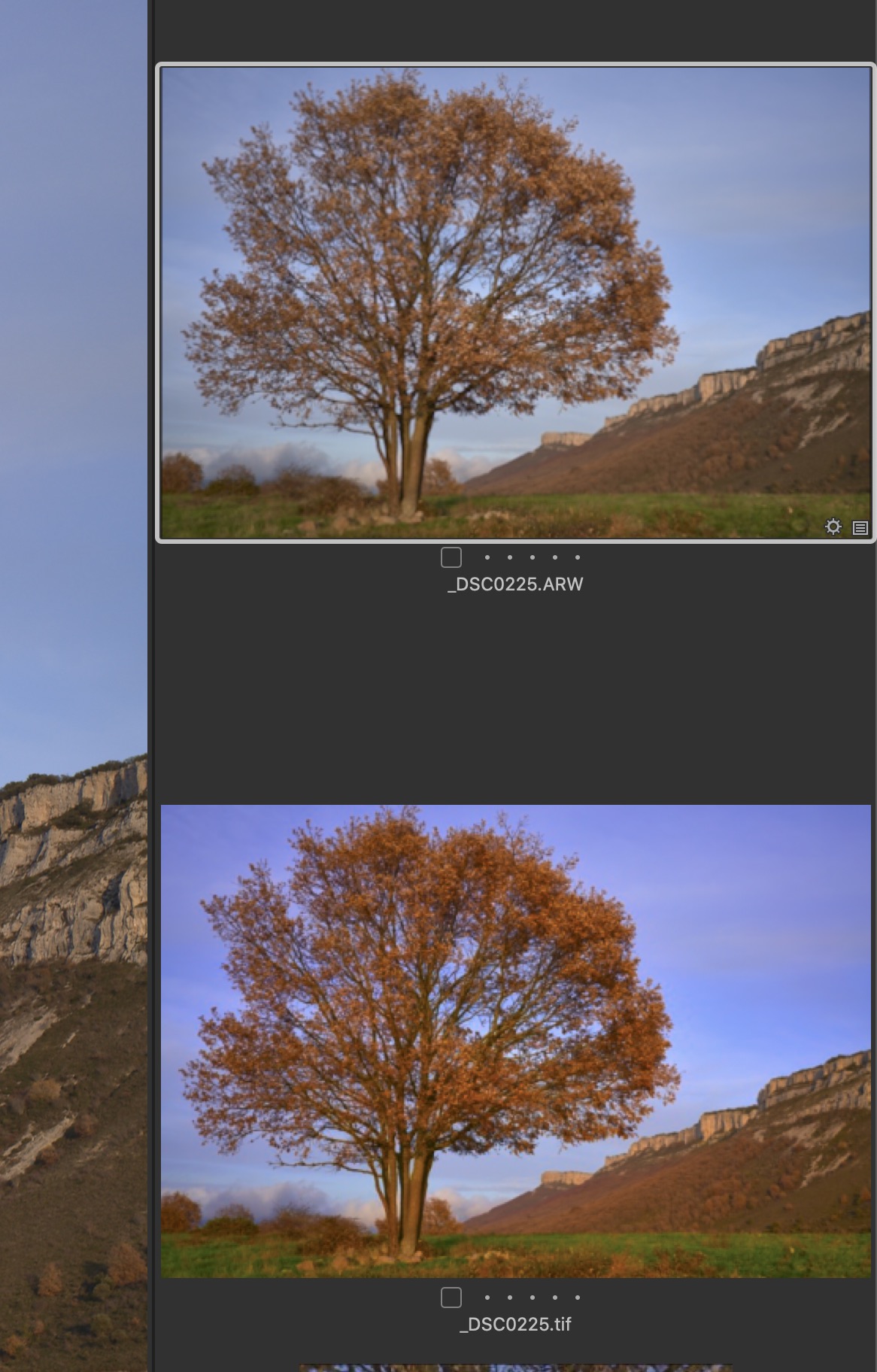
Since recently the behavior of the "open with" with Photoshop and Nik Collection is really weird in my imac late 2015. Previously, when I invoked the open "with" dialog, a new variant was created under the main one (like in the screencapture). Both identical in tonality, color etc. The problem is that now, as soon as I invoke that dialogue, the new variant is much much more saturated than the original one when I do it in TIFF but no issue in PSD, and I DON'T KNOW WHY THE REASON FOR THIS BEHAVIOR.
I have checked the RGB output in C1, photoshop and Nik Collection and they all have AdobeRGB(1998). Why does this strange excess of saturation happens when I try "edit with" using TIFF but not using PSD?. NIK only let you choose JPEG or TIFF, so it is a nuisance. I enclose a screen-capture as an example. The one below has no settings applied. It is what C1 shows just soon after it sends the photo to the other apps. Curiously, what I see in C1 and PHTOSHOP is correct after the export, but when I send the photo back to C1 the saturation is still there.
Thanks so much for your help
-
Nobody answers?
0 -
I find out the solution so, for the ones who happen to suffer the same behavior:
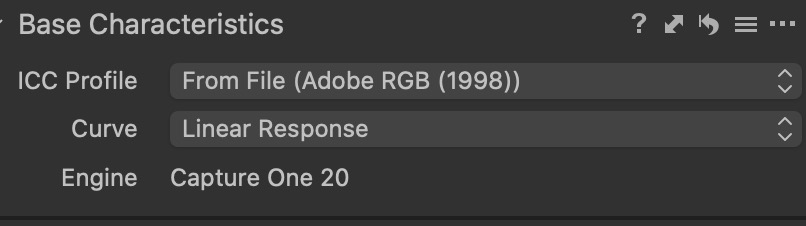
Lens correction tab / Base Characteristics / 3 parallel dots / Reset defaults for tiff file / Save as defaults for tiff file (if you change the curve)
So simple but a bit difficult to find out the solution
0 -
I've read your post but had no idea how to help you, that's why.
What has been the setting in base characteristics before re-setting?
0 -
Very kind of you anyway. You can see it clear in the screen capture. That is after resetting. Sorry I can't remember exactly, before that. On curve it was auto but I don't remember the Icc, sorry !!. Discovering it was with a bit of luck !! ;-)
Regards
 0
0

投稿コメントは受け付けていません。
コメント
4件のコメント