Filter by keyword doesn't use whole word

I find that if I use the Filters tool to filter by keyword, I can show just one keyword but the images displayed include others that have a keyword including the same letters. For example, if I filter on the keyword cat I also see images with the keyword cathedral. In the example in my screen shot, I filtered on bee but I also got images displayed with the keyword beetle. You can see from the screen shot that I definitely did not have the keyword beetle selected. Also the tool says that there are 144 bee images, but the browser with this filter selected shows that it os displaying 269 images (because it includes the beetles too).
Is this a bug in the Filter tool (pardon the pun!) or is it intended behaviour? I would expect that if I click on the button for 144 bee images (and on no other button) then I should see those 144 bee images displayed and no others.
Ian

-
For me this is a clearly defect, for two reasons.
- The filter tool shows 144 hits, with no other filter selected, so it should display 144 images as it pretends to count 144.
- The filter tool suggests the user that it lists all keywords, so it should filter for all images which have this exact keyword, and not for those whose keywords contain this keyword as a sub string
regards
1 -

Ian,
For a specific filter as selected I would expect only to see the 144 images reported.
However, out of interest, if you open the Advanced Search, how has the Filter selection been interpreted as far as the system is concerned?
Also, having stared at you screen image for a few minutes, are you using hierarchical KWs with the full insect name defined as a single "KW"? and including the word "bee" as appear to, er, be the case in these examples?
0 -
Grant
My keywords are hierarchical. I have several keyword libraries, one of which is called Living Things. There are several top level keywords in that such as Bird, Insect, etc. Thos have child keywords such as Insect>bee>bumble bee, etc.
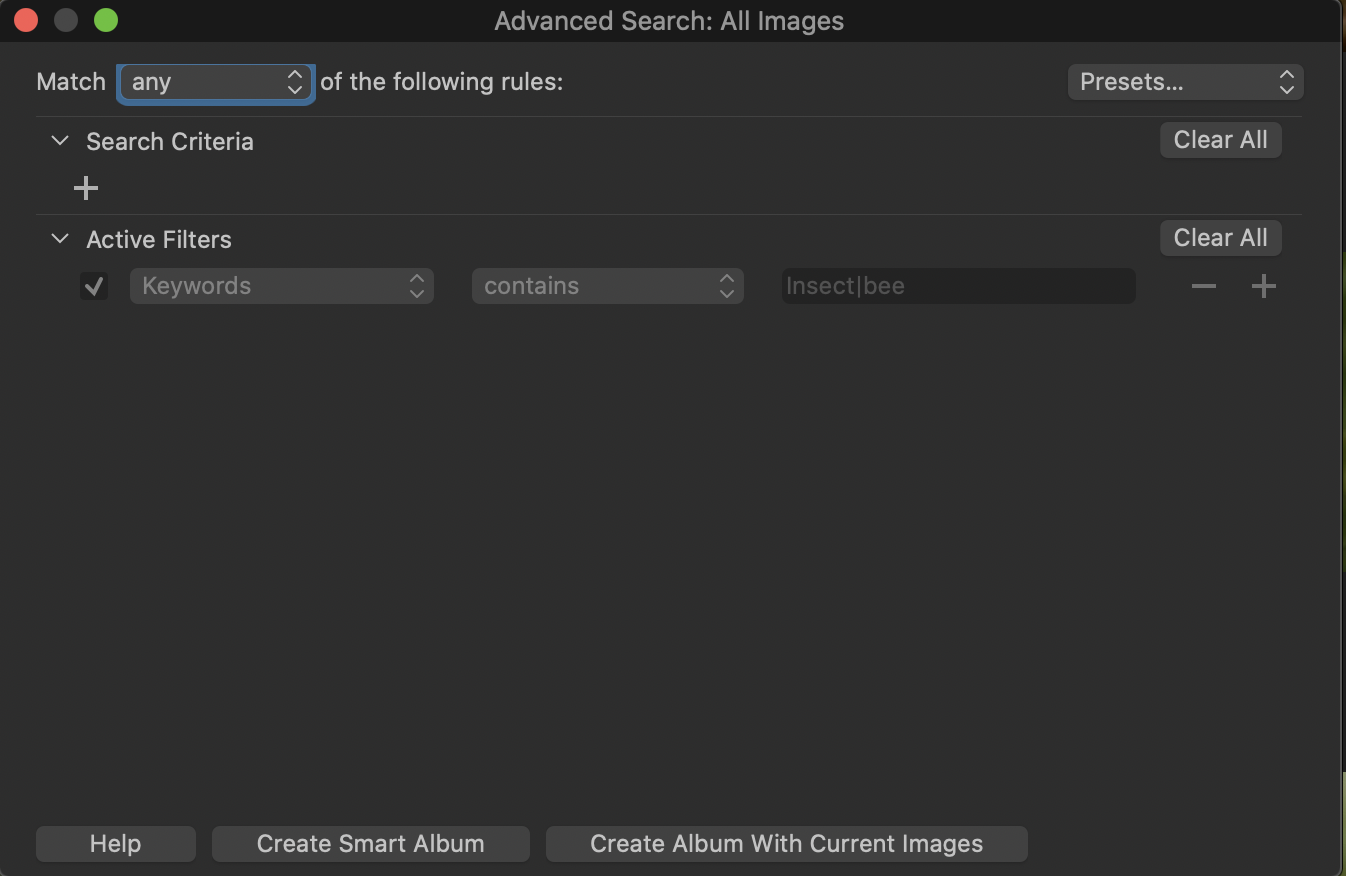
In the advanced search it has used contains rather than equals as shown in the first screenshot below. If I clear the filter, and manually do a search using equals instead (see second screenshot) I get the "right" result.
(As you can see from the first one, the Active Filters are greyed out so I can't change contains to equals.)
Ian
 0
0 -

I'm not sure CaptureOne can distinguish between a word like Bee, and a word that contains those letters, such as Beetle. I can suggest 3 points:
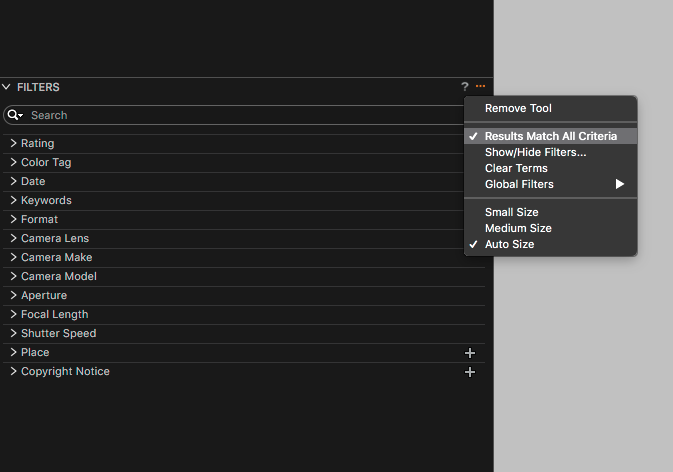
1. Making sure Results Match All Criteria in the Filters tool is highlighted.
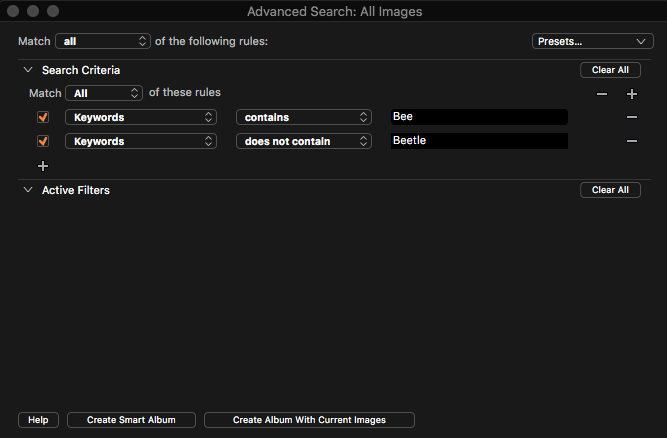
2. In the advanced search writing the following:
- Keywords contains Bee
- Keywords does not contain Beetle
3.
- Highlight the images you want to group with the keyword "Bee".
- Go to the Metadata tool tab, then to the Keyword Library tool, click the plus symbol for Session Keywords, a Create Keywords text box will appear, enter Bee, click create.
- Repeat for other images, i.e. Beetle.
- Go to the Library tool tab, under the Filters tool you will see your created keywords with a number indicating how many images have that keyword. Click the number and only those images with that keyword will appear.
0 -

The built in filters should not, IMHO, return partial matches on keywords. If I'm looking at Keywords in the filter pane and I click on the dot next to a keyword I expect Capture One to show images that contain that keyword. If I click on the keyword "4th" I should get images keyworded with "4th" but not images keyworded with "4th of July". Yes, I can get my desired selection by manually setting up a filter, but why should I have to?
This breaks the principle of least astonishment. It might also be a regression from the behavior of previous versions of Capture One. Not sure about that, but I don't remember this being an issue in the past. I'm suspicious that this may be an unexpected side effect of fixing the "no keyword" bug.
0 -
Ian,
I had sort of guessed that it might be the "contains" effect.
But why would that be the case?
Well I suspect it is to do with the logic applied when setting up searches using hierarchical KWs.
You were to choose a KW filter for a "Word" that was not repeated in the hierarchy I think the match would likely be "equals" rather than "contains".
I have, briefly whilst awaiting your confirmation about "contains", attempted to reproduce the same situation using a large test session with various KW sources and structures and hierarchies. I have yet to see a "contains" match introduced.
However I have spotted some other slightly odd results that I think are simply related to how KWs that are, nominally, in a hierarchy, have been entered - possibly without using the hierarchy definition as the source of the words. An easy may for me to create my own personal confusion.
But I digress ... if you consistently see"contains" being used and I consistently see "equals" then I guess we are dealing with either a Mac/Win difference OR it's something to do with the structure of the hierarchies. (And possibly the contents?)
So the next question is whether you ALWAYS see only "Contains" and never see "Equals" when you choose a filter for the filters tool. Or see "contains" only for Hierarchies.
0 -
Results Matches All Criteria
Does this work for anybody? With Windows version C1 20.0.2 it does not.
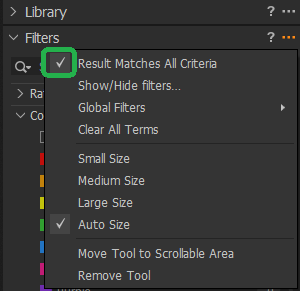
This filter
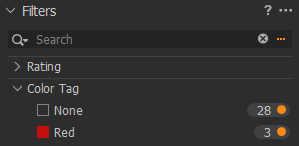
actually shows 31 images, regardless of the filter tool setting.
regards
0

投稿コメントは受け付けていません。
コメント
7件のコメント