Weird Color Blocking on Exported Images

Not sure what's going on here– this is new to me. i had seen some local adjustments have issues on export, but nothing like this. The image in C1 looks totally normal, and it's only on export that I see this happening. And it also has different random color blocking each time I export the same image.
Any help is greatly appreciated.

-
The thing that people often suggest trying when you have this kind of problem is turning off hardware acceleration and trying again. That will at least tell you whether hardware acceleration is at the root of the issue, (If it isn't, you can turn it back on again.) You can do this in Preferences. Change the drop-downs from Auto to Never.
Ian
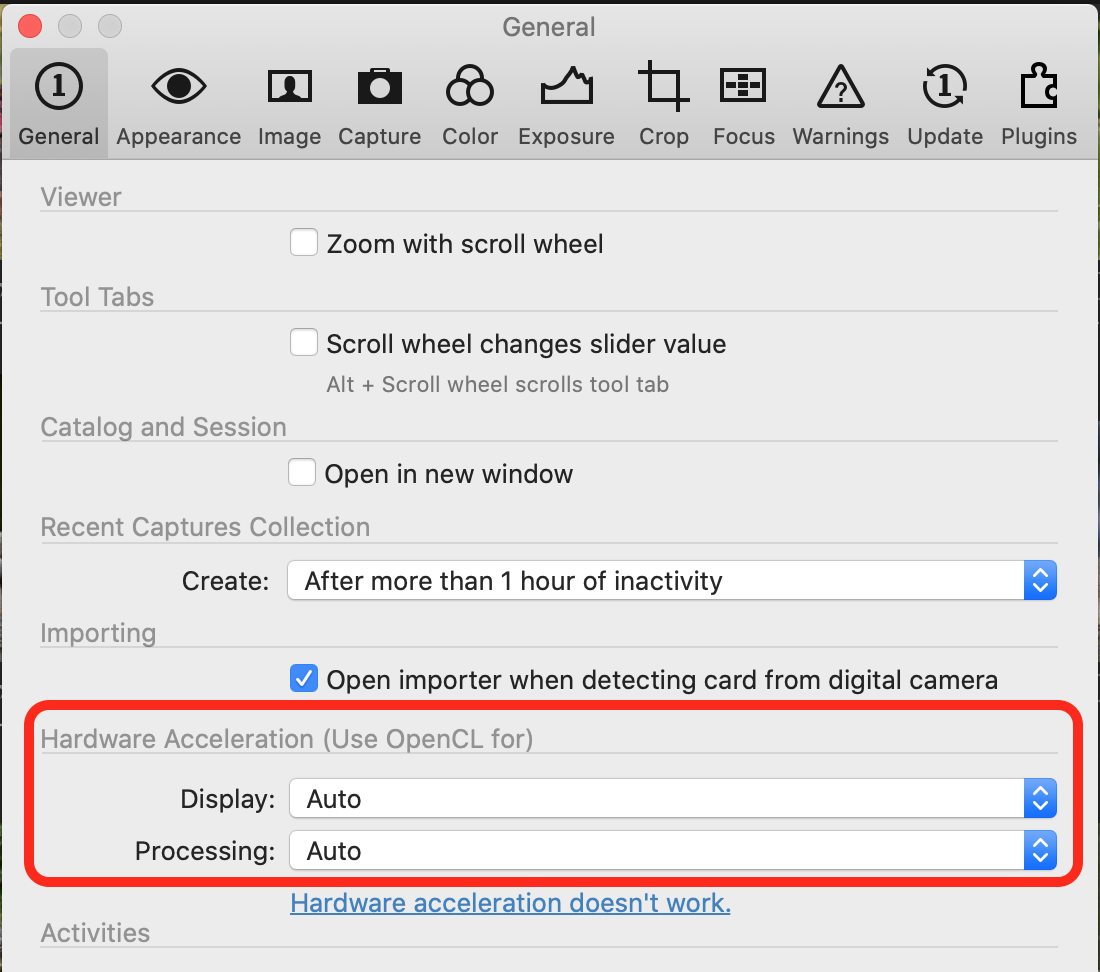 1
1 -
Ok, yea turning off the acceleration on processing seems to have fixed it– thanks so much. And sorry I tried to search for this in the forums but didn't see anything (probably being described in different ways). This seems like a known issue?
0 -

You might want to report a bug to capture one. I had a similar issue with C1 9 and an nvidia 980Ti. They fixed it in a service release a few weeks later. Not using OpenCL really sucks.
0

投稿コメントは受け付けていません。
コメント
3件のコメント