Edit of RAWs out of Sony A700 not possible at all

Dear Community,
I have been unsing Capture one for Sony for more than a year and am more than happy with the results I get out of the RAWs from my A99II.
I have also tried to edit RAWs from my dinosaur A700. Doesn´t work. Camera and lens are not known by Capture One and editing is not possible but according to compatibility list it should be.
Any ideas?
Best Regards
Frank
-
Update: Capture one is now editing the files but does not identify camera A700 and lens 18-55.
Best Regards
Frank
0 -

It is recognizing the camera model of the A700 RAW pictures I took with v03 and v04 firmware in the camera. Can you provide more detail (screenshots) of where you don't see the camera or lens identified.
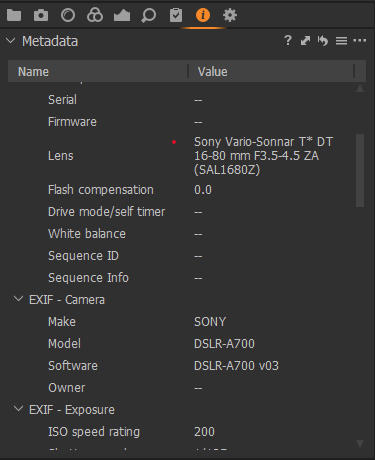
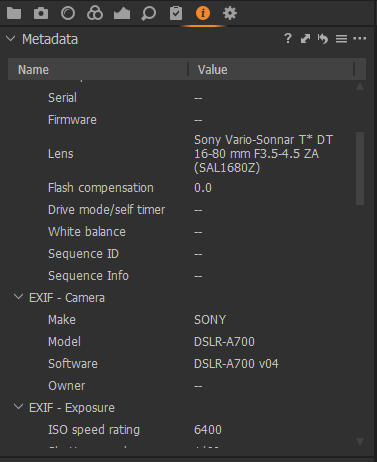 0
0 -
Thank you so much Jeff,
after digging deeper into it I found what I miss in detail:
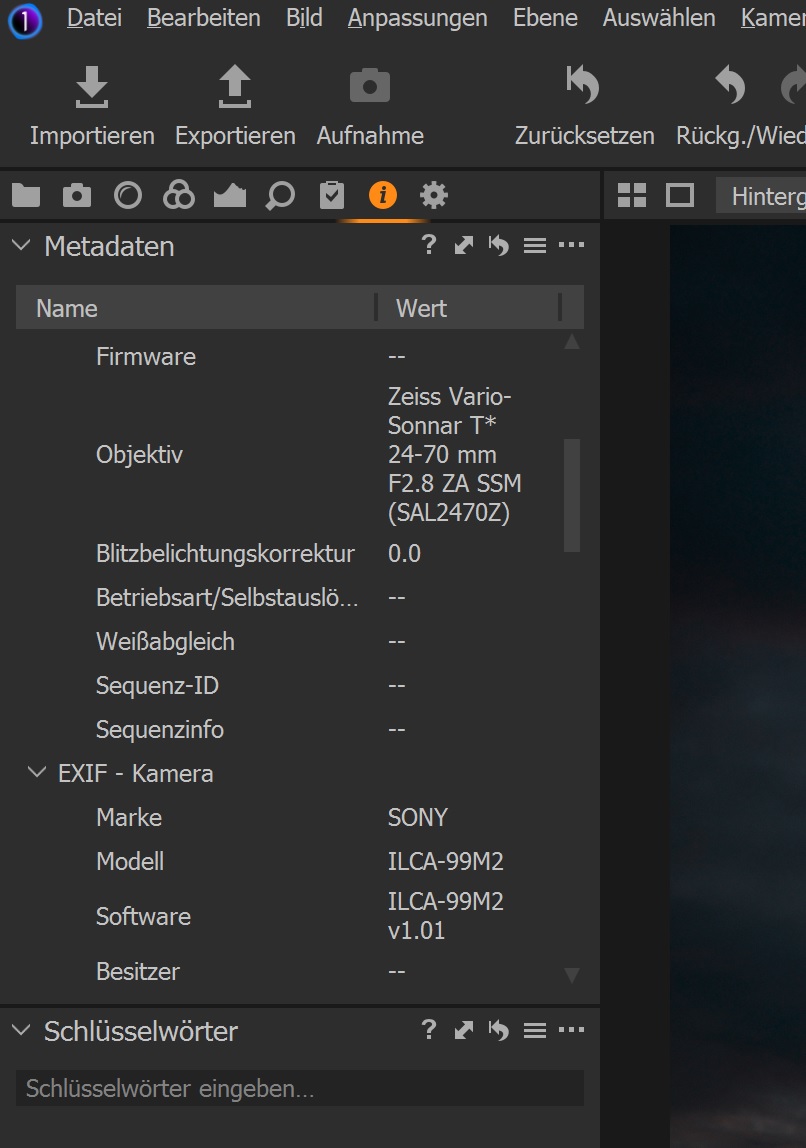
1) Both cameras A700 and A99II are recognized in the Metadata.
2) Both Lenses I tried SAL 18-55 at A700 and SAL 24-70 Z at A99II get recognized in the Metadata.
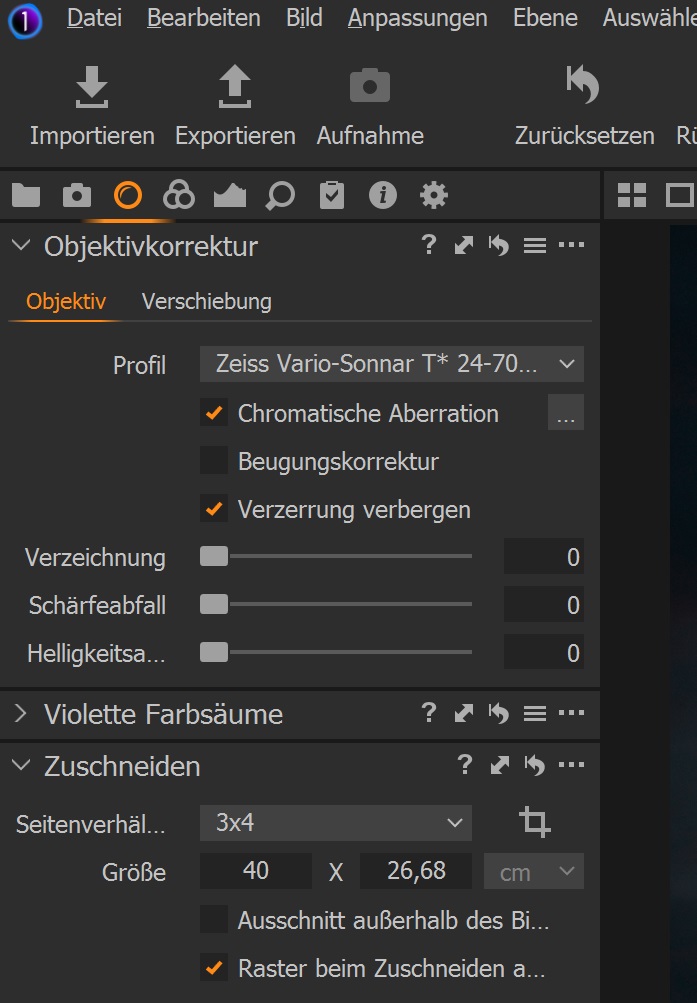
3) Lens SAL 24-70 Z gets automatically loaded as profile for corrections.
4) Lens SAL 18-55 gets not automatically loaded as profiles for corrections. It is also not possible to choose it manually. Is it possible there is no correction profile at all for the SAL 18-55 (I agree it is scrap but on the A700 it does the job) in C1? Please find attached the screenshots I am refereing to.
Once again many thanks for your help!
Best Regards
Frank
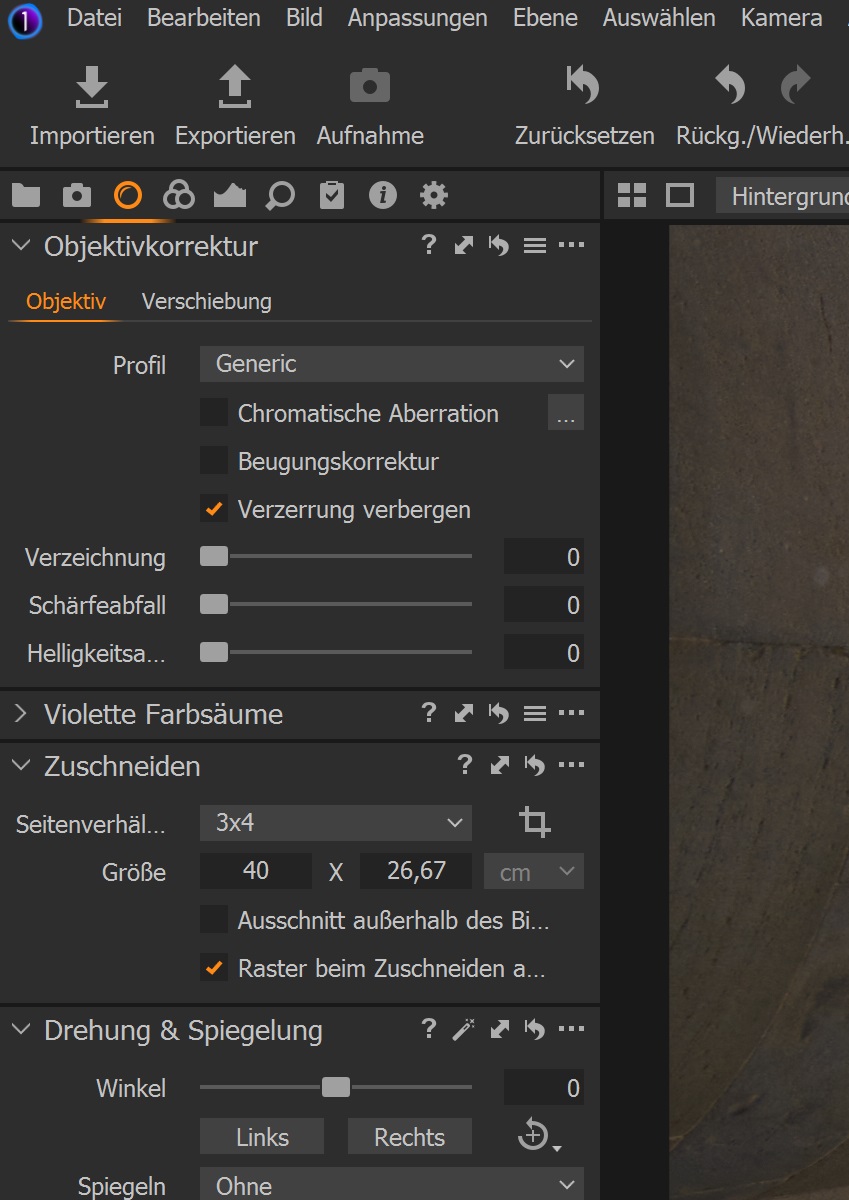
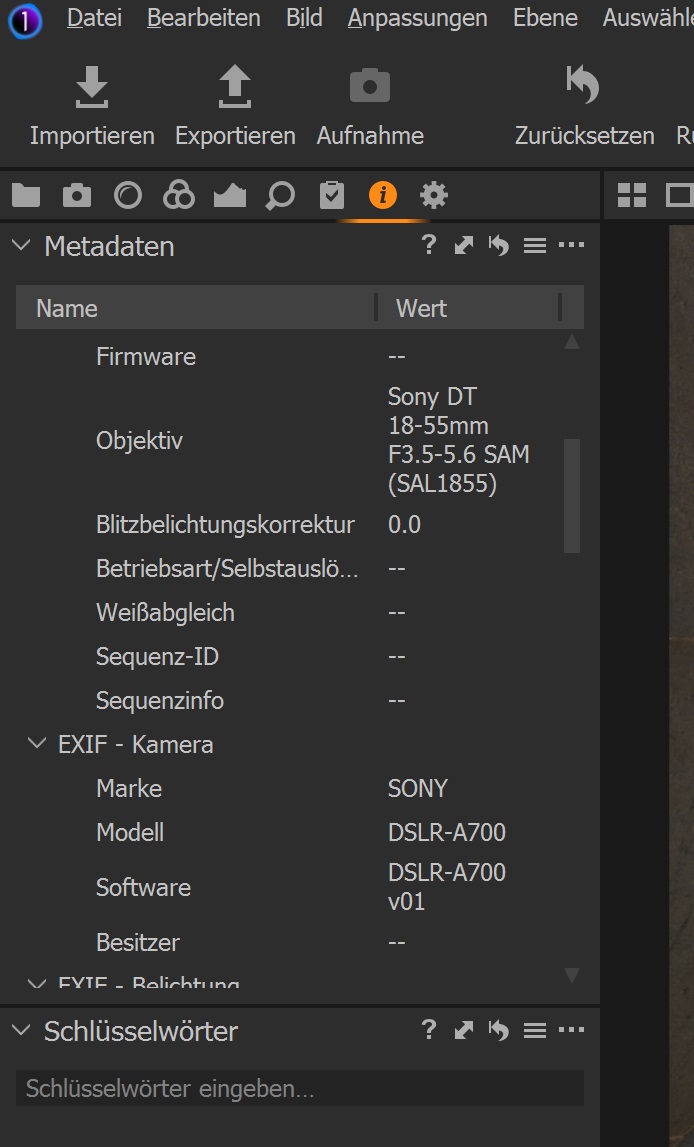 0
0 -
 0
0 -
Frank,
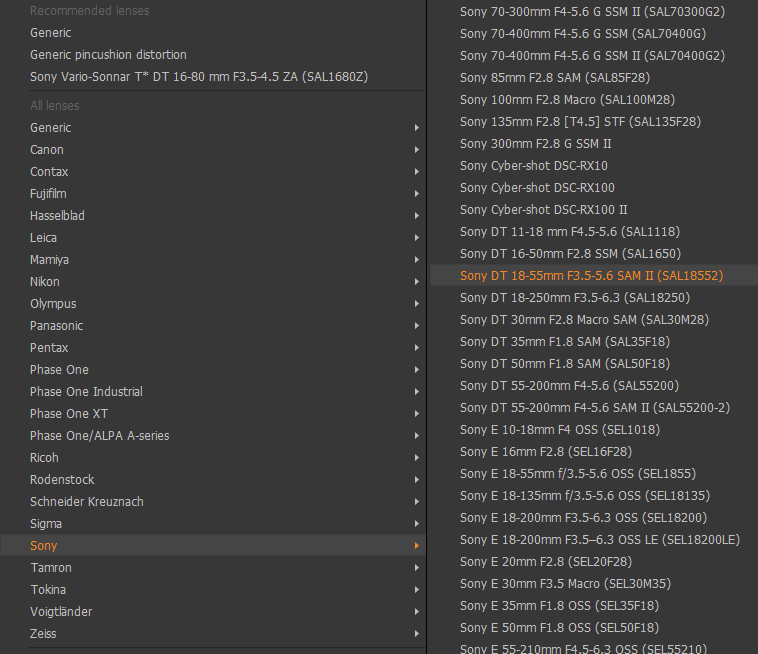
I believe that you are correct in that there is no correction profile for your exact model of the 18-55mm lens. It does appear that Capture One does have a correction profile for a newer model of the 18-55mm lens, SAL18552. Its optical characteristics may be close enough to the original 18-55mm lens for your purposes so that you can select it manually.
If i recall correctly, Capture One used to offer to generate profiles for lenses that they didn't already have if the user would send them a set of pictures of certain types for them to use for calibration. I don't know if they will still do that though.
 0
0 -
Frank,
Here is a Capture One document discussing your situation with the unsupported lens, https://support.captureone.com/hc/en-us/articles/360002657537-Working-with-an-Unlisted-Lens-Profile. The end of the document discusses sending in a feature request. I don't know how much luck you might have given the age of the lens.
0 -
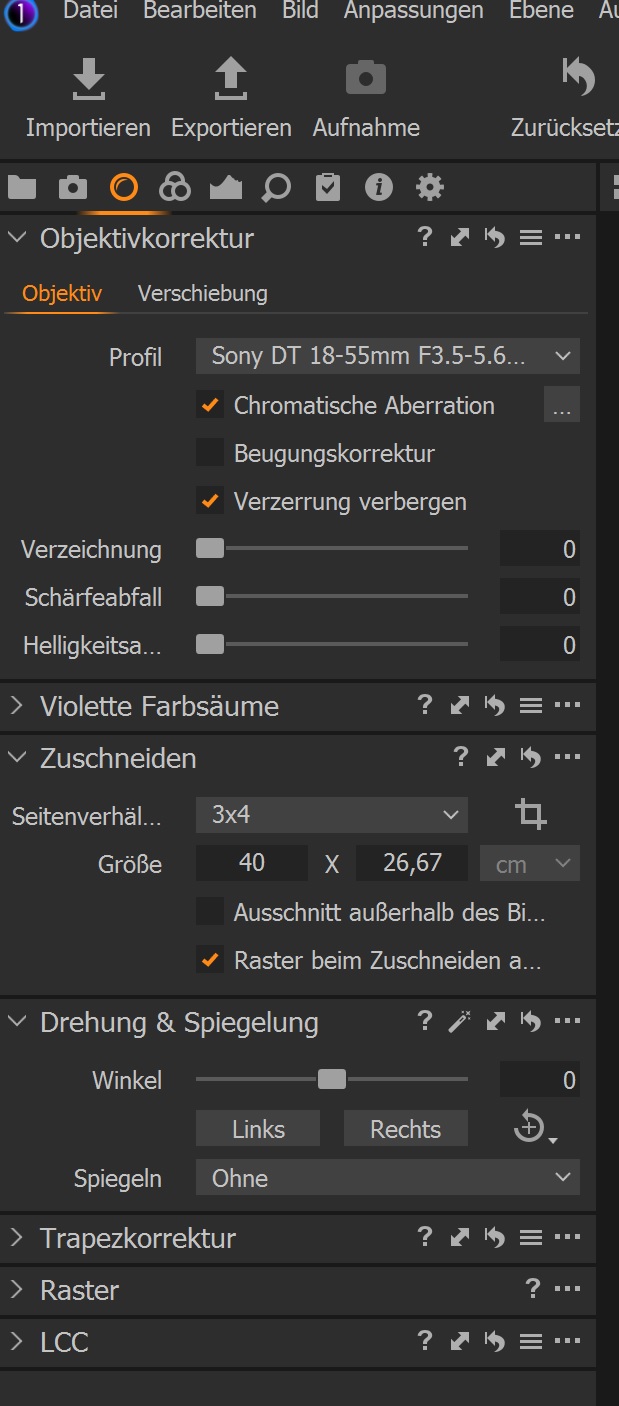
Hi Jeff, many thanks again for your guidance. I took the easy way and purchased a 18-55 II for 15 bucks.It is better than the old one and gets recognized by C1. So I have my easy solution. Many Thanks again. Frank
 0
0 -
Frank, you are very welcome. One more thing, your screenshots indicate that you may still be using the original a700 firmware. The last firmware that Sony released is v04 that includes a number of important fixes (including those from interim releases). I recommend reviewing the release notes and upgrading the firmware. When I had my a700, I upgraded without issue.
Here is the URL to the firmware on Sony's website: https://www.sony.com/electronics/support/downloads/W0003757
Best wishes and happy shooting.
Jeff
0 -
I have already updated to V04. Thx Frank
0
投稿コメントは受け付けていません。
コメント
9件のコメント