Capture One 20 build 13.1.1.31

Have also lost all my user-installed plug-ins - most notably the Adobe pair and QImage One after updating C1 Pro to the 13.1.1.31 build. Previously they were all there and working well. Now have to 'browse' for them when using 'Edit with' and 'Open with'.
I'm using Win10 on a very new and powerful PC.
Very irritating.
-

In Capture One open the Preferences (Edit menu), Plugins tab, Open with menu. Set the checkboxes for the programs you like to use.
0 -

It does not work (for Windows 10):
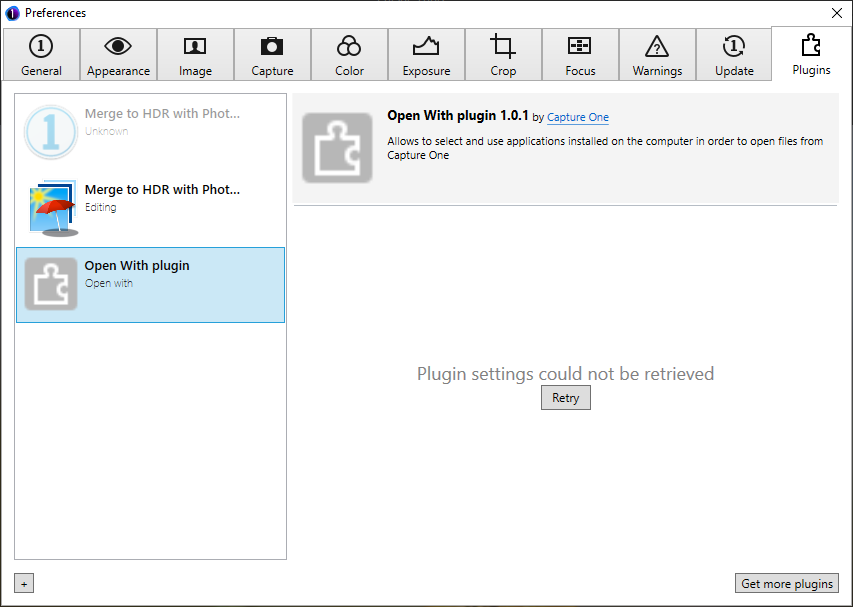
I have restored a previous version of Capture one from backup and this plugin works fine. So the problem has been created by 1.0.1 version of this plugin
Alex
1 -

This plugin is really a joke. We are telling P1 since years that the registry scanning approach they use to manage external editors in C1 is wrong. They don't want to listen and insist on using that terrible piece of code named OpenWith plugin. They should look at how Lightroom handles this. This is the way to go.
2 -

But why did you touch that again ! :(
It took 4 months for it to work again. Wasn't that enough time?
0 -

No problem using WIn 7.
0 -

Same problem here, still no fix from the other thread
0
投稿コメントは受け付けていません。
コメント
6件のコメント