Midi2Macro - Software for use C1 with MIDI controllers

I created a driver for Capture One using a MIDI controller:
https://www.stelmachowicz.com.pl/midi2macro
Arturia MIDI controller configuration chanel 6 (help displayed in Midi2Macro after pressing the Pause button on the MIDI console):

-
I improved the responsiveness of the manipulators. By turning the knobs slowly you get more precision, by turning the knobs faster they work more effectively.
I also added the ability to support long button presses (setting in the ini file: Manipulator.PowolnePrzelaczanieKlawiszy=T). With this configuration, when the button is pressed for a short time, the pressed state isactivated and remains so, and when pressed for a longer time, it goes through the pressed state to the released state. During the configuration of short pressing of the buttons (setting in the ini file:
Manipulator.PowolnePrzelaczanieKlawiszy=N) there is no effect of stopping on the pressed state.
0 -
Added support for quick edit keys. Quick edit keys allow you to move the indicators by the value set in the CaptureOne configuration - which can speed up and facilitate your work.
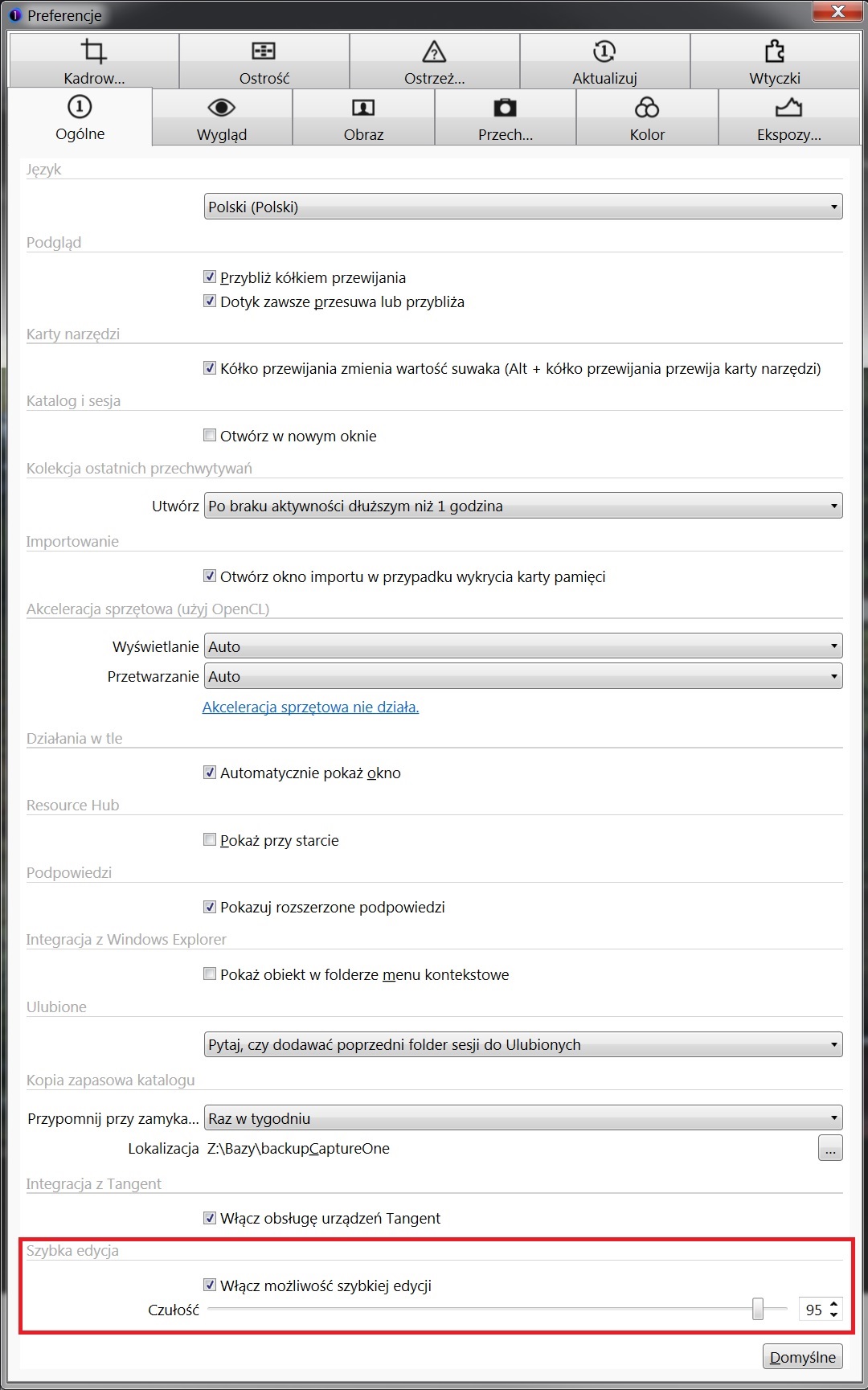
Unfortunately, again in CaptureOne, not all quick keys respond to sensitivity settings - as if they did something, but it works quite selectively (as well as still no keyboard shortcuts for some functionalities - e.g. black and white settings, some color settings, lens correction ...).
0 -
I added the possibility of connecting two different actions (or the same action with an appropriate repeat multiplier) to the slow or fast rotated knob (e.g. one can be operated with a combination of keys from the keyboard under the other one, the new key+arrow quick operation).
0 -

Ryszard,
I've tried to launch your app and got error:
---------------------------
Application Error
---------------------------
Exception EMidiInputError in module Midi2Macro.exe at 0007FAAA.
Invalid device ID.
---------------------------
OK
---------------------------Does it work without MIDI Controller connected? I do not have one yet.
Are you going to make source code available as well?
0 -
I am not going to share the source code. Without a connected MIDI controller it does not work - you need to connect a MIDI console to the computer.
0 -

I also use an Arturia Beatstep controller for C1. I found plenty of information on the web on how to set this up. You need a piece of software that reads the MIDI controller and generates key strokes which then make C1 do what you want. The rotary dials are great for doing +/- adjustments for many tools. The buttons are great for toggling between settings. The software I am using is called Bome MIDI Translater. There is a free version which is supposed to do everything you need. But I purchased the paid for version. Another Windows free app that I also use is called TinyTask and I have recorded keystrokes which I can turn into small executables and run them under the Beatstep buttons. Search on the net for MIDI controllers and even for use with Capture One. There is information for free out there. I cannot function without the MIDI controller knobs in C1. It is hands down better then the speed strokes that C1 recently added into their software.
0 -
The biggest problem is that not every slider in C1 can be assigned a keyboard shortcut - obvious deficiencies in C1 (which can even be considered flaws and errors) - I wrote about this years ago, but as you can see, not all available functionalities have been handled. In addition, the keys pressed quickly do not accumulate, i.e. when you press the keys quickly (turns the knobs), C1 then with each impulse it recalculates and refreshes the image (instead of doing it once if the impulses occur very quickly one after another - as when turning MIDI console knobs) .
0 -
I added the possibility of such definition of buttons that they work as long as they are pressed or another key is pressed or a knob is twisted (e.g. they perform actions like knobs - an option for lazy people who do not want to turn the knobs). Examples defined on next previous image keys and in channel 14.
0 -
I have added the ability to display messages (e.g. with a progress bar) and windows that allow you to select one of the two options for action (calling an action, e.g. a virtual manipulator).
0
投稿コメントは受け付けていません。
コメント
39件のコメント