Issues with Black Shadow and Clarity Sliders

I'm kind of new to capture one so these are some issues I'm facing in my experimentation with the software.
Adding and positive values to black or shadow sliders causes VERY noticeable glows around dark objects. Even just small amount can seriously degrade the edges extending out more than 80px on either side of the dark objects. Clarity slider causes the same issue raising the glow effect my more than 10 points in brightness. This is occuring on my Sony files. Unfortunately there does not seem to be an option to submit images that demonstrate this effect. Any help appreciated
-

Hi Mike,
Yes, there is an option to show pictures, in the top menu of your message when you type it (picture symbol).
 0
0 -
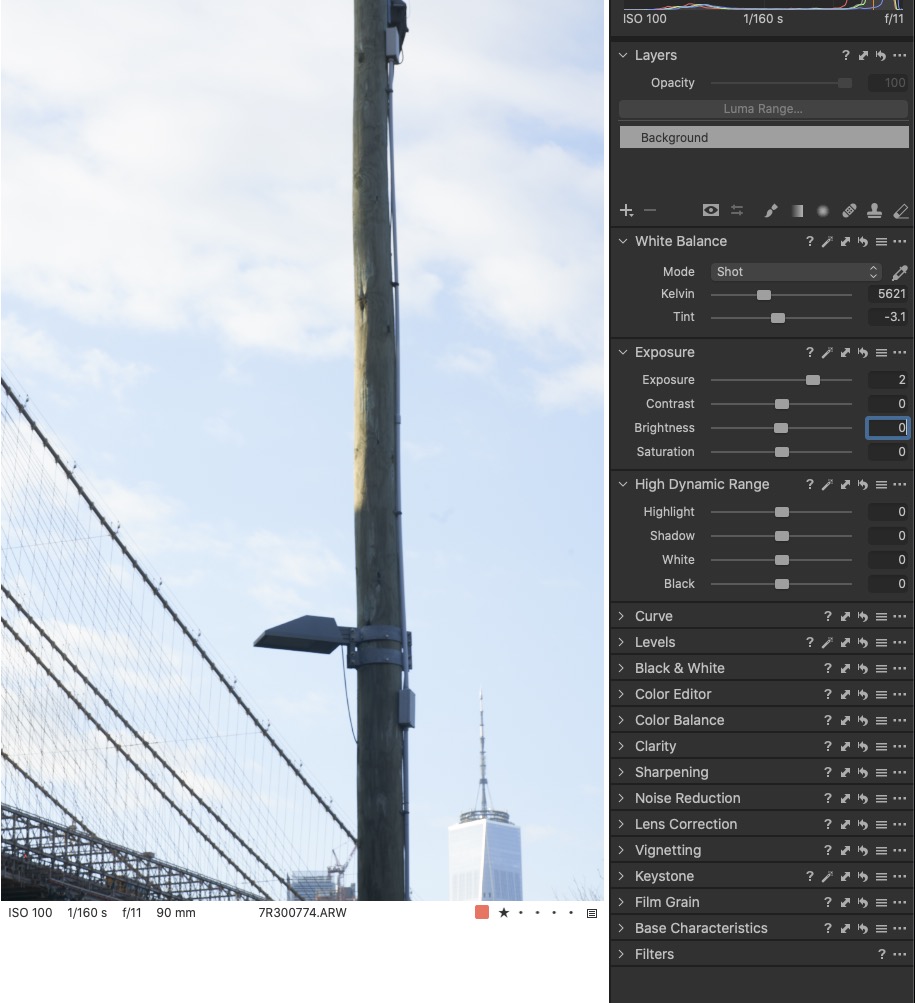
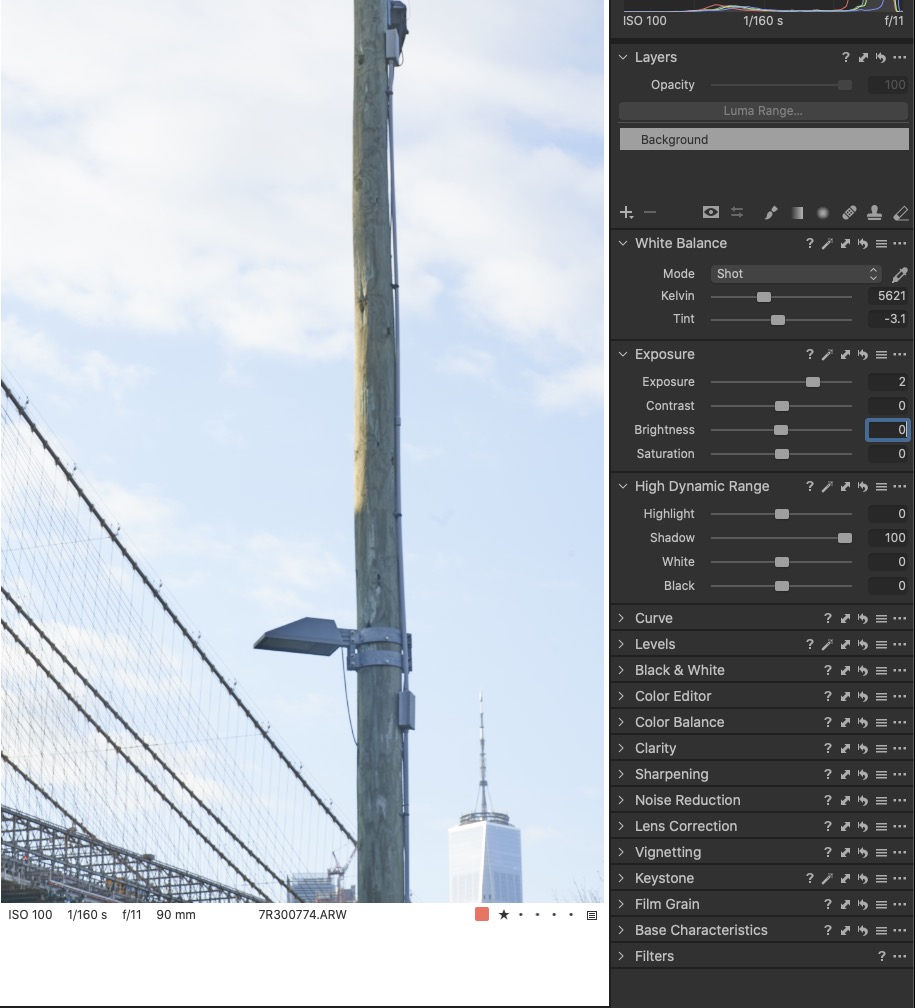
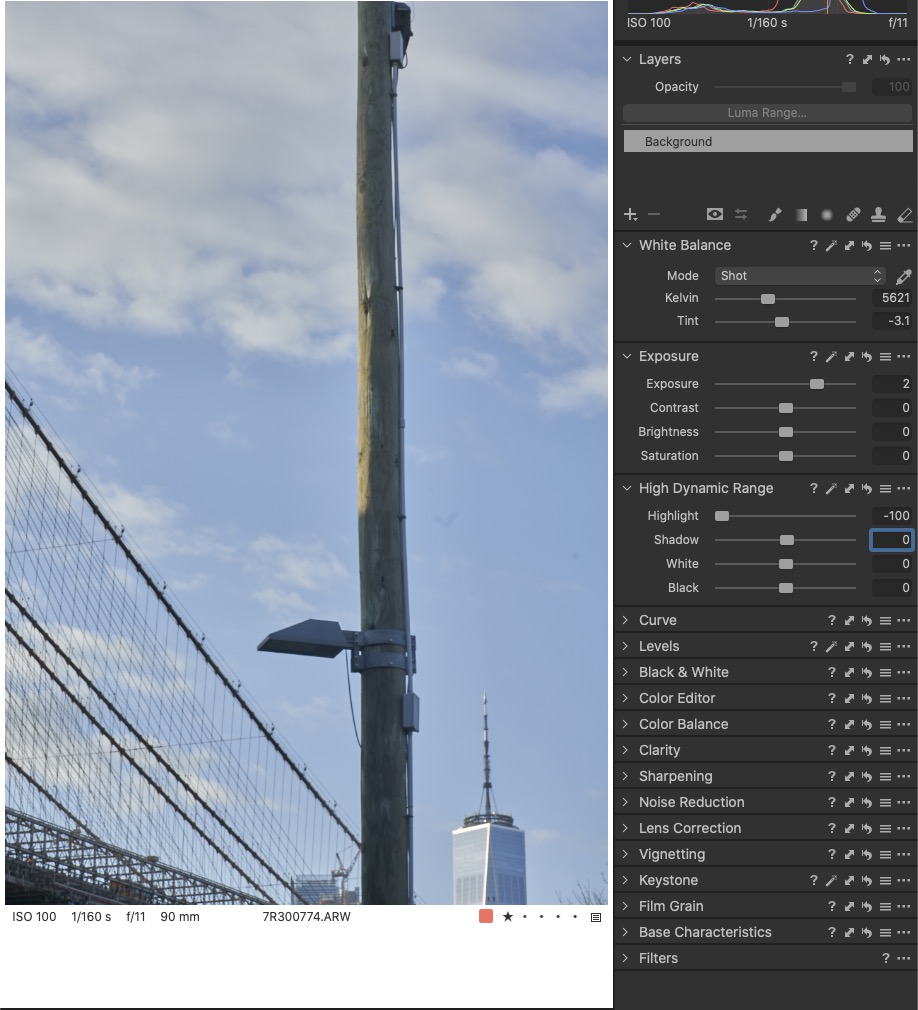
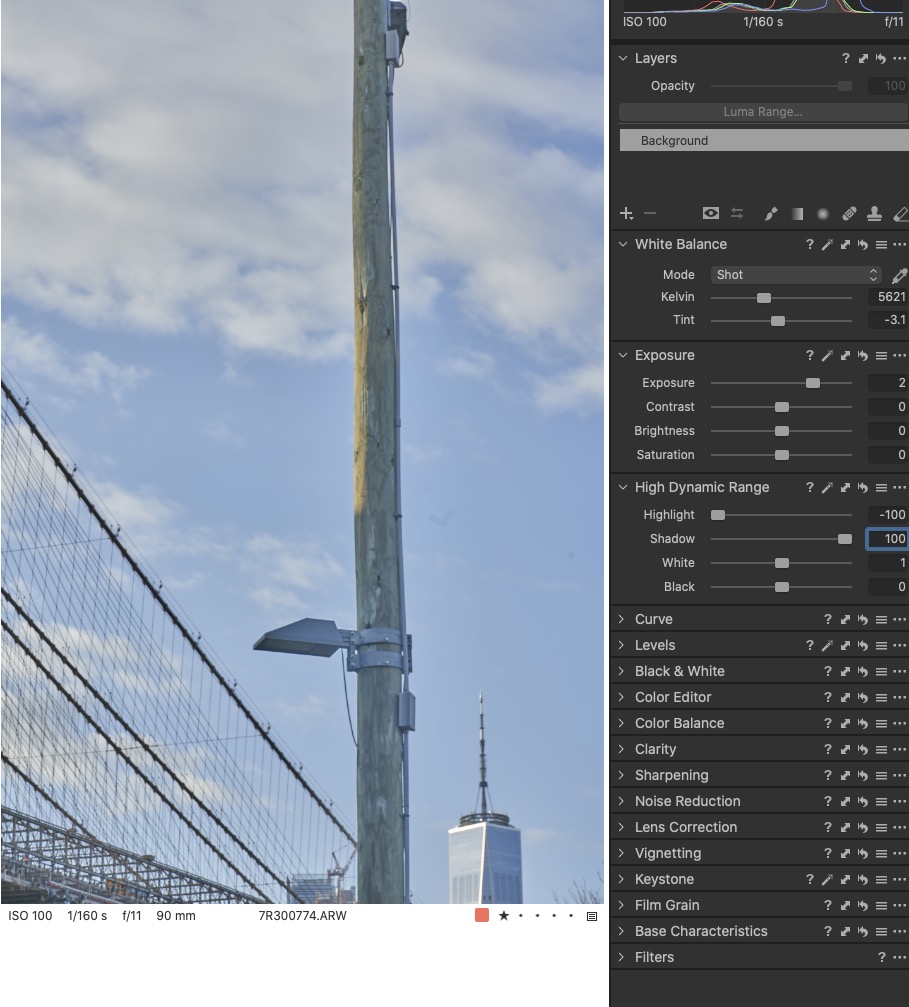
Ok So I have included some screen captures to demonstrate the issue with the highlight shadow and white sliders. You will note on the HDR sliders zeroed out that from left to right the sky gets slightly darker towards the pole and then after the pole to the right edge. In all other cases of the use of the HDR sliders causes the values to increase towards the pole and then similarly on the other side towards the right edge. Demonstrating the glow effect from the use of these sliders around dark objects. The effects also occur with the black slider and the clarity/structure sliders also.
If you load this images into photoshop and use the eyedropper tool you can track the effect

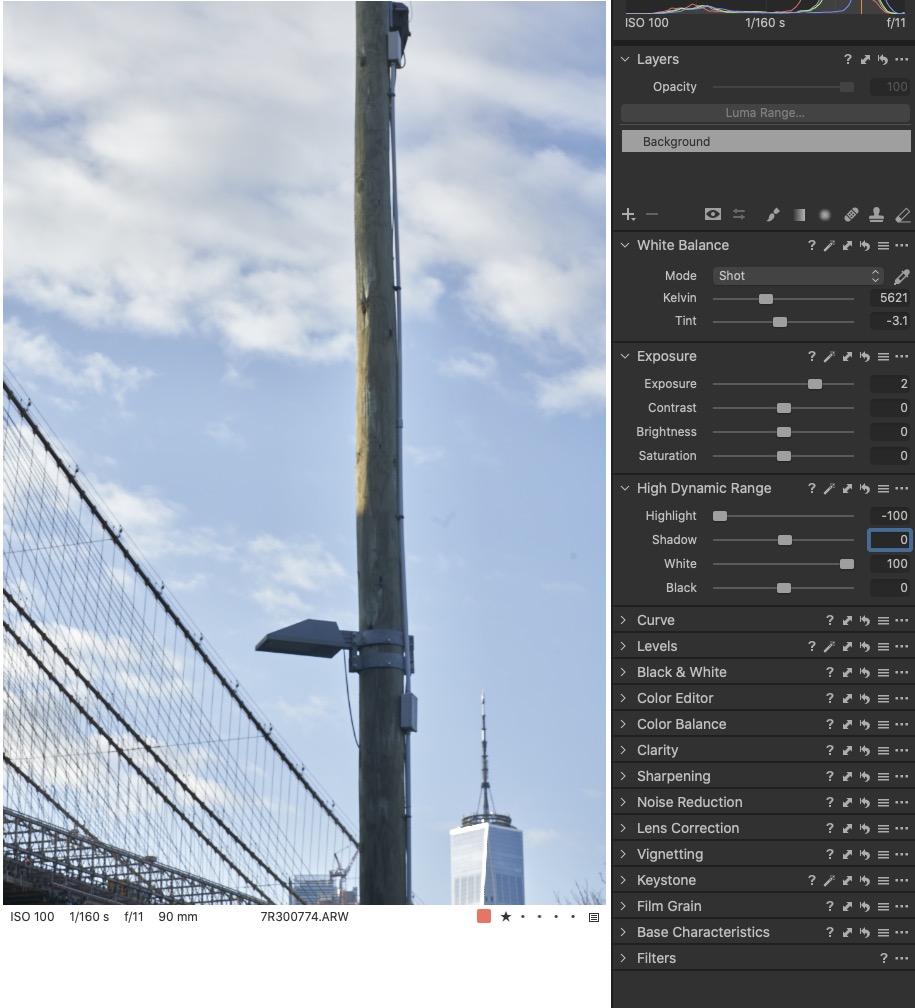
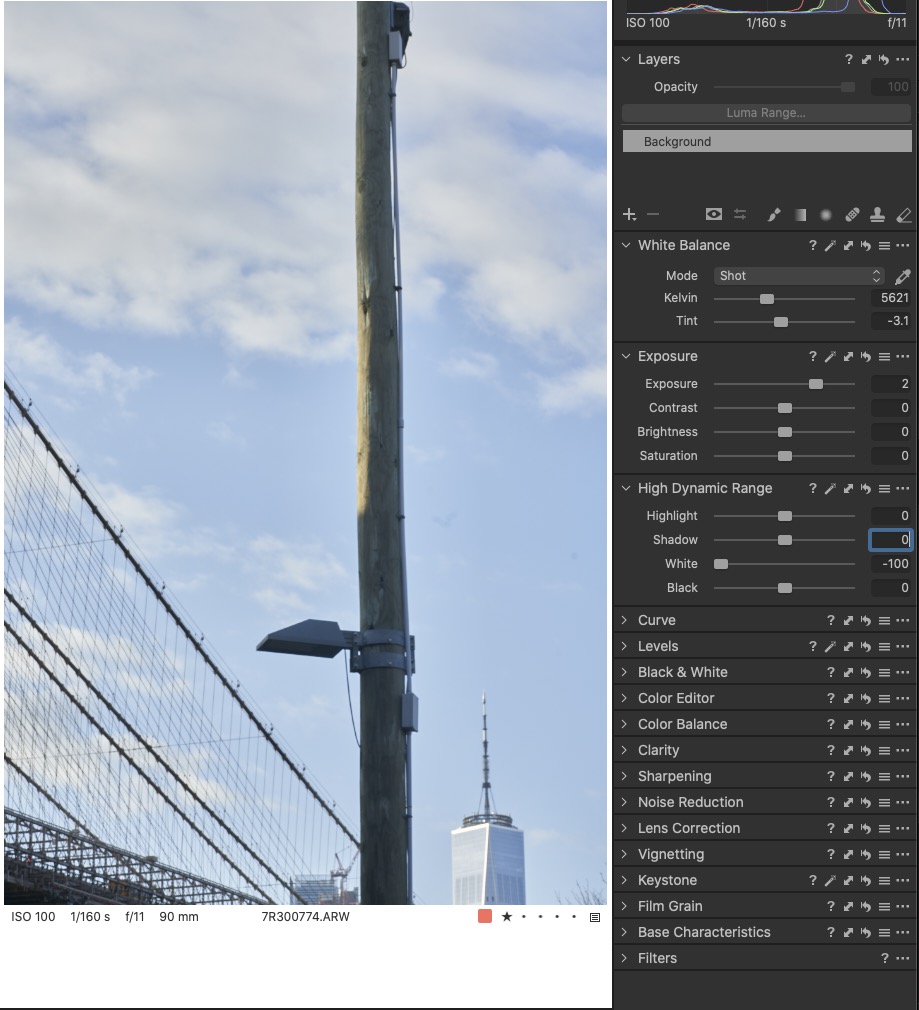 0
0 -
here's the clarity image
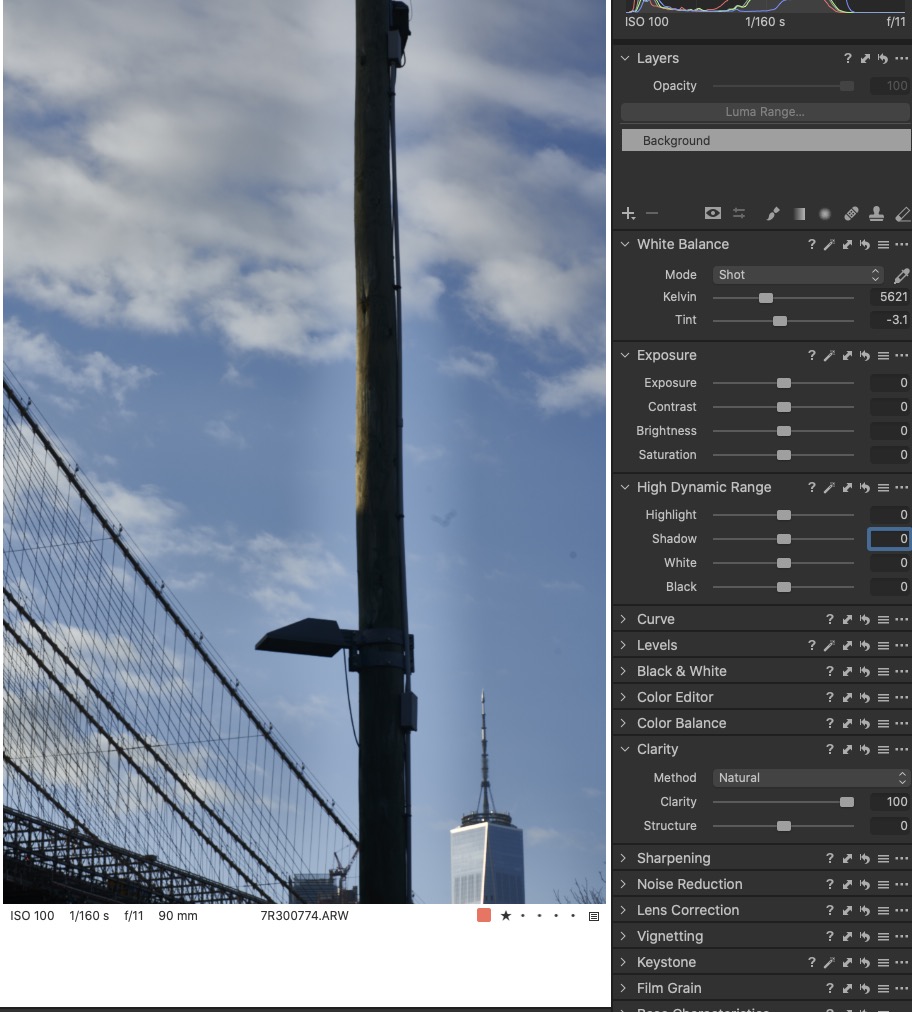 0
0 -
Thanks Mike,
I can't see any drastic effect on your picture, but maybe you have a better screen than mine. The sun was at the left of the image, right ?, and I presume this makes the sky brighter on the left edge and darker on the right. I see that your exposure has been corrected by 2 EV, which is rather strong. Do you have any other image showing the effect?
1 -
I see posterization in the sky, but that's maybe due to being a screenshot.
The effect you mention I only see with the clarity slider, but that's somehow to be expected, as the clarity slider is kind of a localized midtone constrast adjustment, and there is a good reason why this is a continuous slider instead of an on/off switch, so you can adjust it to taste. Btw, the clarity methods differ quite substantially, you actually have 4 clarity effects in one tool.
0 -
There is not a drastic effect in the sky around the dark pole with the highlight and shadow sliders but it is an effect that is applied nonetheless. When additional work is applied to the image this initial effect is amplified. Adobe Lightroom is affected in a similar way with the highlight, texture, and the Dehaze sliders but they don't extend out so strong or as far. However the adobe highlight slider does have one additional unwanted effect of blurring deep dark areas into the light areas causing a blurring mudding affect with a strip of lighter value in-between, like a reverse halo effect in some conditions.
To answer Robert, yes the sun in to the left. And Yes all images are affected this way. Its a processing effect (or issue) in capture one when ever there is a light and dark subject transitioning as in this example. I'm only talking about a 10pt halo effect that extends out, but it is an effect that for me is unwanted and become more apparent as additional processing is applied. The clarity slider effect is a pronounced example of this effect. The Exposure boost does not cause this effect as the effect is still present whether I move that slider or not. However my camera is ISO invariant at ISO 100 so an exposure adjustment is identical to an ISO 2 stop boost from native ISO.
To answer BeO, this effect is in the original image hence the reason why I created this post. The screenshots are to highlight the effect if someone want to look at the effect in photoshop and measure the haloing effect leading up to the dark pole. While the slider adjustments don't appear visually until further processing is applied then you work backwards to find where the haloing originates from. Yes the effect is emphasised with the clarity slider, but it is there to a degree using the HDR sliders in capture one as well.
I am hoping that one of the captureone development team may troll this community forum and offer some insight as to whether this is a fixable issue or a unfixable side effect which would then mean most probably luminosity masking and a lot more complex corrections in photoshop rather than taking advantage of the possibilities present on Raw converters such as capture one.
0 -
Mike, to better show the effect here in the forum, could you post a 100 zoom crop? I suggest a reasonable HDR setting, one which you would actually want to apply, not an exaggerated setting.
You could try the halo slider in the sharpening tool, maybe it has an immediate effect on the 10 px aera at the post/sky border.
Development will not show up in your thread, but you can submit a request to them, see the link on top of this page.
0

投稿コメントは受け付けていません。
コメント
7件のコメント