X-Rite Intergration

Any plans to incorporate x-rite's ICC creator into C1 itself? Would be great if it could all be done in-app.
On a similar note... anyone managed to script a way of using them together?
On a similar note... anyone managed to script a way of using them together?
0
-

I've just downloaded Lightroom Classic (I upgraded to Photoshop CC and LR came as part of the package) and I installed the X-Rite ColorChecker Profiler plugin.
Not an LR fan yet, but the plugin works superbly within LR. No need to open X-Rite desktop app at all. You simply export the image using the X-Rite app withing LR and it ends up as a profile in LR's profiles folder.
And you can generate a true 0,0,0, black in an image that contains the profile, which you cannot do with a profiled image in C1, as has been well documented.
Capture One is seriously behind on this one.
D.0 -

Yep same here, It works well with the competing software. I tried the longer way as described here.
I opened the image with the color chart in C1 Pro 21. I then applied a no color correction profile with a linear intent. I then exported it as a non compressed 16 bit tiff. Dragged the tiff into the X-Rite profile software, current version. Then restarted C1. Here is what I ended up with. Custom profile on the left, my camera profile on the right. So it doesn't work with C1. Why I have no idea.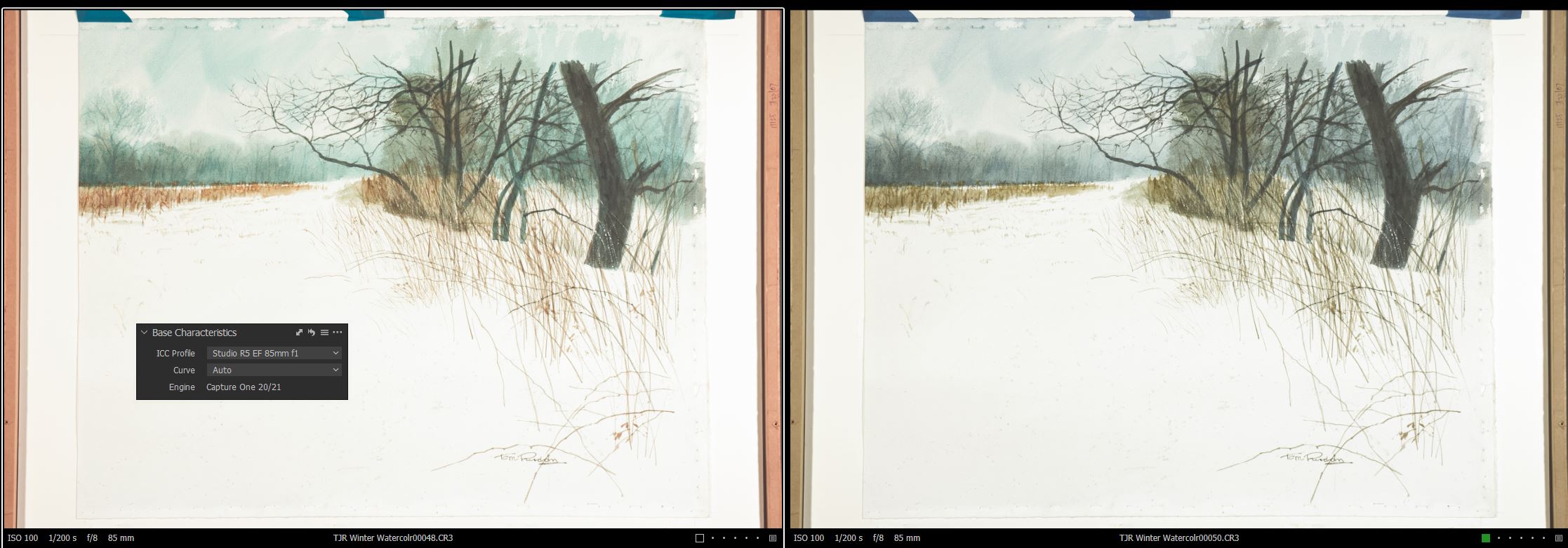 0
0 -

Is there any way we can bring this to C1's attention aside from submitting another request? Seems like it's been dragging on for years now?
0
投稿コメントは受け付けていません。
コメント
3件のコメント