Capture 1 Applies Unintended Crop on Photos

Hello,
I am new to using Capture One as I got a new Sony Alpha 6100 and started taking photos in RAW. Therefore, I got Capture One 20 Express (for Sony), currently using Version 13.1.0.162. I have also tried using Capture One 12 Express (for Sony), but I keep experiencing the same issues.
When I take a photo as RAW, I also already save it as JPG with my camera. Now when I open the RAW file in Capture One, there is always some crop applied to the photos in comparison to the JPG-version made by my camera. This crop is sometimes more, sometimes less, but is always visible. I have no idea, why this is happening.
I have attached a few screenshots showing the issue:
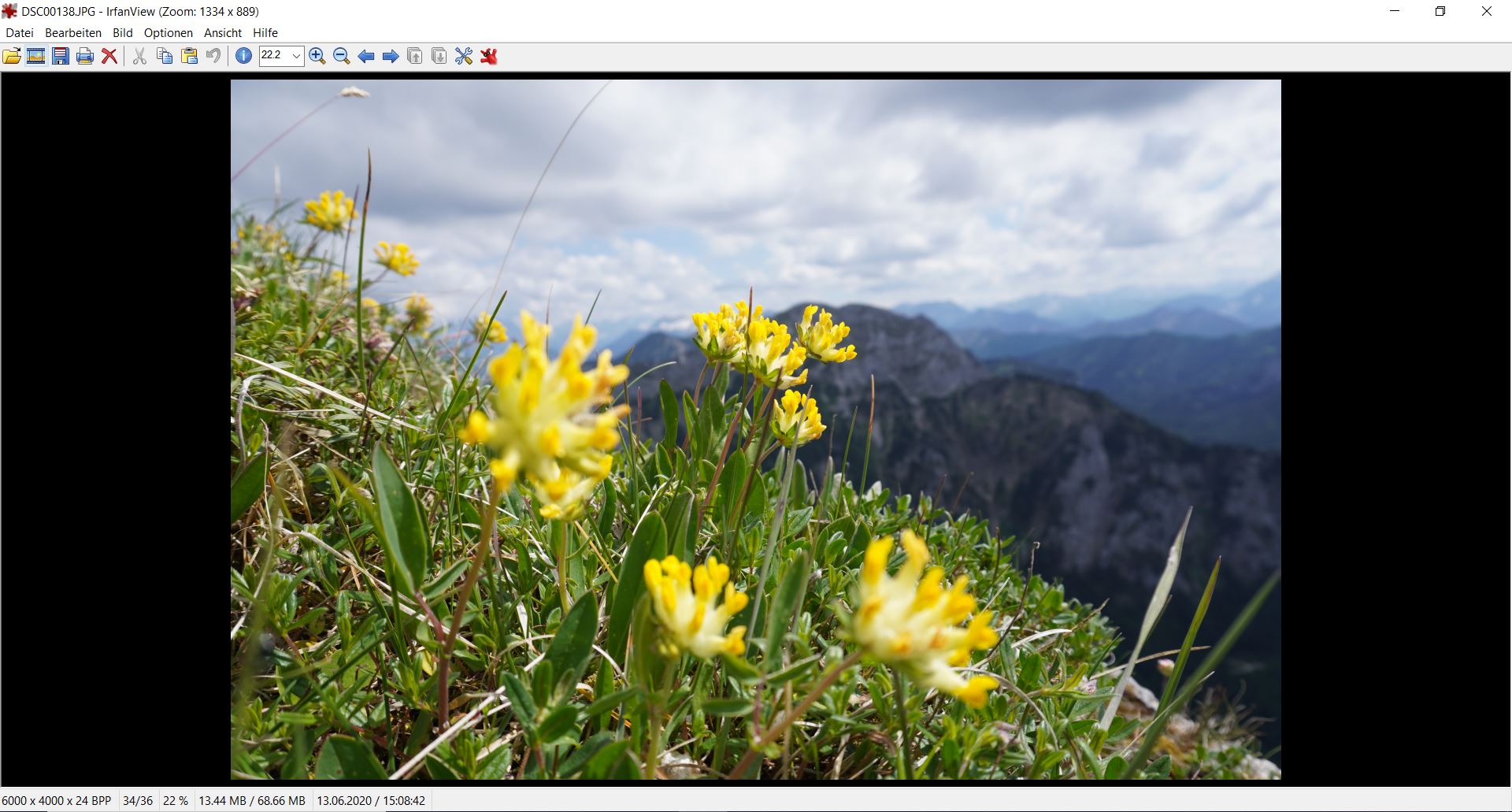
This is the JPG-version made by my camera seen in IrfanView.

This is the thumbnail of the RAW file seen when selecting "Import" in Capture One (where the photo is shown correctly without crop).

This is the photo as I can edit it inside Capture One.
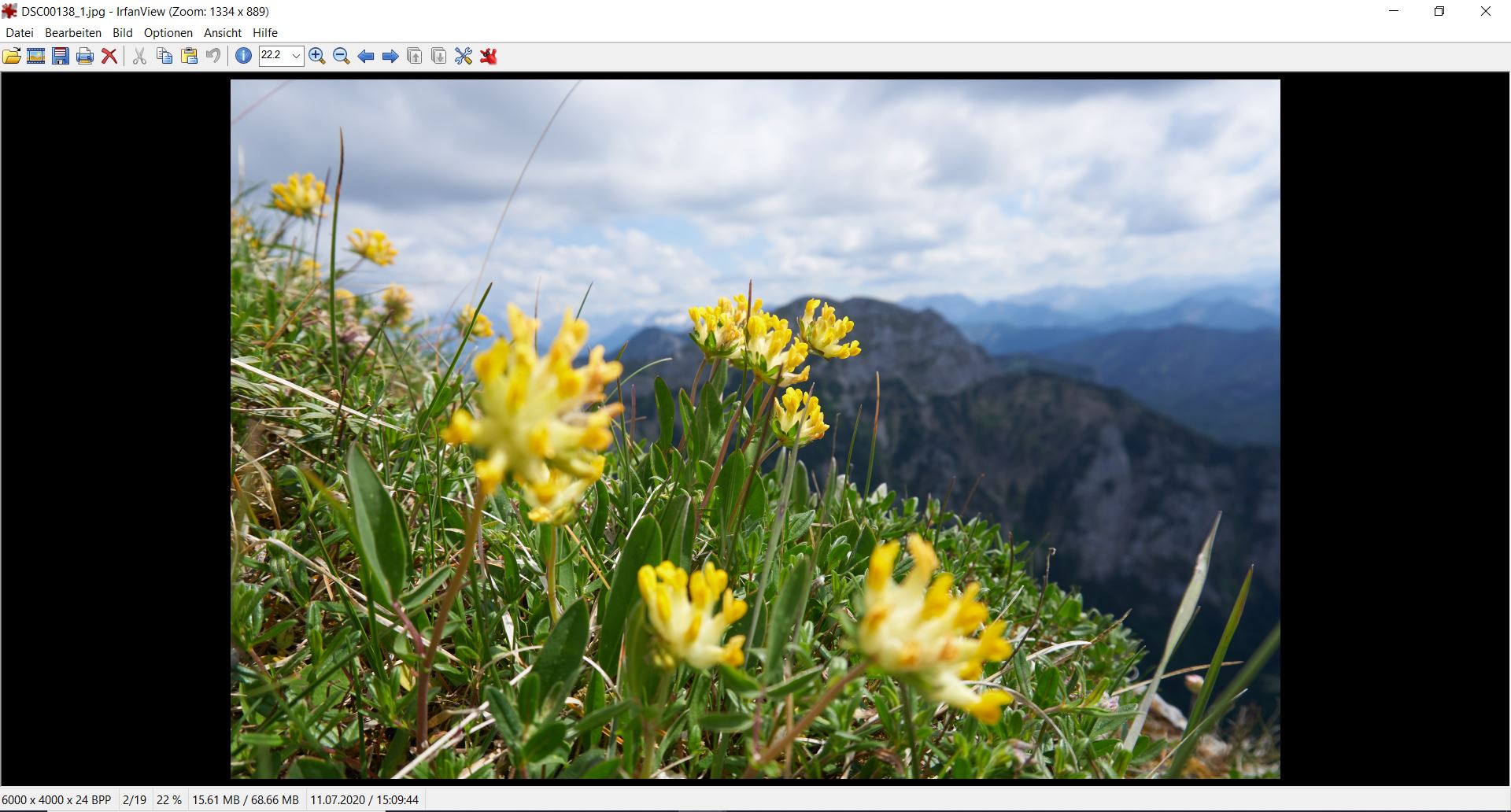
And this is the exported JPG from Capture One again seen in IrfanView.
The unintended crop on the last two photos is best visible by looking at the grass in the top left corner.
Thanks a lot for your help!
-

Lens correction adjustments.
Try going into the Lens Correction tool and turning off "Hide distorted areas".
Does that make a difference?
0 -

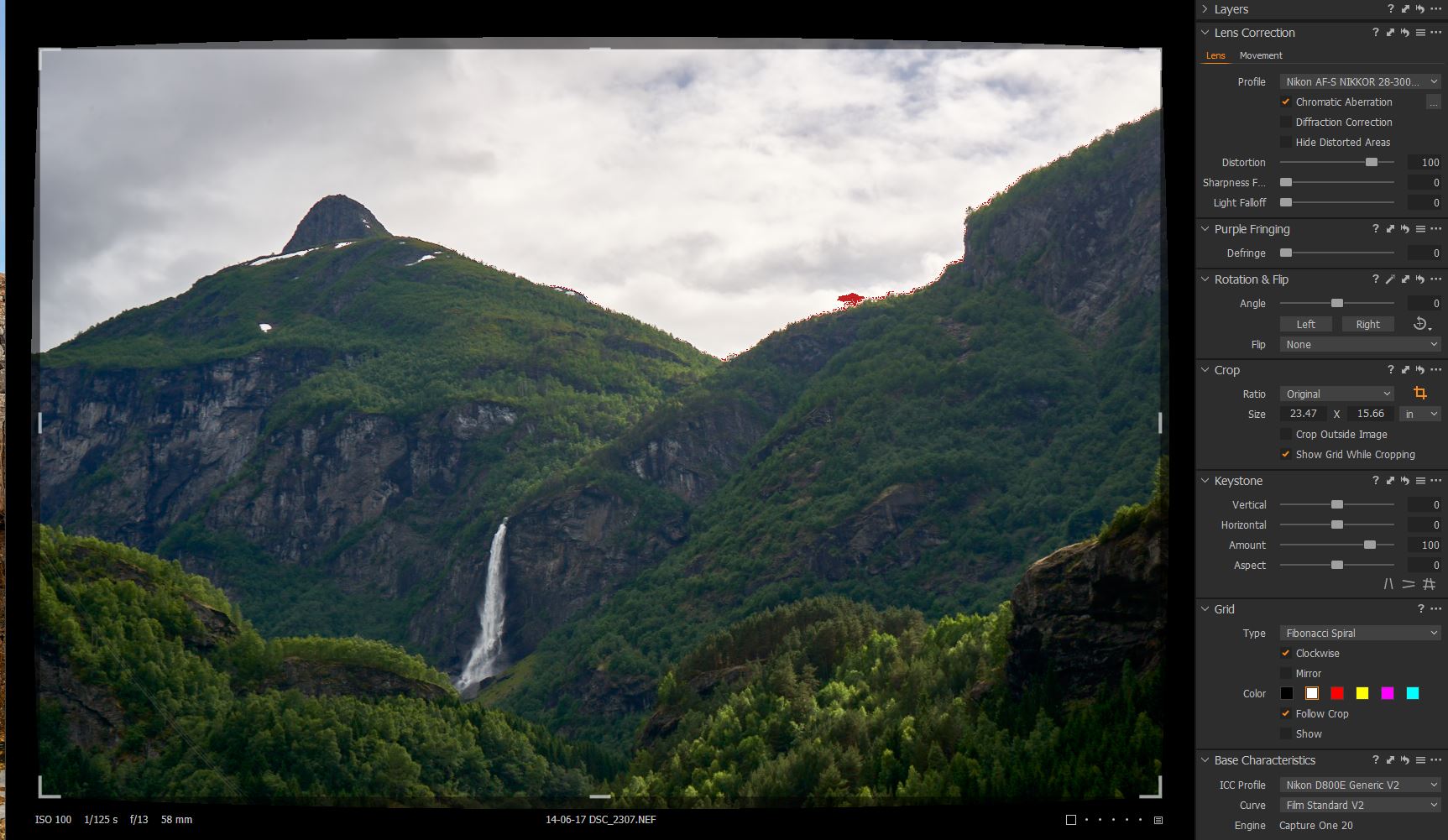
SFA beat me to it. Try deselecting the Hide Distorted Area checkbox in the Lens Correction Panel. You should then be able to see if the cropping is because of lens correction, see example. If it is not a lens correction issue, then I am not sure what the problem is.
I am a little surprised that there is so much difference from the JPEG though, I would have thought that Sony applies lens correction to the JPEGs in camera, although I don't have a Sony mirrorless so not sure if they do or not...Nikon certainly do.
 0
0 -
Thanks for your replies!
Although they do not solve my problem. I just observed that the photo is shown correctly in Capture One at the bottom as you can see from this screenshot, but has some grey edges showing the cut-off parts:
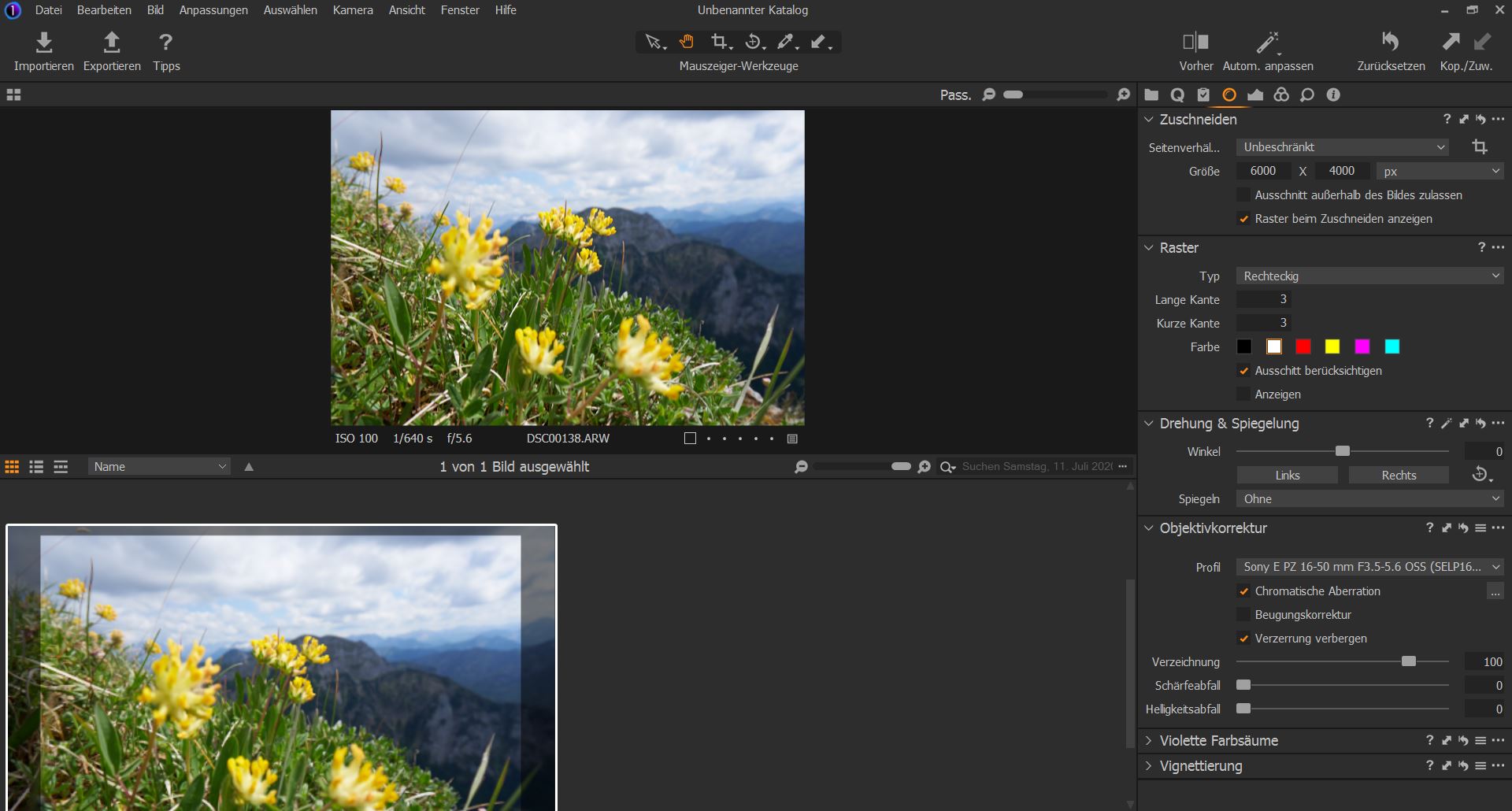
If I uncheck the "Hide distorted areas" (sorry that my version is in German), I get the following, so the lens correction does not cause the issue.
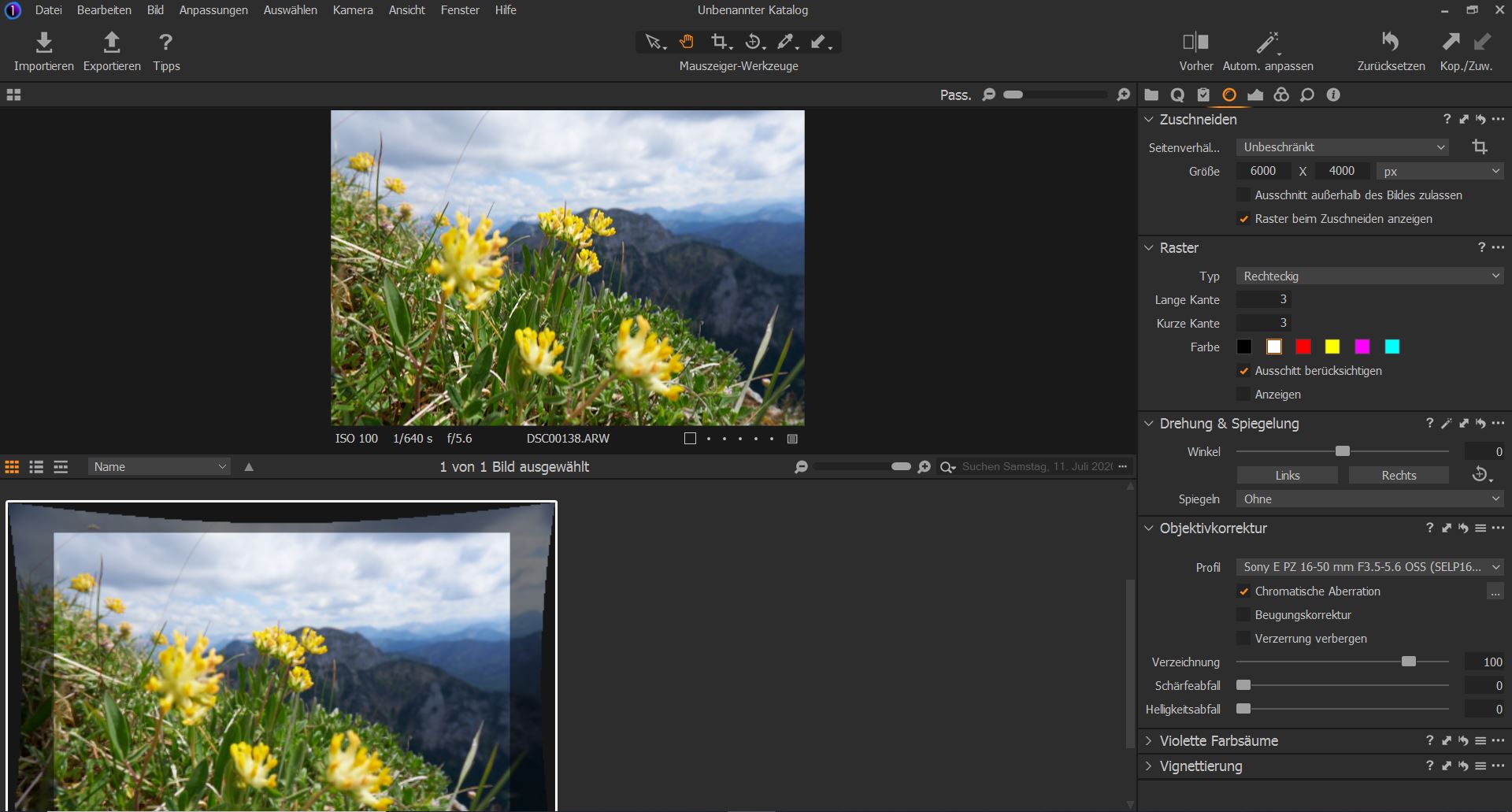
I also tried checking and unchecking the other two boxes above, but that did not really change anything.
Do you have other ideas?
0 -
I do notice that there is some significant distortion correction being applied. Also the Distortion slider is set to 100 in your screen grab. Maybe dial back the distortion correction and then go to the crop tool and adjust the crop. C1 does appear to be applying crop beyond what the destortion appears to need and I am mot sure why, but hopefully you can adjust it back.
The other thing to note is that C1 will maintain the aspect ratio of the original shot, this can be turned off through the crop tool, just change Ratio to unconstrained.
0 -
Wow yes the distortion slider is the solution! I pulled it back to 45 and now the crop equals that of the JPG.
But choosing the Manufacturer profile instead of my camera's lens profile Sony 16-50mm ... with the distortion slider at 100 seems to be the better solution.
Thanks so much for your help!
0 -
👍 You are welcome, have fun!
0 -
It is your choice whether to use the embedded corrections from Sony or the C1 lens analysis.
Corrections may involve more factors than just distortion.
0 -

For the APS-C camera, a A6400 in this case, these are the corrections given for a 6000 x 4000 3:2 image:
- 5833 x 3889 for the Generic profile
- 5940 x 3960 for the Sony Manufacturer profile
- 6000 x 4000 for the C1 Sony E PZ 16-50mm f/3.5-5.6 OSS profile
But the Manufacturer profile shows more information than the C1 Sony E PZ 16-50mm f/3.5-5.6 OSS profile:
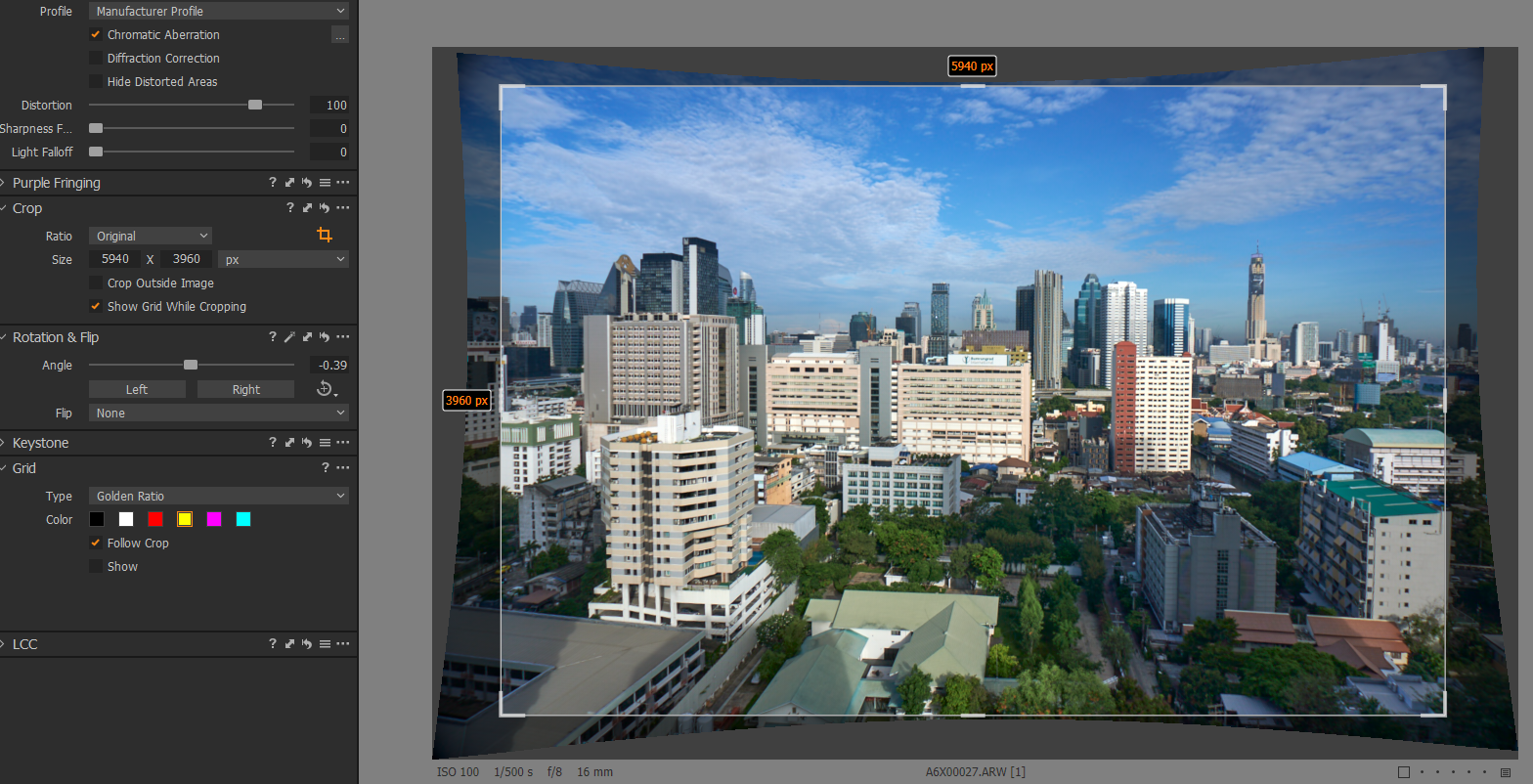
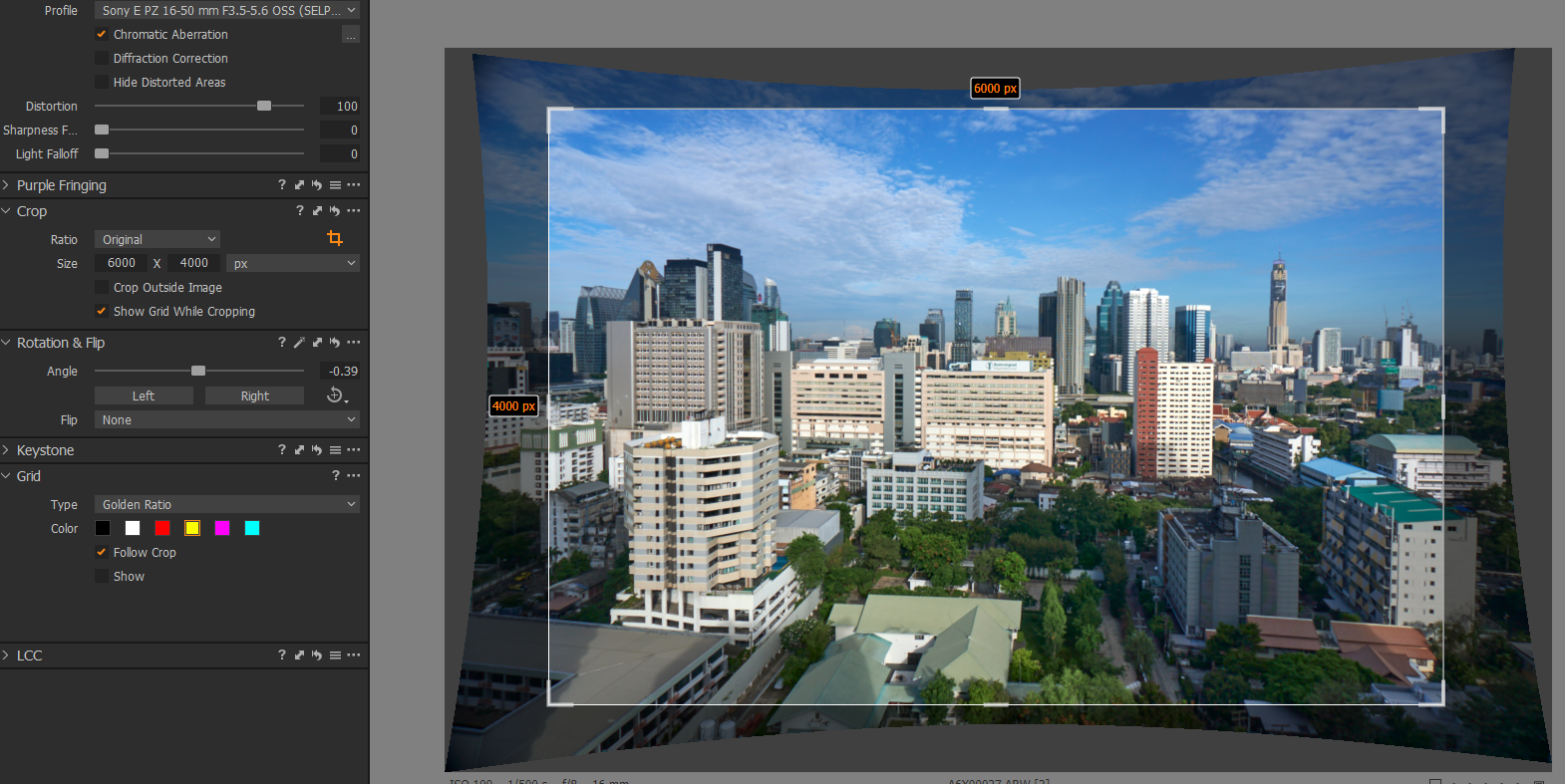
This is something that C1 does and it is even more noticeable on a FF Sony camera using APS-C or Super 35mm Crop modes. For example these are the dimensions of different lens corrections using the Sony E PZ 16-50mm f/3.5-5.6 OSS on the Sony A7 Mk III in APS-C crop mode 3:2 ratio which should produce a 3942 x 2648 image:
- 3650 x 2433 Using C1 Generic profile
- 3650 x 2433 Using Sony Manufacturer profile
- 3874 x 2582 Using C1 E PZ 16-50mm f/3.5-5.6 OSS profile
So, as you can see, there is only consistency between the Generic and Manufacturers profile but they still provide a overall loss of 292 x 215 pixels or 68 x 66 pixels in the case of the C1 E PZ 16-50mm f/3.5-5.6 OSS lens profile.
But strangely, using the APS-C or FF Sony cameras with Canon EF Lenses and then applying those lenses in the lens module will result in correct LC's?
0 -
For the last photot (C1 Lens correction) If one was to reduce the excluded area at the top and bottom edges in the centre (i.e. if a little more distortion showing there was acceptable) then the crop ratio would also widen the selection and likely get very close to the other example for content.
It's a question of what is acceptable.
1
投稿コメントは受け付けていません。
コメント
9件のコメント