Duplicated photos in Library (folder) caused great loss.

I have been using C1 on and off since last year when I got a Fuji Camera, still was using LR as my main catalog handler because Express version of C1 had many limitations. Long story short, decided to go give it a real go and purchase the license, import my LR catalog, and clear some clutter.
This was the start of a terrible weekend.
Lots of problems with the catalog. At some point thumbnails would not render, at another folder list would load completely, C1 would not want to close, in the end, had to repair the catalog midway thru.
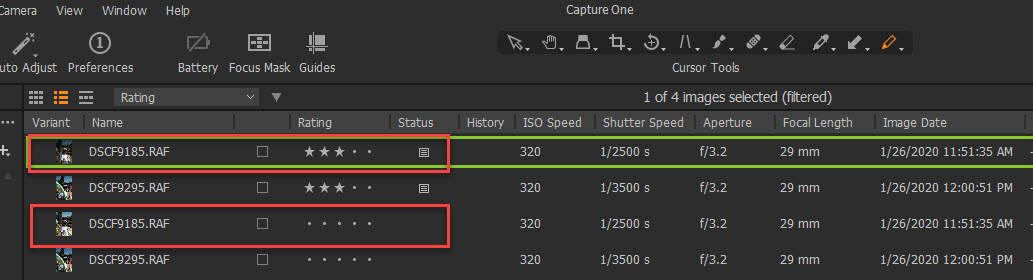
That seemed to have broken something bad because after that, C1 started showing pictures twice (same destination file, same name, same extension, not a variant). One for the Edited/Rated picture and again one non-edited non-rated. Deleting the non-rated one will (without warning) delete the source file and mark the rated one as offline, effectively losing the picture.
After deleting a few hundred RAW images that were not meant to be deleted I notice it. Sadly too late.
The picture below shows the edited and non-edited versions. These are not variants (don't usually work with variants), they should be a single picture. Deleting the non-rated one will delete the original file on disk.
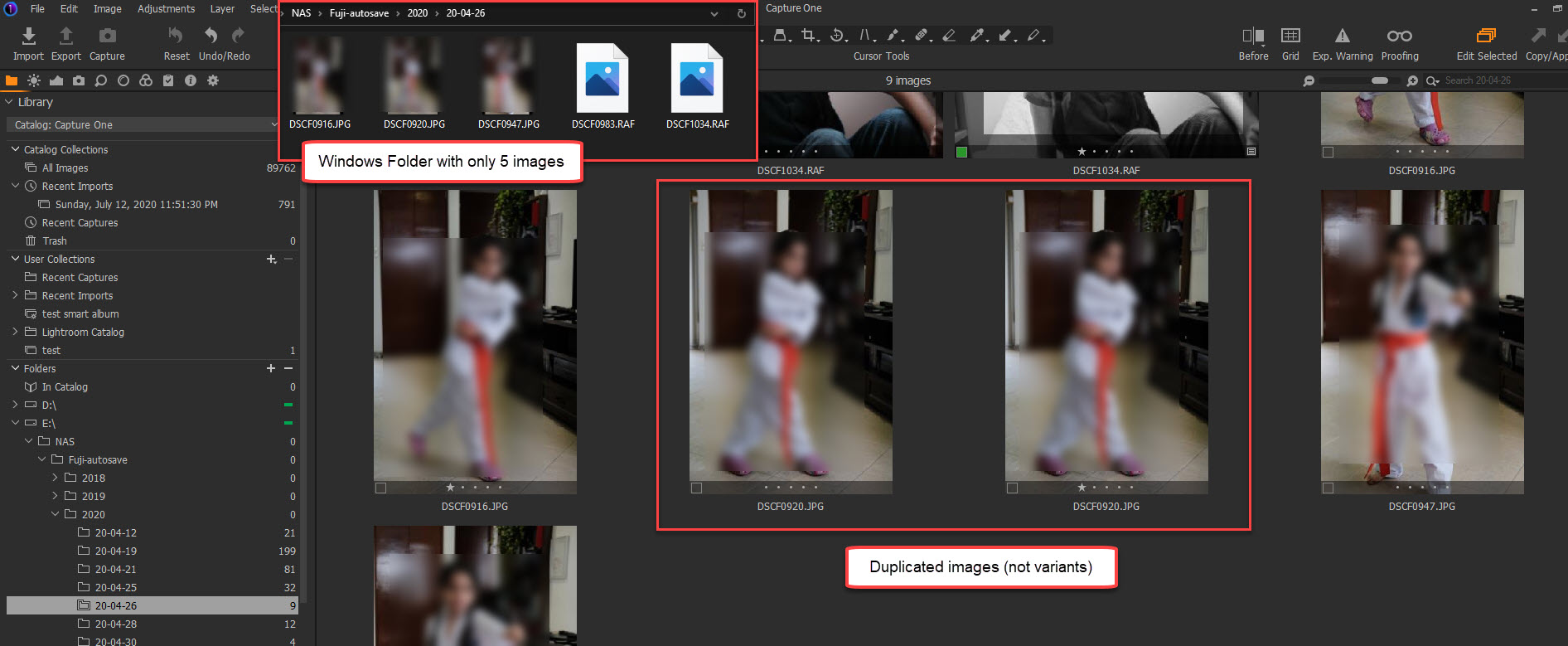
The Issue was not limited to RAW as it happens with JPEG. Below is a screenshot of the Windows Folder and the library view.
投稿コメントは受け付けていません。
コメント
0件のコメント