Set Default order
Logged
Hi there,
I'd like to be able to set a default ordering for my view.
Currently the default is "Name" but I'd prefer "Date". For several reasons I dont rename my files.
I think that should be easily doable.
I hope my request finds it ways to the development team :)
Best,
David
-

Hi David,
Thank you for the post.
In the Browser, you can sort photos based on different parameters, including Date.
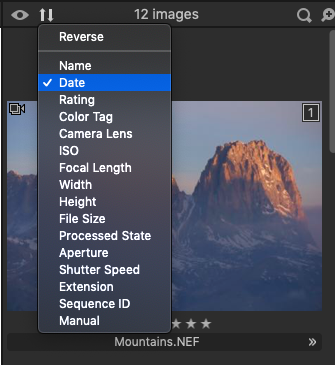
Clicking on the Date parameter will place thumbnails in the ascending order by default (the oldest first). Clicking the second time on the Date parameter will place thumbnails in the descending order (the newest first) and the Reverse option on the list would also have a checkmark. You can always change the sorting order at any time by clicking on the Reverse option.
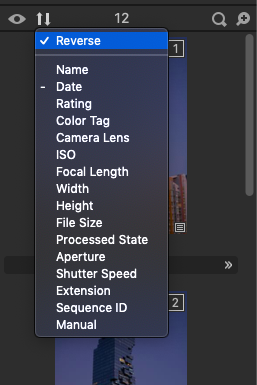
Those sorting preferences will remain even after your relaunch Capture One.
Thanks,
Lily
0 -

Lily,
It would be good to see the sorting order preference retained but that does not seem to be the case on Windows using Sessions.
David did not indicate what he is running on. It might be good to find out.
If the value is supposed to be retained please advise in which file that information is held and I will check.
I had assumed probably the userconfig file but I could not see any entry in there on my system that looked like a candidate for the data.
I assume it is not the Workspace definition. Or rather, if it is the Workspace definition it probably should not be.
0 -
Lily,
you made my day. Have never recognised that it remembers the selection.
Would be cool to have the option to set it generally as default, but with remembering the selection I can live very well. Thanks!!
Btw. I am working with Windows and Catalogues, not sessions.
0
投稿コメントは受け付けていません。
コメント
3件のコメント