Invert Mask highlighing the whole image???

I drew and fileld a mask around a heron. Then added a next mask, copying from the previous one. I then treid to invert the new mask layer so as to highlight the background but it highlighted the entire image.... heron and background.... what am I doing wrong.... Tried it 3 times...same result... Thx
-

Not sure I understood correctly. A filled mask will fill the whole mask, is this what you did?
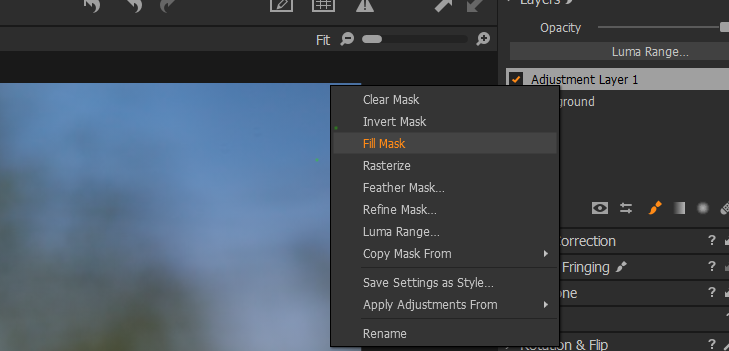
Don't use fill mask, but follow the below example.
If I understand what you are trying to do, you are trying to create a mask in one layer and then copy that mask to another layer and then invert, is this so? The best way to do this is to select brush (or use luma range or any other method of masking), create the mask you want...
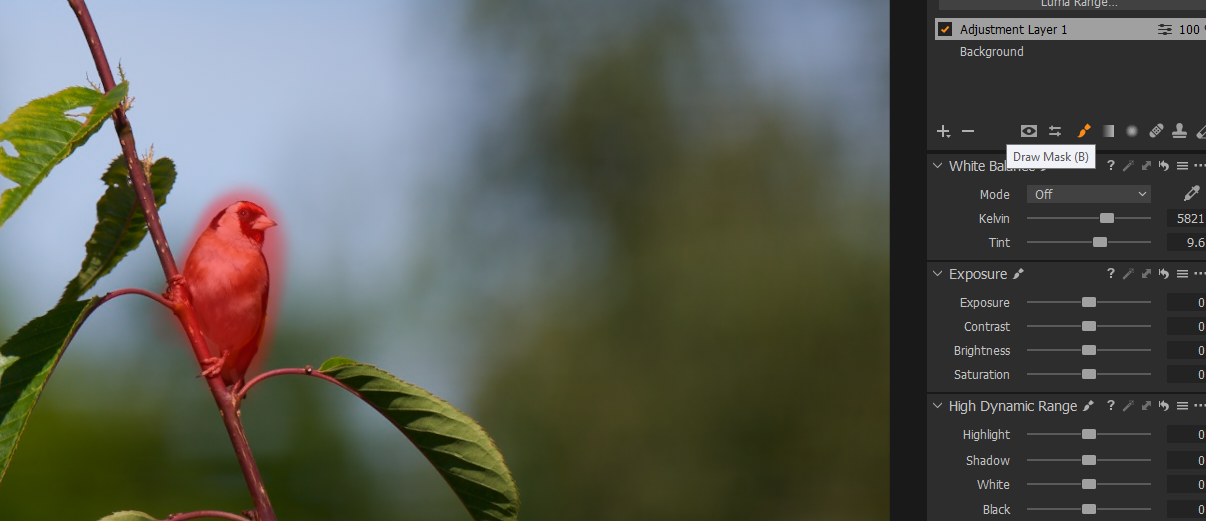
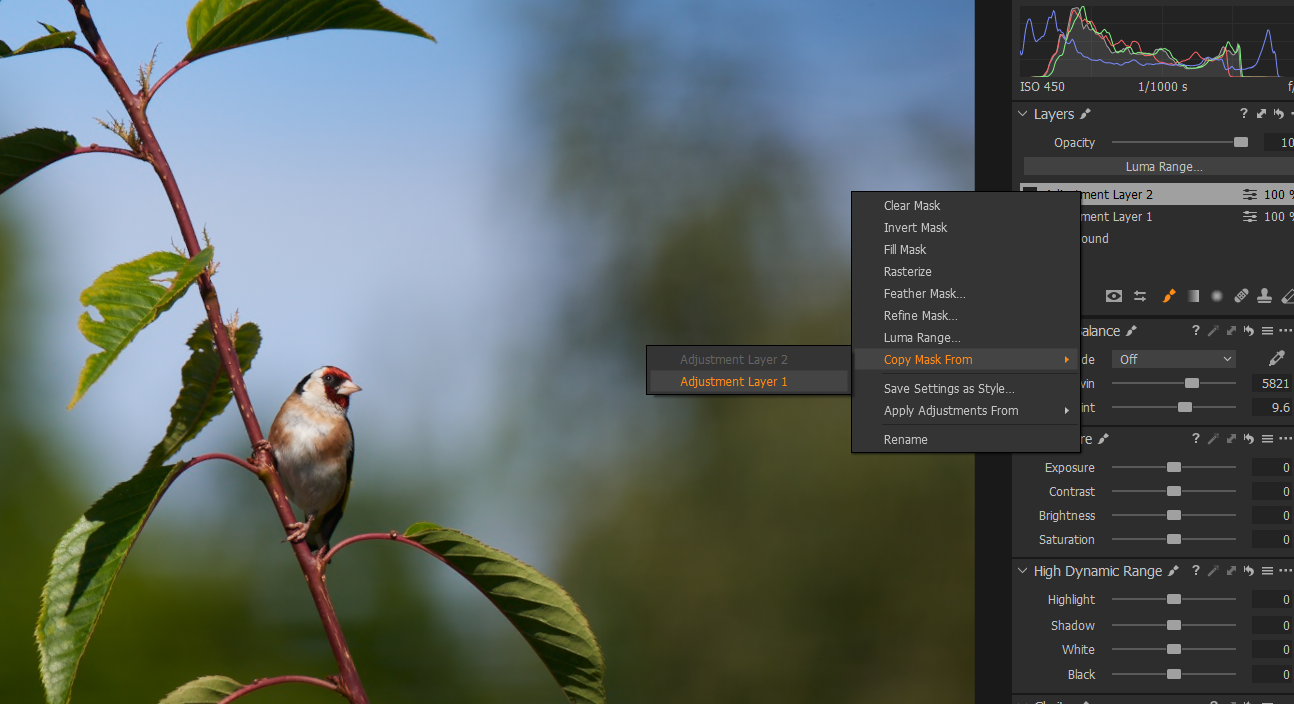
...then create a new layer and use the 'copy mask from' function to copy the mask, in the example I am copying the mask from layer 1 to layer 2.
Then select the layer you want to use for the background and use Invert Mask
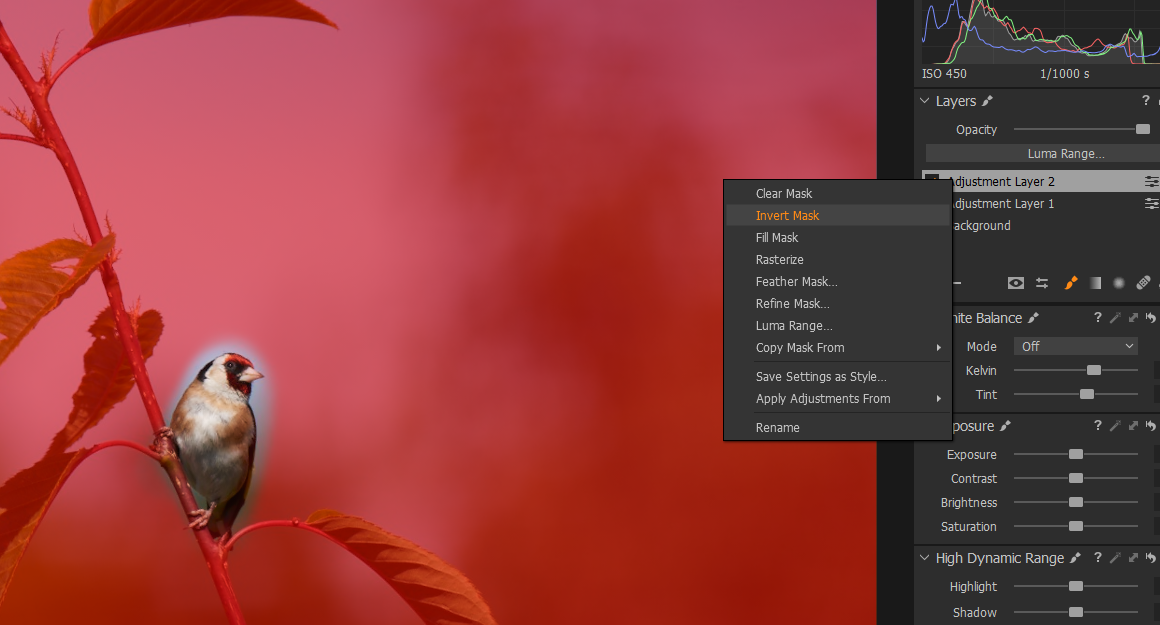
My example is rough and ready, but I hope it helps.
0
投稿コメントは受け付けていません。
コメント
1件のコメント