Option + reset stopped working ??

When pressing option + reset , there always always a temporary view of the original picture. Now it does nor work any more. Where has it gone ? (like many other common features)
-

— Where has it gone ? (like many other common features)
They decided that the split preview screen function should replace it.
I share the discomfort, jj kk!0 -
Where is split preview screen function ?
0 -

jj kk,
It's always a good idea to read release notes.
0 -
You can choose between the toggle or the slide preview.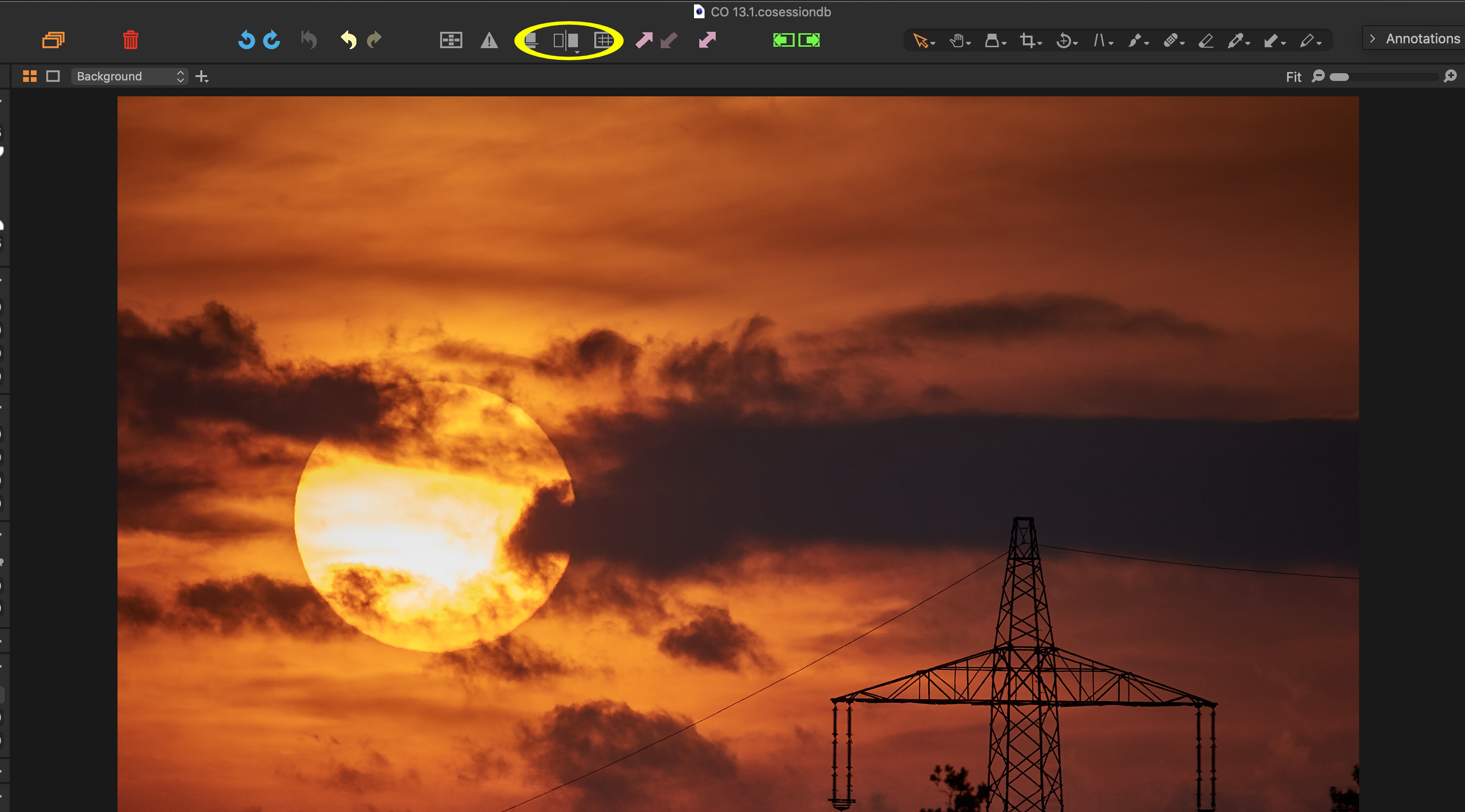 0
0 -
I think even better idea is not to change or erase basic functions one is used all the time. Totally user unfriendly. Functions should be improved or multiplied. But to cancel essential functions and change the behaviour is not really serving good to heavily paying users ...
0 -
Nikon Shooter, thank you ... interesting ... but keeping the previous functionality as well (alt+reset) would not hurt anyone ? :)
0 -
That is apparently the price we users have to pay for their
too strong effort to win over new Lr users… IYAM.0 -

The previous functionality exists, but with a different key binding. The problem many have is that they've modified their keyboard layout and don't get the new bindings automatically. I figured out what custom keyboard shortcuts I'd defined, loaded up the new default keyboard layout, then created a new custom layout by re-applying my shortcuts.
In the default keyboard layout the Y key does what opt-reset did in a slightly different manner. It is a toggle instead of a hold down, and when toggled on it can either display the unedited image or give you the slider to you can wipe back and forth to compare before after.
0
投稿コメントは受け付けていません。
コメント
8件のコメント