2 monitor set up, disappearing viewer window issue

Whenever I lunch C1 viewer window F10 doesn't not appear even when I do to window_> viewer. I have to change workspace for it to appear and change it back to my saved one.
-

This has happened to me more or less randomly. I would choose my saved workspace similar to what you're doing and the viewer would appear. At someone's suggestion I re-saved my dual monitor workspace and thought that had fixed it.
Today it seemed to happen again, but when I looked really closely at my second monitor, I could see the dark gray border of the viewer window was just barely visible on the LH side of the monitor. It was so far over I couldn't just grab it and move it, I had to twiddle around with the cursor (double arrow in the corner of the window) to resize it and then move it.
The next time this happens, I'm going to play with W10's Task View and see if I can make it return using that function. It just might be that C1's coding has a little glitch in this area. We'll see.
0 -

Same here on Win10(2004)..
First start of 13.1.2.35 the Viewer which was placed on the 2'nd Screen wos not shown..
It turns out it was minimized in the Taskbar..(rightklick on the Task and "maximize" brought it back)
And now on every 2'nd start the Viwer is on the right Place on the big Screen, and every Start between it shows on the 1'st Screen and i have to move it manually to the 2'nd Screen..
By the Way.. the Keyword-search Function in my Katalog does not work any more..
It is really sad that C1 for sure replaced evere killed Bug with min. 2 new ones..
regards.
Kurt
0 -
Happened again, not minimized but same as before, shifted almost completely off screen. Again, I couldn't drag it back without resizing it first.
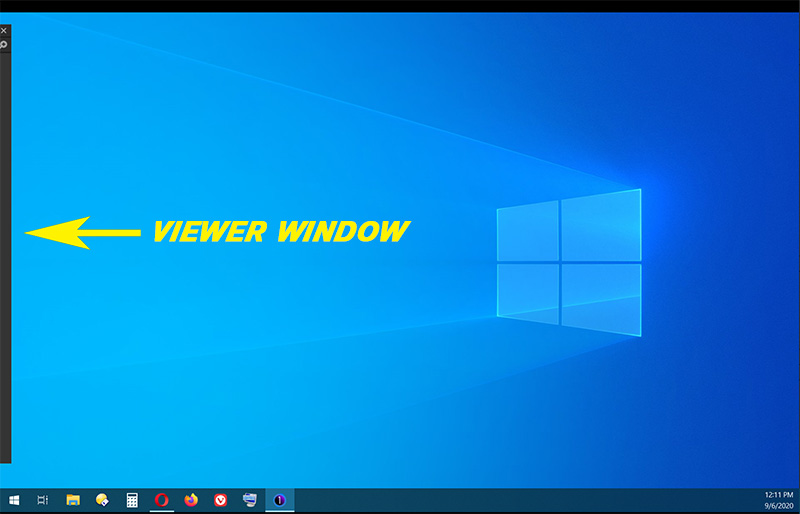
EDIT: Another occurrence this morning. After some random fiddling around (primarily minimizing and maximizing the only completely visible window), the "stacked" C1 icons finally appeared in the taskbar. I was then able to choose "maximize" to restore the viewer.
0 -
Just now updatet to 13.1.3.... NOT fixed this Problem.. same Problems as it was on 13.1.2.35..
0
投稿コメントは受け付けていません。
コメント
4件のコメント