Exclude top-level keywords when exporting images

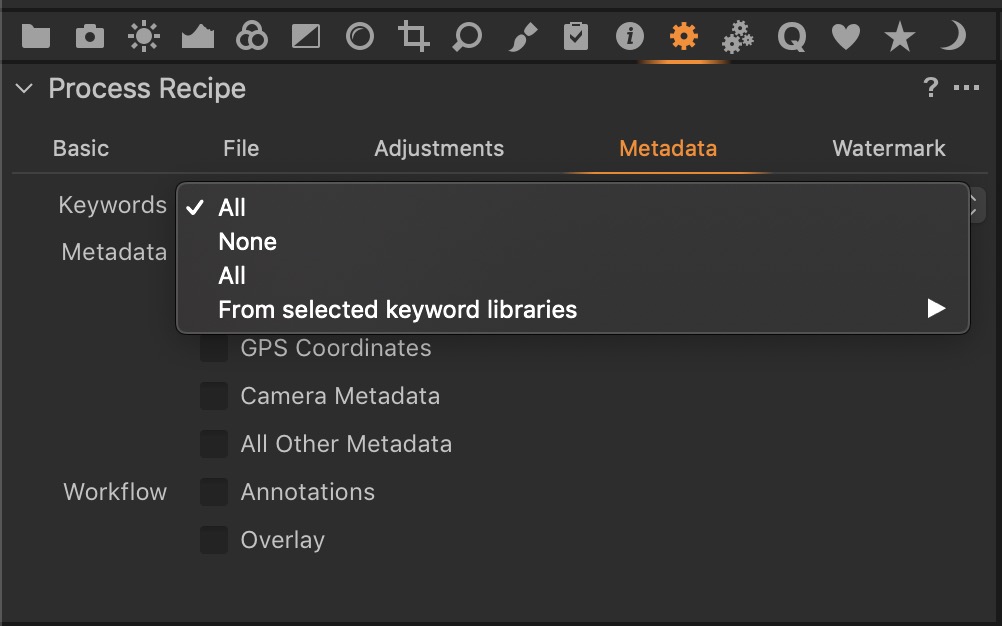
Is there any way to exclude specific top-level keywords when exporting images?
-

 0
0 -
As far as I understand, the All option will include all keywords while the None option will exclude all keywords – ?
0 -
Maybe selecting the files to be exported and
applying any given keyword of your choice?0 -
Yes, but doesn't that sort of defeat the purpose of a properly structured keyword library? If you have top-level keywords that work as groups/folders for other keywords, it would be useful if you could export only the sub-level keywords.
0 -
I think it has to do with they way keywords are used and the workflow.
I only use keywords for the publishing wildlife and I work in sessions.
Sorry if I was of no help.0 -
Thanks anyway.
0 -
I use several keyword libraries. So for example I have a keyword library called "Living Things" for nature shots, another called "Where" for geographical information, and another called "Who" for people's names (and a few others too). The name of the keyword library doesn't get exported so in Living Things I might have Living Things: Insect>Butterfly>orange tip butterfly. Only "Insect>Butterfly>orange tip butterfly" gets exported and "Living Things" does not. Also with more than one keyword library you can choose to export the keywords in all of them, or just some of them (so I could export the information about the type of butterfly for example, without including the location).
Ian
2 -
Thanks for the tip, Ian! That sounds like a good solution.
0

投稿コメントは受け付けていません。
コメント
8件のコメント