Info on the "Place" section under "Filters"?

Is there any info on how the "Place" section under "Filters" works? I couldn't find it in the manual. Right away, it looks a little rudimentary.
-
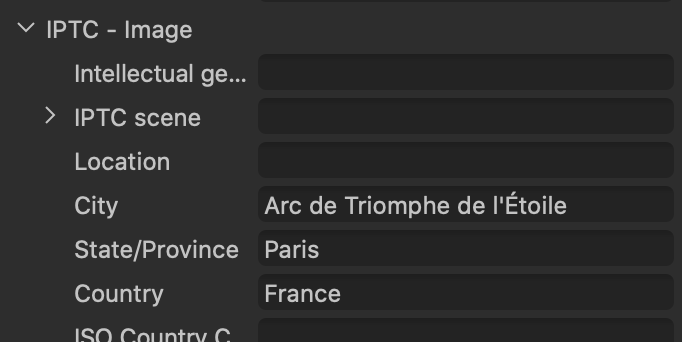
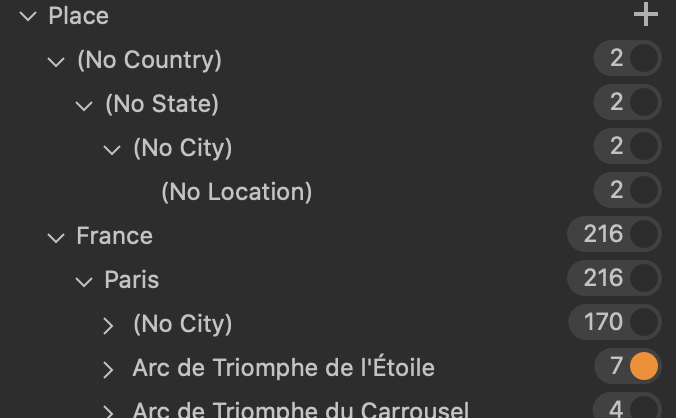
It appears to correlate with any IPTC Image location data (see the metadata tab). I used to enter place data (Country, State/Province, City, Location) in Media Pro when I was using that, and when I imported my Media Pro catalog into Capture One, the data from Media Pro ended up in "Place" in Capture One. So I could if I wanted find images in Capture One which had been tagged in Media Pro as being in Paris, for example, using that filter. I found the standard Country, State/Province, City, Location formula which IPTC seems to use a bit limiting - what if I wanted UK, England, London, Westminster, Parliament for example? So in the end I created a Keyword Library in Capture One for places. But at least I could use that filter to shorten the job of finding images that needed particular places keywords. But having done that, I no longer use the Places filter.
[Edited to add: I assume that apps like Photo Mechanic can add IPTC data like that, and I suppose the filter would be useful for anyone who added location data in another app like that.]
Ian
 1
1 -
Thanks for the explanation. I think I'll just ignore it then and stick with my keyword hierarchy.
0 -

> Ian Wilson: I assume that apps like Photo Mechanic can add IPTC data like that, and I suppose the filter would be useful for anyone who added location data in another app like that.
Yes, PM is a metadata power tool.
PM has one set of location data called "Event and Location" which roughly corresponds to IPTC Event plus the long time depreciated Location, https://www.iptc.org/std/photometadata/specification/IPTC-PhotoMetadata#event
PM has one set of location data for "Location Taken" which corresponds to IPTC Location created, https://www.iptc.org/std/photometadata/specification/IPTC-PhotoMetadata#location-created
PM has multiple sets of location data called "Locations Shown" (an image can show multiple locations) which correspond to IPTC Location Shown in the Image https://www.iptc.org/std/photometadata/specification/IPTC-PhotoMetadata#location-shown-in-the-image
An IPTC location data structure has data fields for: "... a Sublocation, a City, a Province or State, a Country (Name and ISO-Code) and a World Region.", https://www.iptc.org/std/photometadata/specification/IPTC-PhotoMetadata#location-structure
IPTC general info on locations: https://iptc.org/std/photometadata/documentation/userguide/#_locations
0

投稿コメントは受け付けていません。
コメント
3件のコメント