Moving Capture One Express Catalogue Folder

I have recently installed Capture One Express to trial the software.
My computer has two hard drives:
- A small SSD where my OS is installed (C:)
- A larger HDD where I save my files and install my programmes (D:)
Capture One is installed on the D:
I store my images on the D:, and this has been organised in a specific manner which I wish to maintain. I have been able to import my images from the D: into the Capture One catalogue without moving them from their original locations and maintaining their file structure.
Capture One has placed it's catalogue folder on the C: in the User\Pictures folder, where there is very little space. I am worried that this folder will increase in size as I add more photos to the Catalogue.
How do I move the catalogue folder? I have tried cutting and pasting it into my D: but Capture One simply replaces the folder in the C: on startup. I cannot see a setting in the preferences to move it to a different drive.
I am aware that the Express version does not allow multiple catalogues. I am fine with one, but I don't want it to be saved on my C:.
Any help is much appreciated!
-

JM,
This is easy and I have done this a few times for various reasons.. Firstly make sure that Capture One is closed. Locate the catalogue folder in Windows Explorer (mine is called Image Catalog). Move the whole folder to where ever you want to in Windows Explorer.
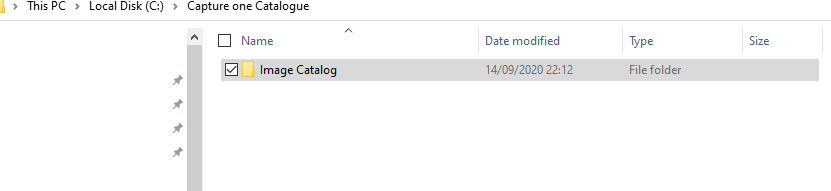
Once moved, then go into the Capture One Catalogue folder, then double click on the <catalogue name>.cocatalogdb file (in my case Image Catalog.cocatalogdb). This will open the catalogue in Capture one. Job done, Capture One will remember where the catalogue is the next time you open it.
The key step is not to open Capture One from the program application shortcut, open the first time via the Capture One db file, which is associated with Capture One.
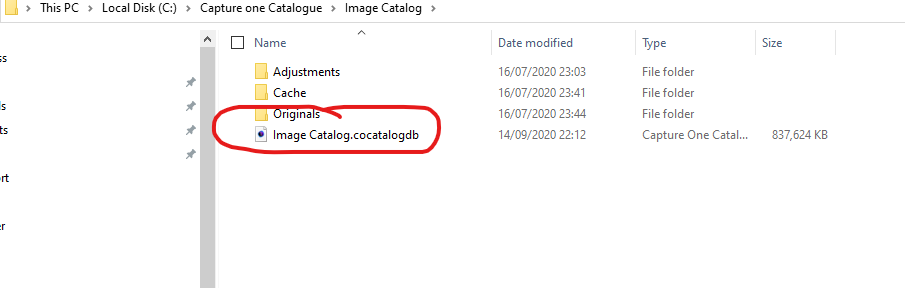
Note I have not tried this with the Express version (I have the pro version), but assuming Express uses the same file structure then I cannot see why it would not work with Express also.
2 -
Thanks so much, that worked! Just one thing to add: with Express it seems you have to hold the "Alt" key after having double clicked on the moved file.
Thanks again for the help :)
1
投稿コメントは受け付けていません。
コメント
2件のコメント