Exporting images problem

Hi,
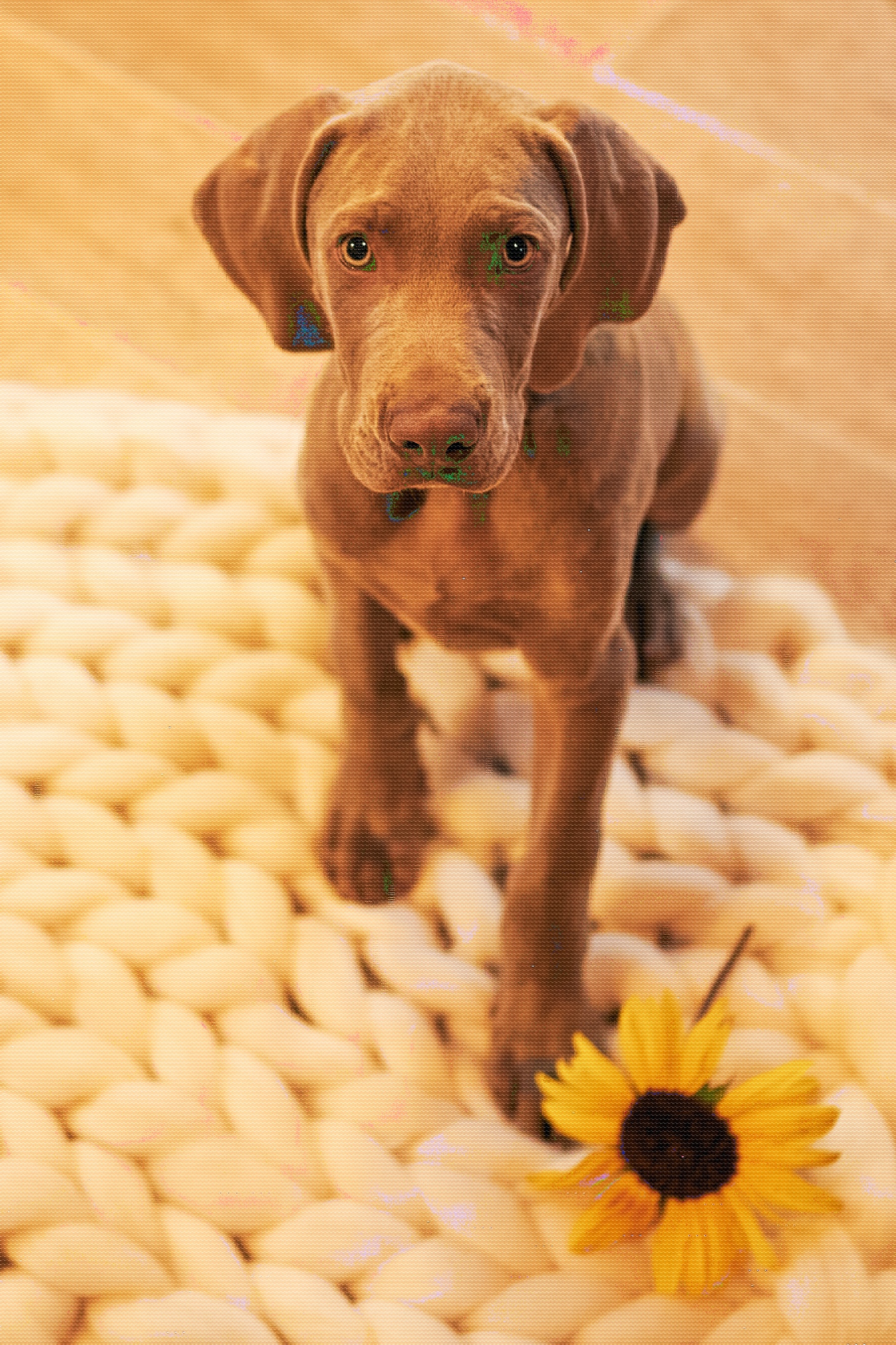
I am trying to export app. 50 images from Capture one. It is stopping my Mac, everything is frozen and the quality of exported images is horrid. Also the laptop is making strange noise while exporting.Images have strange spots on them. Everytime I try to export images they are different. What am I doing wrong?
Until now I was working in Lightroom and it has never any problems.
Thanks for your help.
Vera
-

The first thing to check is if Hardware Acceleration is currently on. If it is, disable it and try your export again.
0 -

Vera,
Are you viewing the exported images in Capture One or through some other viewer application?
(This is a secondary question - check bobW's question first.)
0 -
Hi bobW, thank you for your reply, I do not know how to this. :( Can you let me know where I found this?
SFA - any viewer. It is still the same in any viewer (Photoshop, Mac Preview...)
0 -
Hi Vera,
From the Capture One 20 menu, select Preferences...
In the General Tab, you will see the options for Acceleration. I would suggest turning them both off then if the problems goes away, you could try enabling one at a time to see which one is causing the problem...or just leave them both off if you prefer.
 0
0 -
If you are viewing the image in Capture One do you have the Focus Mask warning active? (Default colour = green)
And the Exposure Warning tool? (Default colour for dark areas = Blue)
How this might transfer to an exported file and an independent browser I am not sure but it does seem to be a coincidence for that image.
0 -
Dear bobW,
thank you very much, it helped! :) I will probably leave both off as it is working for now. Do you think it has something to do with my computer? It is Mac Book Pro and I wonder if there is a problem perhaps with my graphic card?
Anyways, thank you again very, very much!
Vera
0 -
Hi Vera,
You're welcome and glad you've got things working as expected. I don't believe it has anything to do with your computer. More likely related to the use of OpenCL in the program's code, from what I understand.
Take care.
Bob
0
投稿コメントは受け付けていません。
コメント
7件のコメント