Full frame image size in CapOne is smaller than in Lightroom

All my images in Lightroom are from a full frame 6016 x 4016 24.3 megapixel Nikon D750. The image dimensions in Capture One do not reflect this. I just noticed this today when I was editing a photo simultaneously in Lightroom. Many images appear to be smaller in size in CapOne than the 24.3 mp dimension. Why do you think this is? Some are 6016 x 4016 others are 5763 x 3847. I confirmed this by looking at each in the gallery view in CapOne whilst checking the crop information. The numbers changed on many of the images as I went through them. Has anyone else noticed this.
Thank you. Ken.
-

You can allocate greater real estate to the viewer
by narrowing the tools and browser panels.0 -
Thank you. Maybe I wasn't clear.
It's not about the viewer or the size of the image displayed on screen. The actual file sizes are reduced from the native resolution of the camera. A 24.1MP file size is 6016 x 4016. Every image shot directly form the camera is this same size. However, when CapOne imports them the file sizes on many of the images seem to have been reduced from the camera's output. Is that clear? It's no longer a 24.1mp file it's a smaller file size. Some file sizes are reading, 5763 x 3847 like they have been cropped or something. The same images in Lightroom read 6016 x 4016.
0 -
I am using a few bodies and two of them are D850's and
not s ingle pixel is missing.
Here is a side by side finder window and CO info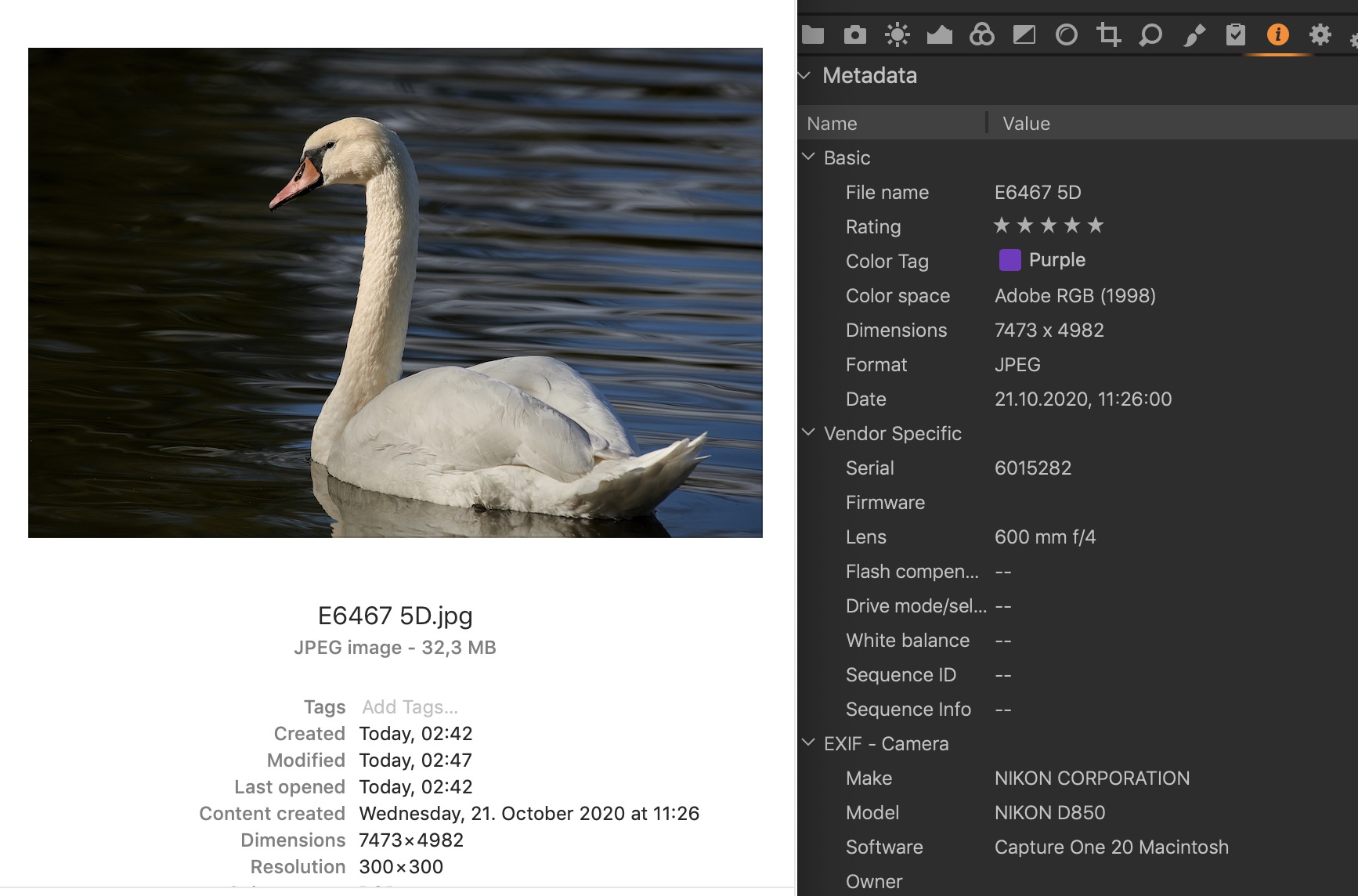 0
0 -
Yes my images say the same for my camera which is a d750 in my case 4016 x 6016. However when I export them some scale down to 3906 x 5851 without any editing have been done to them. Here is an export from LR and CapOne. Notice the resolution on each.
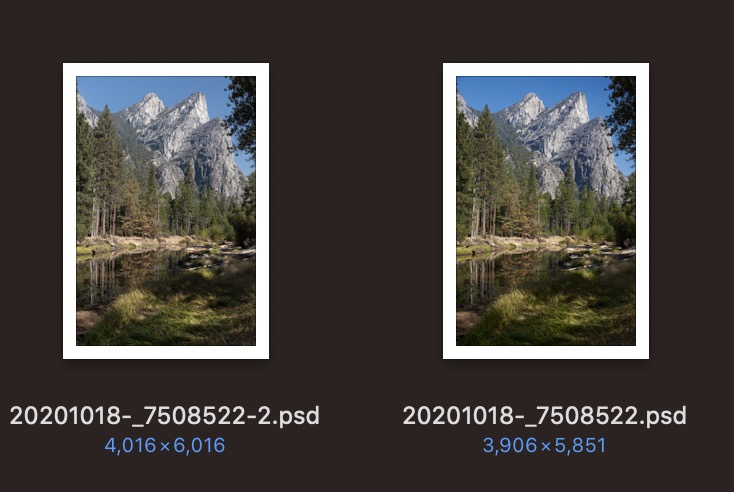 0
0 -
Just check the Basic tab of the Process Recipe tool under the Output Tool Tab.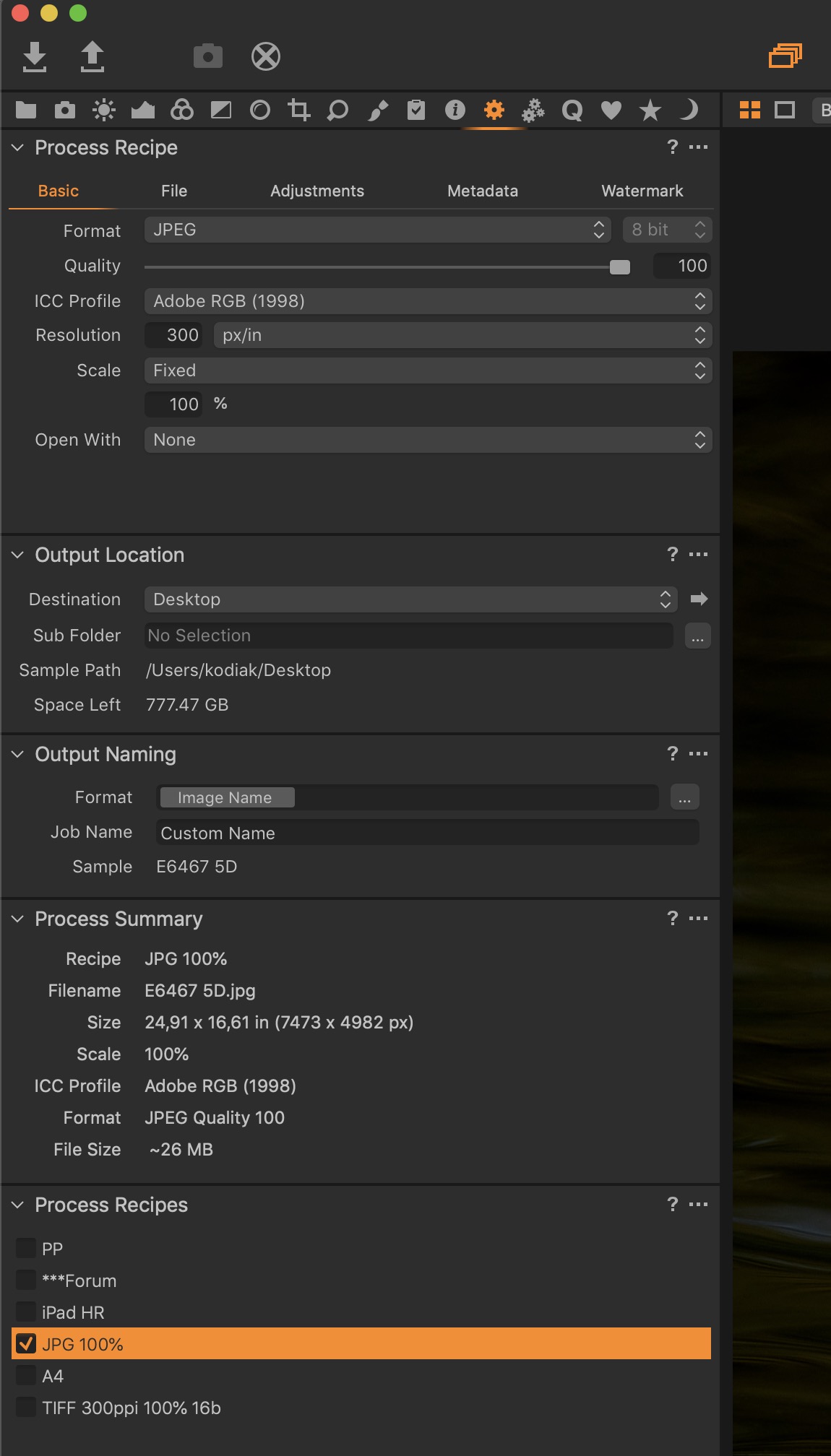 0
0 -
Yes I did. Notice that under process summary for my 4016 x 6016 PSD file it says: Size: 3906 x 5851, Scale: 100%. It should be 4016 x 6016.
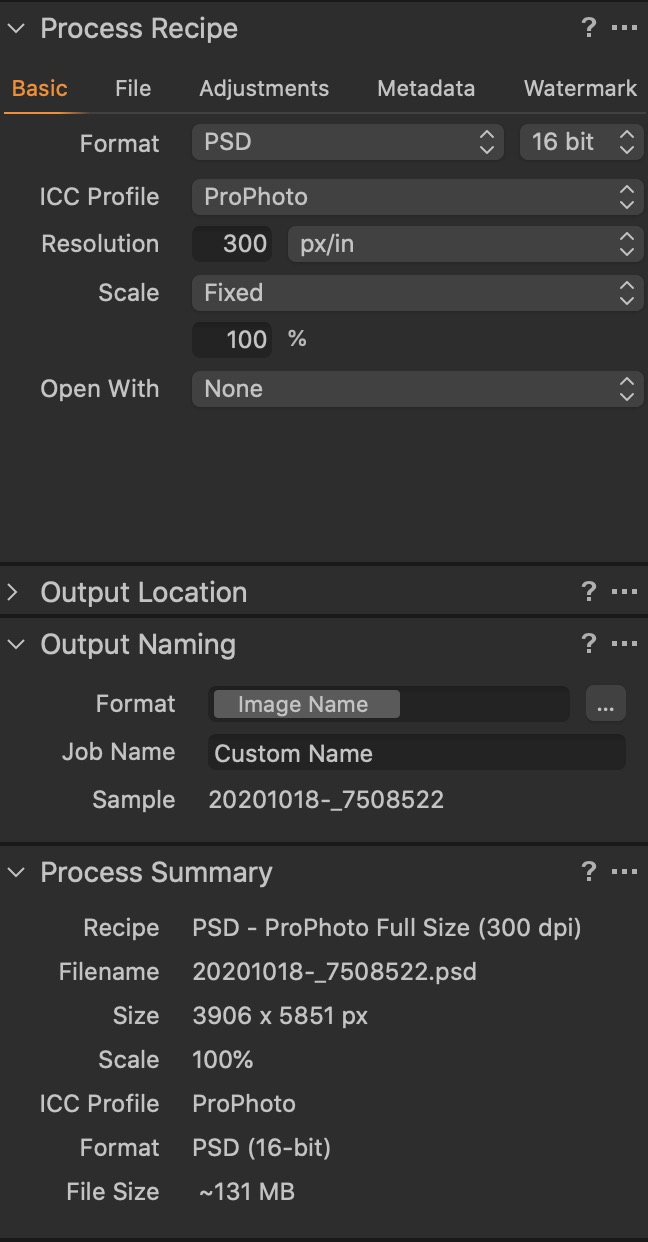 0
0 -
That beats me Ken, I haven't had nor heard of that issue before.
Sorry I was of no help.0 -
I know weird huh. If I change it to "dimensions" and put in the camera resolution of 4016 x 6016 rather than "Fixed, look what happens. Scales up to 103% to match.
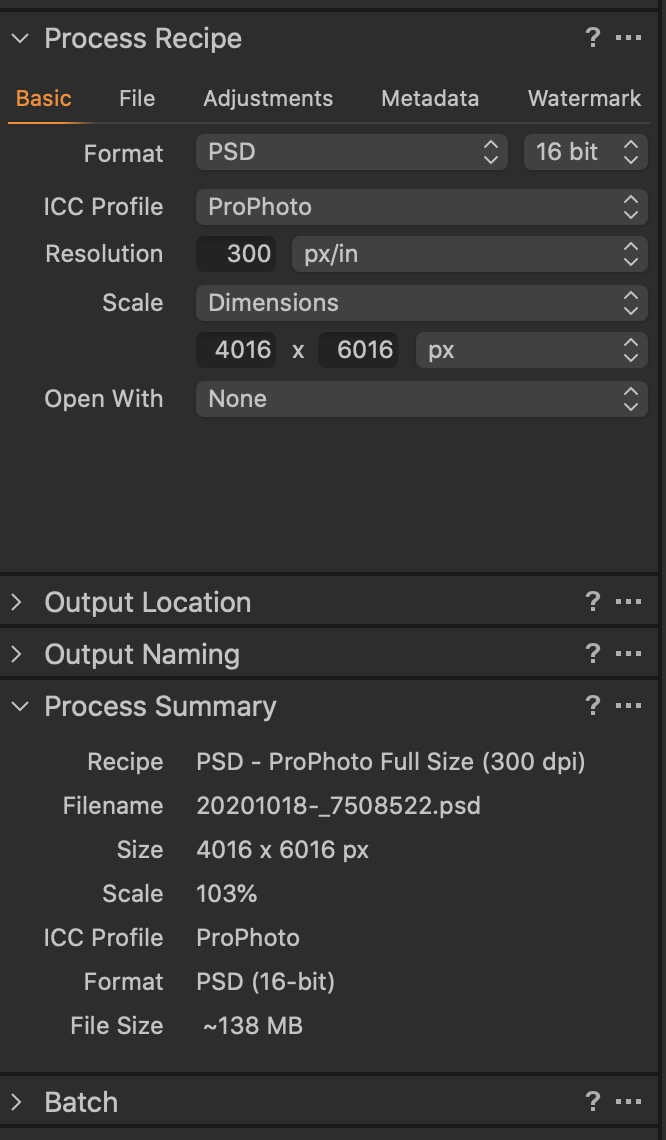 0
0 -
But you upscale to 103%!
I work in the publishing industry and this is quite taboo
unless publishing for billboards.0 -
Exactly. Don't want to do that. Don't know why CapOne is not exporting the image at native resolution. LR does not do this. Thanks for all. your help! appreciate it.
0 -

On the Adjustments Panel what is your Crop set to? Usually it should be Respect Crop.
0 -
Hi Don. Yes it says Respect Crop
0 -
And if you tell it to ignore crop, do you get the full pixel count?
0 -
Hi Shane. If I tell it to ignore the crop I still get the same results, less pixel count on the export. The strange thing about this is not every image exports this way. some are fine but I did notice this on the crop pane. Some images read the full pixel count and some read less. The ones that read less also export at a smaller pixel count. Under "Original ratio", the Meta data file size reads 4016 x 6016 but here it's less. These are unedited files. no changes have been made after import.
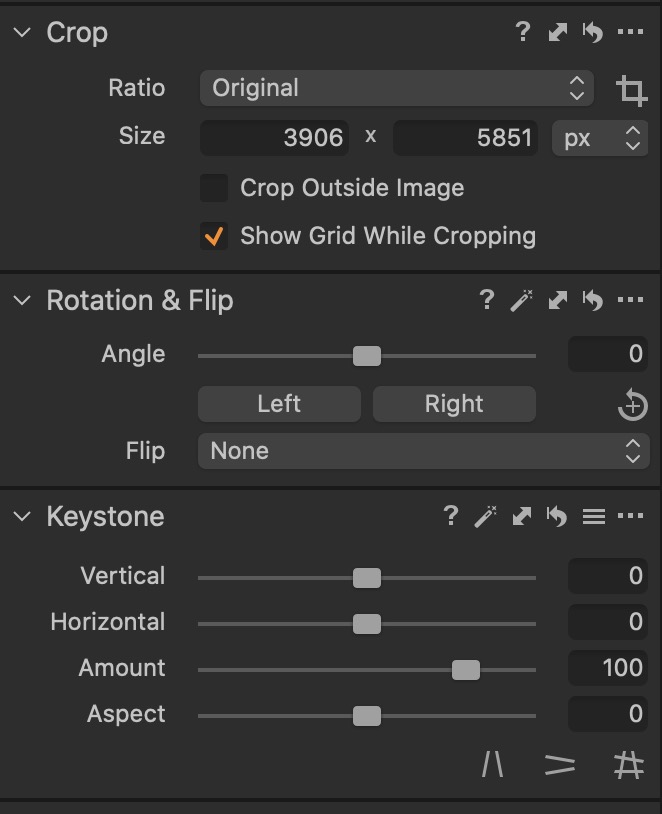 0
0 -
After experimenting some, it appears that under lens corrections the "Distortion Control" is applying a crop to some of the images. If I reset this value to 0 instead of 100, and then go to the crop tool I can reset the image size to the full count. LR does not apply any crop to its lens corrections. I've never noticed this before. Not all images are affected by this even with the distortion control set to 100. so it appears somewhat random.
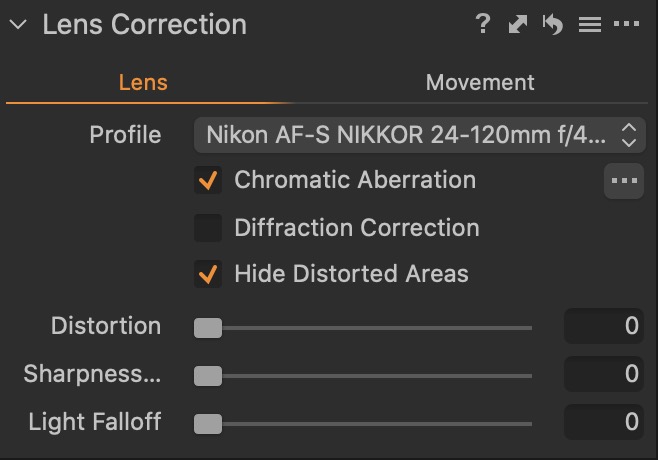 0
0 -
Hi Ken
Well, with 20/20 hindsight, that makes sense. Distortion control would involve a degree of cropping in much the same way that keystone correction also loses some pixels on the edges.
As to why some images are affected and others not, it would depend on the nature of the lens. Varying focal lengths while using your 24 - 120 Nikkor (or any other variable focal length lens) would produce different degrees of distortion and hence, different interventions by C1. Conversely, I would assume that a prime would result in constant distortion and a single degree of "crop".
It's your call, and you may prefer the approach made by Adobe in LR, but I prefer software which addresses distortion - especially as I can dial it back.
All the best
0 -

I was frustrated by this exact issue! I have a few others but thats for another time.
Thanks for starting this thread and helping solve/figure out this issue!0
投稿コメントは受け付けていません。
コメント
17件のコメント