Recents Message every time I close or open Capture One

Hello. I am using the trial (trying to move away from Lightroom) and I just find a little bit annoying that every time I close capture one I get the message showing my catalog.
is there any way do deactivate this and just close or open capture one without this?
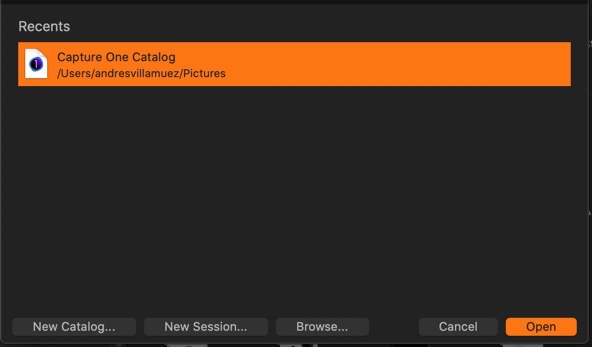
-

Go to preferences and select the general tab. Uncheck the option that reads "Open in new window". I believe that will get what you want. When you start Capture One it will automatically open the session or catalog you were using when you last quit the program.
0 -
I have this unchecked and still getting this message..
0 -
Tried that but keeps showing
0 -

I'm getting this in 2022 June with the MBP M1. Any solutions to fix this annoyance?
Thank you.
0 -

I am getting the same in September 2022 with M1 Chip.
0 -

I'm new to Mac and this was frustrating me as well. On Mac go to Capture One on the Menu bar and chose "Quit Capture One" or do a Command+Q to close Capture One completely. Then the "Recents" window will no longer show. Note, that this will close Capture One completely and therefore no longer run in the background (e.g., not have the dot under the application on the Dock). I prefer to not having it running in the background anyway, so this works for me.
0
投稿コメントは受け付けていません。
コメント
6件のコメント