Capture One is big dissapoitment to me, please help to change this for me

I bought, some time ago, Capture One 12 for Fuji and played with it for a while. I was doing all my work in LR at the time, but was toying with idea to move out of LR.This year in Summer I wanted to upgrade and move all my 100k images to Capture One. After some testing and image conversions (because not all image types, formats which I had are supported in Capture One. It was working for a while quite fine. Maybe because I was not fully depend on it as my subscription with Adobe had few month to go. I am using Capture One 20 last update now.
In a last few month I have try to work fully with capture One. I have reported some issue (apparently moved to development...), but Capture One is seriously blocking my work.
I really do not know what I possibly do wrong, but every time I start Capture One it scans all the file (100k+) which even on my 32GB RAM, 2TB SSD, i5 4GHz is blocking Capture One for goof 20-30 minutes. When I have catalog up to 2-3000 images all is acceptable.
Filtering is not working until that is done, often it just hangs, if I start turning filters on, simple as to see images made in particular date, it crashes...
I am extremely frustrated and reason to write this is not to ventilate that frustration, but ask others who do use catalogs of similar size (100k+images up to 2TB disk space) for advice, tips.
I can not be alone with this, or maybe I am and I configured capture one in some extremely wrong way. Please share your experience and help.
Thank you in advance.
-r-
-

I can say that I have approximately 250,000 and I don't experience the same issues. What does your folder structure look like? Do you have all images in a single folder or many? I could see that if you had all files in a single folder then C1 may take some time to read all the previews, but if they are spread across many folders then I am not sure what the problem is. I tend to have a maximum of 2000 images in a single folder (not by design, but due to the way I organise my images this tends to be the most). I organise by Year and month.
Have you checked task manager while running C1 to see if there are any bottlenecks?
One thing I would say is that on first import it took C1 a very long time to catalogue and generate the previews for all images. As you can expect cataloguing 250,000 images takes a very long time....it was 10's of hours..and it did use a lot of system resource. You have to let this process complete. I just left my computer doing the job of importing and generating previews, once this was complete then performance returned to normal and I don't have any problems.
A bit more information may help the community generate some ideas as to what's wrong.
0 -
Mark,
thank you for responding. I have similar structure like you do, year, day. No more then max few hundreds images per folder. And yes initial run was for me 26 hours and that was back in July/August when I imported my LR catalog. After that it was working just fine. Not sure when it turns to be doing this. Some month or two ago? There is about 30-50% CPU on the capture one process, no disk nor network activity. There is no process dialog box appearing nor the rotating thing in top of the screen.
I only see this orange circle filling from empty to full only after it i full Capture One is working until then it is not responding.
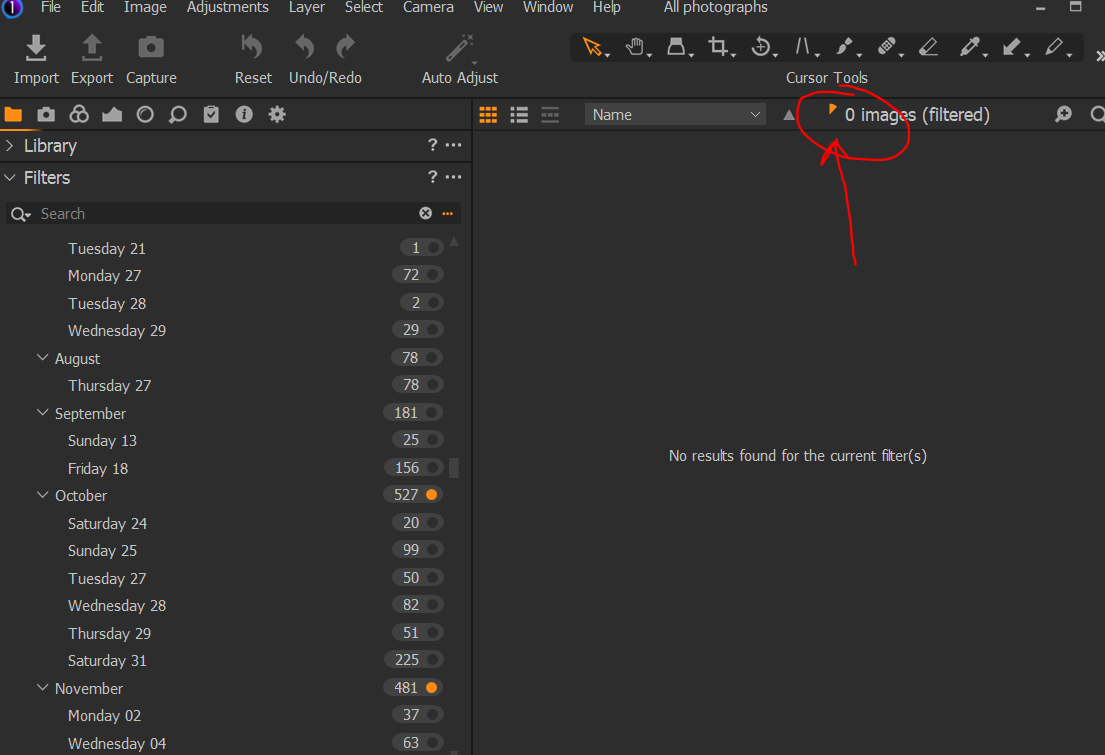 1
1 -
For clarification, when I clear the filter and select all images. After new start of Capture One this counter which on picture above writes "0 images (filtered) start counting all images from 0 until all.
0 -

This particular problem is specific to the Windows version so when commenting it would be helpful to specify the operating system you are using, Apple Mac users often chip in with comments that are not very useful to Windows users :-( .
Dave
1 -
I though we are in windows forum ;-) Anyway I am running Win10 Pro 64bit, version 1909, build 18363.1198
0 -
That's an odd one :).
I had assumed that you are using Windows since this is in the Windows section.
Have you tried verifying the catalogue? Usually the little orange circle (pie) comes up when C1 is reading previews (and maybe other things) on selection of a folder. This feels to me like C1 is failing to read something, either a faulty file or some bad cache or preview information.
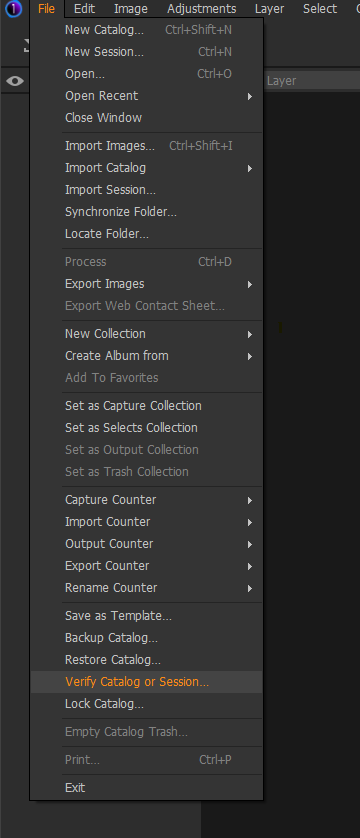
Something you could try to diagnose is shutting down C1 then moving the Cache and Originals folders from your catalogue folder (so you can put them back later) and then start C1 again, see if you get the same behaviour. This will make C1 regenerate previews and rebuild filters. It looks like C1 rebuilds previews as each folder is selected so you should be able to select folders and see if you experience the same as before. If it is not that then just move Cache and Originals back to the catalogue folder.
 0
0 -

Hi Richard
One thing I noticed with C1 is that if there are any images in your catalogue that have "issues", that is , C1 said "cannot open" during import then C1 will always scan your files until the problem files are removed, and for a couple of times after. I had several files that were corrupted, not completely so you could see the jpg in Explorer etc but that were actually corrupted.
I don't know if these show up if you verify your catalogue.
I exported my entire catalogue as a new catalogue and this, along with removing the corrupted files fixed my issues.
1 -
@Mark and @IanS Verification went all OK no issue there. I also do not have any identification from C1 about can not open or import images. Is there a way to find out?
I am working now Mark on your suggestion to move Cache and Originals folder, they have about 350GB in my case so I need to find some space to copy them. Can not move them. I can rename them but the I guess recreation of them will run out of disk space.
-r-
0 -
I think you could move (not copy) the folders Richard(or rename would have the same effect). C1 will not build another 350Gb set of files immediately, i.e. I don't think that it completely recreated all the previews immediately, so should not need a lot of extra space. This would eliminate faulty previews/cache data I think. What IanS said is interesting.
1 -
After the removing Cache and Originals folder, the situation is same. Plus it is of course building all the previews,
I have looked inside the log file at %USERPROFILE%\AppData\Local\CaptureOne\Logs\ImgCore.log and only when i start scrolling through my All images following errors are popping up:
(WARNING) CJobExecuter::Run: job [Bitmap] on CPU failed (file error) [D:\imgs\2004\2004-54\2004-54-09.jpg]
(WARNING) CJobExecuter::Run: job [Bitmap] on CPU failed (file error) [D:\imgs\2004\2004-54\2004-54-07.print.tif]
I knew C1 has some issue with gray scale TIFFs and JPEGs and some other rather normal things, but these are all fine.
I have no idea? Suggestion?
0 -
I am sorry Richard, I have run out of ideas for the moment. Others in the community may have some more ideas.
I would suggest you submit a request for support using the button at the top of the page. I would send the log and even point C1 staff at this thread so they can see the conversation so far. If I think of anything else to try then of course I will post.
0 -
Thanks Mark, I will do as you suggest.
0 -
One thing I just thought of is you could try to create a new catalogue and import some images (at their current location) this may indicate if it is a catalogue issue or a problem with the application installation itself.
0 -
Thanks, I will try. Really appreciate your help Mark.
0 -
Mark,
I created new catalog with just images from last year about 4000. Same behavior. At the start all images are scanned. Based on your assumption this means that is not related to catalog, but to configuration of C1.
0 -
Well. If it was me I would uninstall then reinstall Capture One, but it's up to you if you want to go that far Richard.
0 -

Richard, same thing with me.
Every time I open C1 it starts going through the images, I get the orange circle every time. And the process is slow even though I have a modern and fairly fast computer. Very frustrating. I am also having other issues and I contacted support some time ago but am not getting any support.
All in all I am almost completely back to LR and am also testing ON1 and Exposure X6. I think I will ditch C1 completely quite soon. As just a raw-editor it is great, but for that purpose Raw Therapee is even better. So, why bother, why spend time fighting with an ill-behaving program?
1 -
Mark,
I installed C1 21 beta. Same behavior with previous small and big catalog. I also create new catalog same behavior. The orange circle is filling at each start of C1 making it unusable.When we talking about that building all previous in one go for all i mages is also pretty wrong design decision.
And yes I can uninstall, clean and install again, but that will not ensure that I will not encounter same behavior in the future again.I will probably do it as the support has not reacted on my ticket. I still have about four other open and few on hold...
0 -
Väinö,
Unfortunately I am not testing I already invested in C1 few hundreds euro. These days software choice is not anymore on features it seems that we need to start making choices based on support and listening to users. Somehow I feel I will turn into darktable, but I like to finish this and to see how Capture One support is handling all my tickets.
0 -
It's an odd one Richard. Well, we tried some things but unfortunately we have not found the cause. Hopefully C1 will get back to you. C1 does seem quite sensitive to the various configurations that people have and that's a shame as C1 provides a nice editing experience (when it works). C1 needs to concentrate on making at least the Windows version more robust going forward for sure.
0 -
The little orange circle filling slowly at start up is normal behaviour for Capture One catalogues. In my case I have to wait 6 or 7 minutes for my 41000 picture catalogue to load in CO20. If you know the location of a file then you can ignore the catalogue loading and navigate straight to the images you want to work on in system folders and start working. However if you want to search the whole catalogue then you just wait.
As I understand it this all happens much faster on a Mac so beware of Mac users giving advice.
0 -

I don't want to discourage anybody, but... I have the same kind of trouble since C1 11. Most of my catalogues are small, so I can live with it, but when I need to go to the "all images" catalogue, I can get a cup of coffee before I can continue my work. I wonder why C1 needs to re-read data from images if there is a data base? Of course I contacted the support. We went through the whole story of exporting-importing, repairing and reinstallation. Nothing helped. Finally support acknowledges that this is an issue that concerns Windows users and they promised to look into it. This was nearly three years ago. Untill today nothing happened. Same with importing images with excluding duplicates. It is an issue with data base handling and Phase One does not care about it.
As soon as I find an equally good raw converter I'll be gone.
0 -
Ingo, Dave as it seems Mark doesn't have this issue.
Mark, I have cleaned my computer of Capture One, clean all folders, AppData, registry everything. Rebooted clean install, needed to log in activate all from start. I even didn't open old catalogs I just start new fresh one imported 3000 images. Same behavior.
I think this is serious problem, but I am really surprised Mark that you do not have it.
I can not believe that pro people who using C1 have it.
1 -
Ian,
you wrote export catalog. I can find only backup catalog. Can you point me in right direction? I want to try everything.
I have no error information about corrupted files, any special place I should look for them?
0 -
I know of no other software that does this loading every time so really slow. I am also using LR and ON1 and they load the images practically immediately while with C1 it takes minutes and minutes. So yes, it is normal with C1 but not with other programs. There is something fundamentally wrong with the catalog in C1. And not only in that respect.
Richard, I also have bought C1... I hope support will serve You better than me: they asked me one question, I answered them and since that nothing. That was a month ago.
Well there are alternatives. LR - PS, darktable - GIMP, IMatch - Affinity, ON1, X6, PSP and lot more.
0 -
Väin, thank you for your mental support.
For the support people of C1 who may be reading this (I hope) here few facts:
My catalog is about 102k Images, here is the line from log indicating the time of the action for the orange circle:
{SESPS} | Loading collection finished. Document Type: Catalog. Collection Name: 'All Images'. Collection items count = 96065. Time taken: 855761 ms.
It takes 14.2 minutes to load those images and you can not do any filtering on images until then as you are not sure if all images based on your filter are displayed. When all is displayed and I select filter, for example show me all images with a partuculate date (indicates about 120 should be showed) i takes about 15-20 seconds to just display thumbs.And this is same for any filtering I do, based on color, place, tag,... doesn't matter.
I still truly believe that I must be doing something wrong, it is not possible that this is a feature.
0 -
Richard,
I don't quite have 250,000 images as stated before, more like close to 190,000, but the application runs fine.
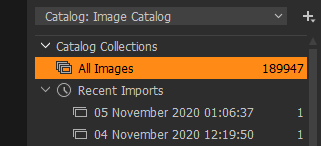
Even if I select All Images Collection then yes I do get the little pie chart and it does stay there for some time (minutes), but the application is still perfectly usable. C1 does slow a bit, but I can still select images and edit them (note this is with All Images catalogue collection selected, not something that I would normally do). Selecting a folder with maybe 2000-3000 images does not make the pie chart appear (generally).
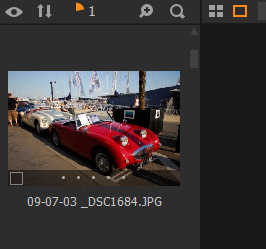
There is a reasonable amount of 'churn' on the HDD, F is where the images are and C is were the catalogue is. As you can see the memory usage is not particularly heavy, there is a reasonable amount of CPU usage, and no GPU usage.
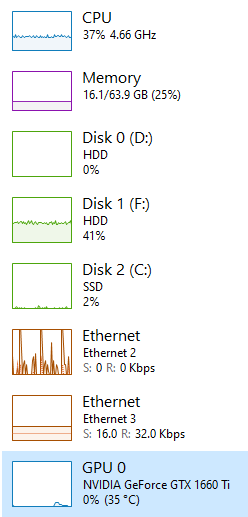
Granted there are differenced between my system and yours, but it looks like you have more than enough performance to handle C1.
I did hear once that Having the Exposure Evaluation tool open does create a massive hit on performance, so I tend to avoid this tool.
0 -
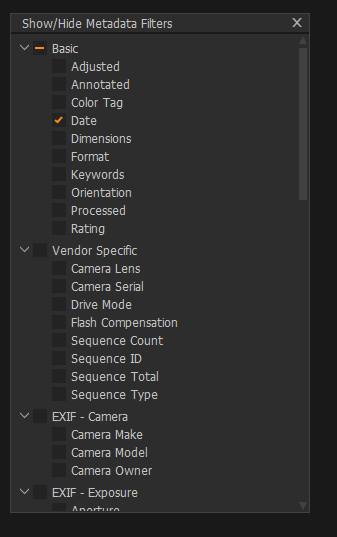
I may have found something. I was messing around with Filters and noticed that while my system was churning away (with All Images collection selected) that the filters were building as time went on, but all filters were building. Then I noticed that there are filters selected that I don't use. I had a look at the Show/Hide Filters option.
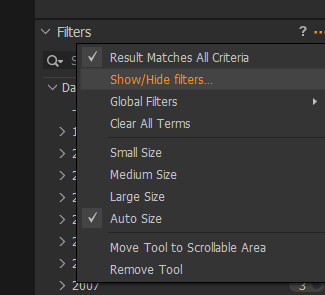
I found that if I deselected filters that I was not using then the little pie chart moves faster. So if there are filters selected that you don't use, then deselect them, it may improve performance. This is just an observation and I have no clue if it makes a difference, but it seems to on my system.
 0
0 -
Richard, You wrote: "I still truly believe that I must be doing something wrong, it is not possible that this is a feature."
I am fairly certain that You (and I) are not doing anything wrong, I am convinced that this is a feature. I have elsewhere read a lot of descriptions just like Yours and mine. Maybe on some configurations the situations is worse and on some better. But I do not think this is user´s fault.
0 -
Mark thank you for the tip, I have standard set which is little more than you, but I really do use colors, starts and keywords(tags) as well as date.I have almost no load on the disk 3-5& on image disk and about 1-2% on catalog disk. both SSDs.
0
投稿コメントは受け付けていません。
コメント
47件のコメント