option to right click buttons in the "Cursor toobar" and not wait 2-3 seconds

In order to get all of the button's options, holding the buttton for 2-3 seconds just delays work. I wish I would be able to just right click buttons in the "Cursor toolbar" and not wait 2-3 seconds
-

FWIW - I do not see a 2 or 3 second delay and never have.
What sort of specification and OS are you using?
Have you considered moving to Keyboard Shortcuts and skipping most of the screen based UI?
0 -
Yes, There are many shortcuts.
But I do not want to force myself getting to work only with shortcuts. I am getting confused remembering all of them and now with quick editing it's even worse.
I would like to have the option to choose the way I would like to work. this is a very simple concept: instead of clicking with the mouse on the icons in the toolbar, waiting (1 second, 2 seconds, IT doesn't matter. IT slows me down), I would just want to use a right click like any other software who has options for a button.
0 -
I am working with a MAC, Big Sur.
I am referring to the red marked tool options.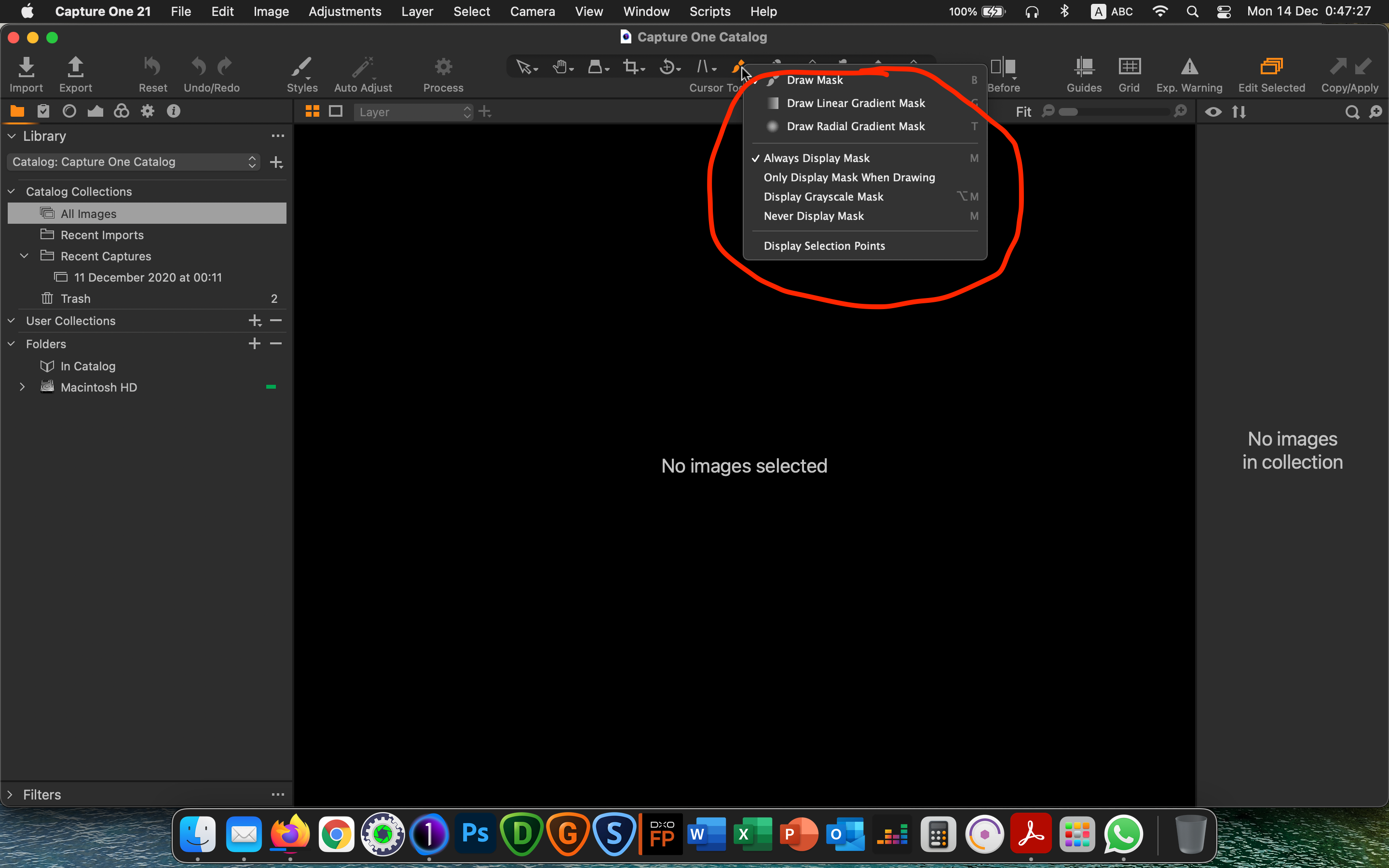 0
0 -
Yes I understood that and I also don't use a lot of shortcuts.
(Some people seem to use only shortcuts!)
The right click is usually fast on my machine - an 8+ years old Windows 7 PC Notebook.
I do not remember reading any complaints about the speed of response for the tools menu items.
You may have a problem (at least the speed problem) that can be investigated and resolved.
0 -
It's not speed. It's by design.
ON windows, You have right click. But for some reason, On a Mac, It's implemented in another way: You click with the left button on the tool, And after 1-2 seconds it shows you the optional sub-tools. Which wounds fast, but is a delay.
Also, A shortcut doesn't give you all the optional sub-tools - And who can really remember... Printing a shortcut list defeats the purpose :)
I'm more of a UI guy, I use only the main shortcuts (Crop, rotate, Brush, Erase brush, that kind of stuff).
0 -
"I'm more of a UI guy, I use only the main shortcuts (Crop, rotate, Brush, Erase brush, that kind of stuff)."
Me too.
0
投稿コメントは受け付けていません。
コメント
6件のコメント