Mavic 2 dng vs Adobe Dng

Hi
I shoot a lot using my Mavic 2 drone.
Often I stitch 2 or more images using Lightroom to keep the file as dng so I can edit it in Capture One.
One issue I keep running into is that the Lr made dng and the Mavic2 dng are hard to match even to you use the same settings (yes, same dng profile/curve as well)
Maybe there is a technical reason for this but it would be nice if they would read the same by Capture One - would make life easier :)
See attached. The Lr-pano shot is bluer/colder than the Mavic one.
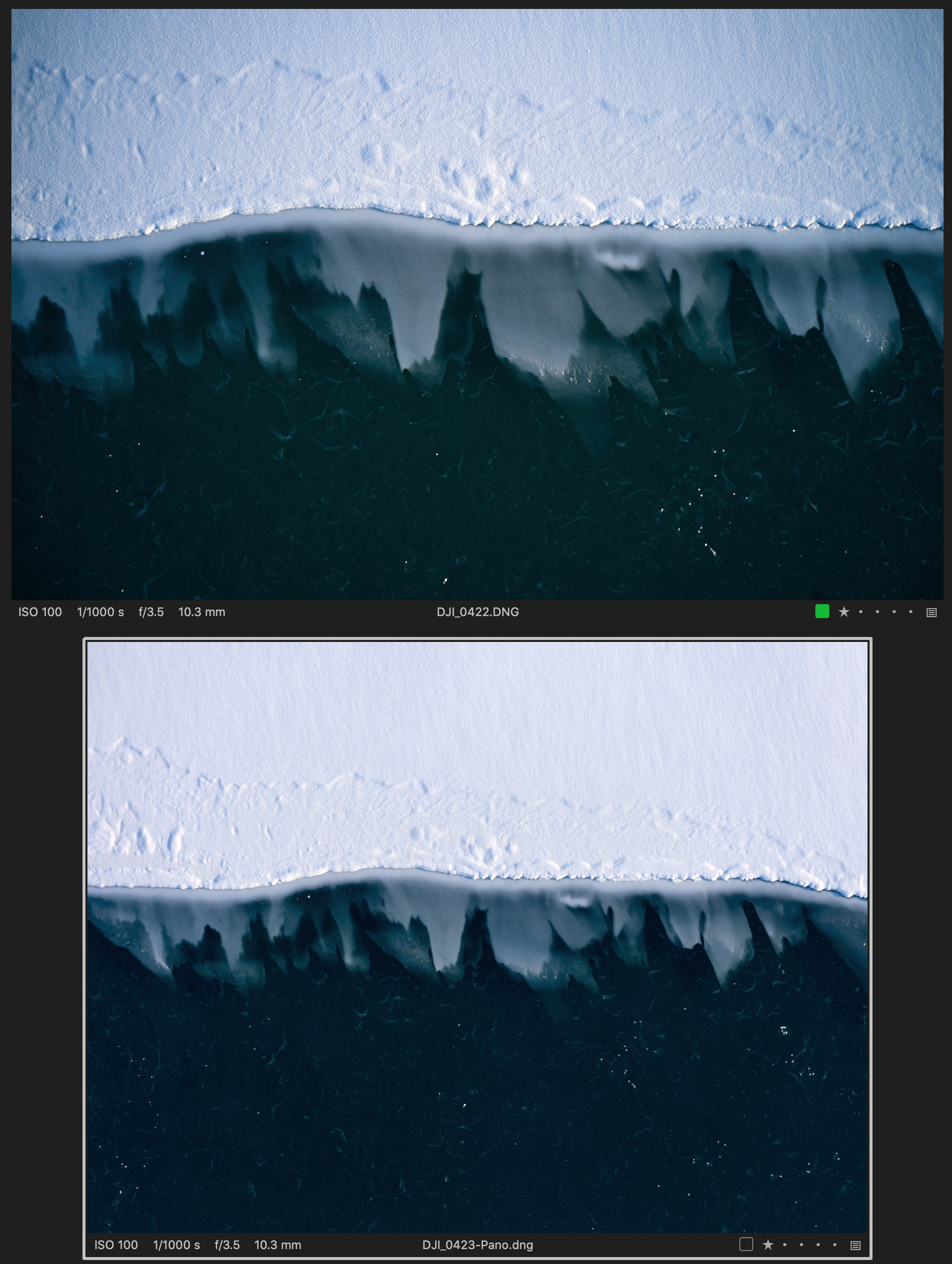
-

My recently acquired mobile phone offers dng "raw" files.
I'm not sure how it has been implemented - there are several dng variations as far as I can tell - but in decent light the files are readable and present quite well, responding to edit activity as expected. No Exif info about the shot settings though. (V20) .
Any dark shots at relatively high ISO are not worth considering.
To work fully C1 needs to recognise some values within the file provided by the camera. It looks like the DJI files do at least have that and as I recall there are DJI "raw" files supported by C1.
However, if one has combined images to a single file that file probably have no "device" data to deliver (or at least nothing certain to be reliable for the entire image) and one may be left with just generic settings.
The question you raise may be one to submit to the C1 Support Team.
0 -
Just to be clear.
I'm not using any hdr in my stitching. Only stitching for extra size/perspective.But maybe the combining of dji-dng files excludes some info that is needed.
Seems strange tho since CO is using the same profile and all.0
投稿コメントは受け付けていません。
コメント
2件のコメント