Locked catalogs

I am still not able to open my catalogs. One of your colleagues was very helpful (and patient) a couple of weeks back but my case has been closed. So I'm starting again.....
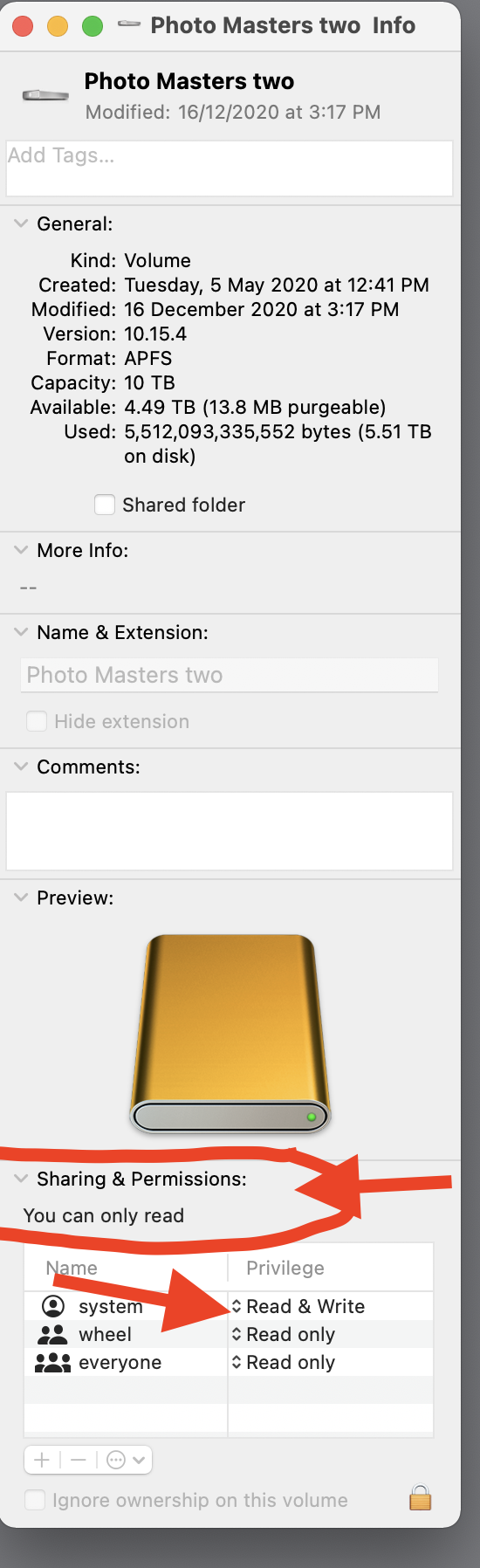
The majority of my catalogs are stored on an external disc (photo masters two..see below). Somehow these have become locked and I cannot open them. "Photo Masters Two Info" tells me: "You can only read." Going into File and "Unlock Catalog" doesn't work. Catalogs that I'm currently working on are kept in "Pictures" on the internal drive. These are not locked. Along with help from your colleague I have spent a few hours trying to solve this problem with a kind of "hit and miss" approach doing more harm than good I suspect. However, I really need to access these catalogs from the external drive...
Peter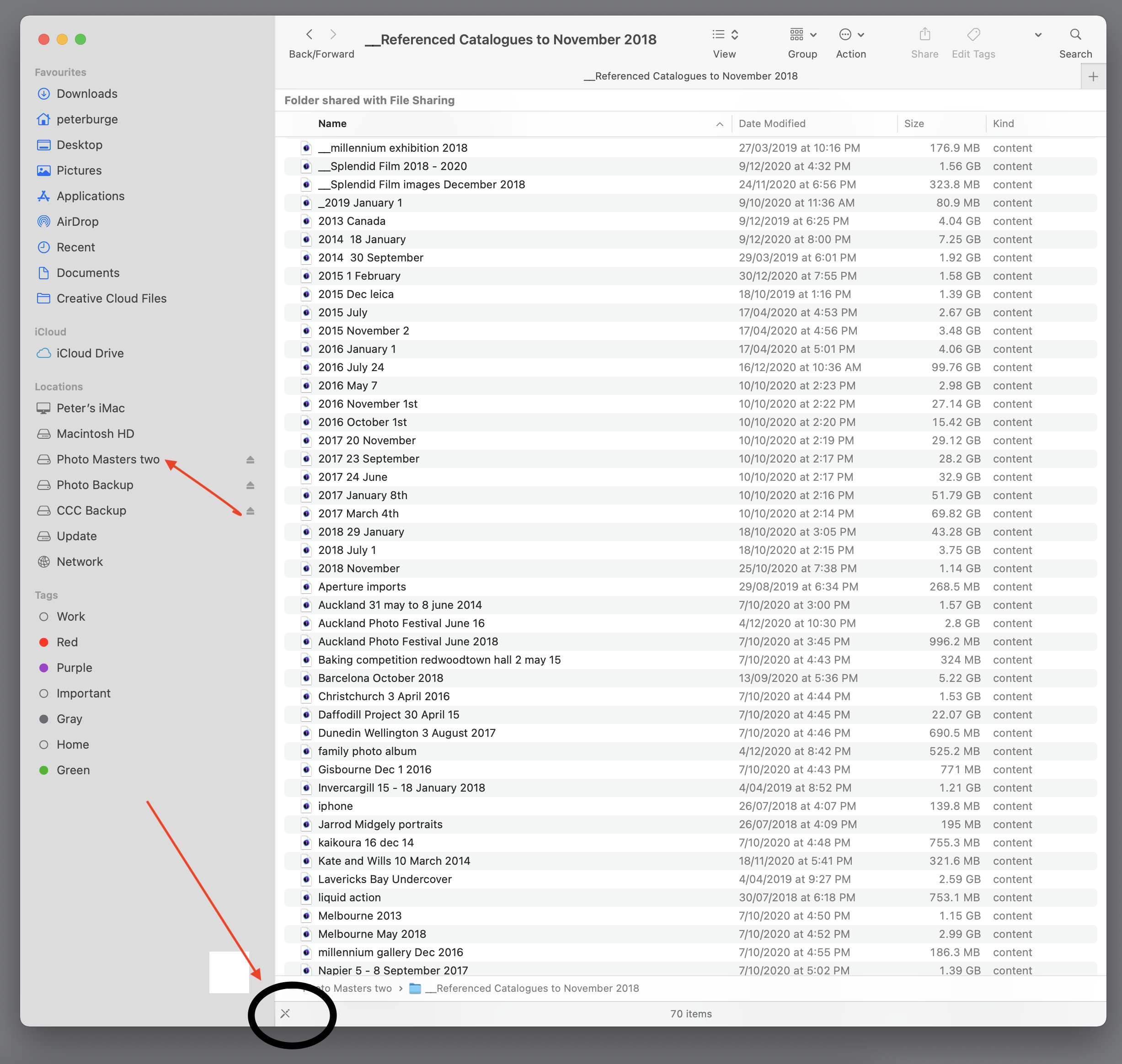
-
If the MacOS info panel is saying that you can only read that location, then it appears to be a MacOS issue, not a Capture One issue as such. Perhaps you need to log in with an administrator account if you have one (or get someone who has such an account to do so) and change the permissions on that drive to allow you both read and write access. At the moment "Wheel" and "Everyone" only have read access.
Or maybe you need to repair permissions for that drive.
https://helpx.adobe.com/uk/x-productkb/global/repair-disk-permissions-running-disk.html
Ian
0 -
Woohoo! This has done the trick thank you very much Ian. The repair-disk-permissions solved the problem. I can't tell you how delighted I am to gain access to my catalogs. Thank you, thank you, thank you! Peter
0 -
You're welcome.
Ian
0

投稿コメントは受け付けていません。
コメント
3件のコメント