how to get fullscreen like in tutorial

how do i get full-screen like in the tutorial
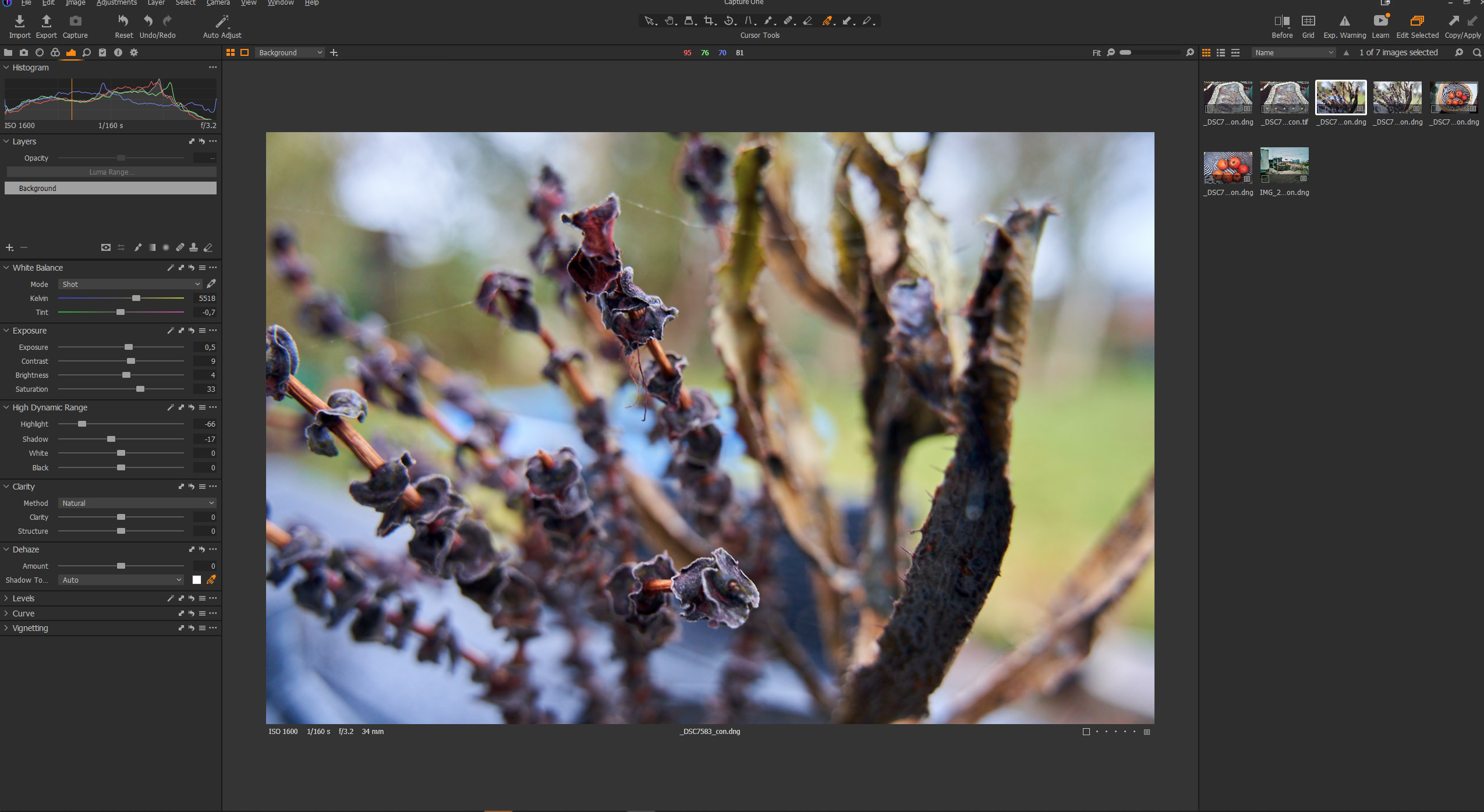
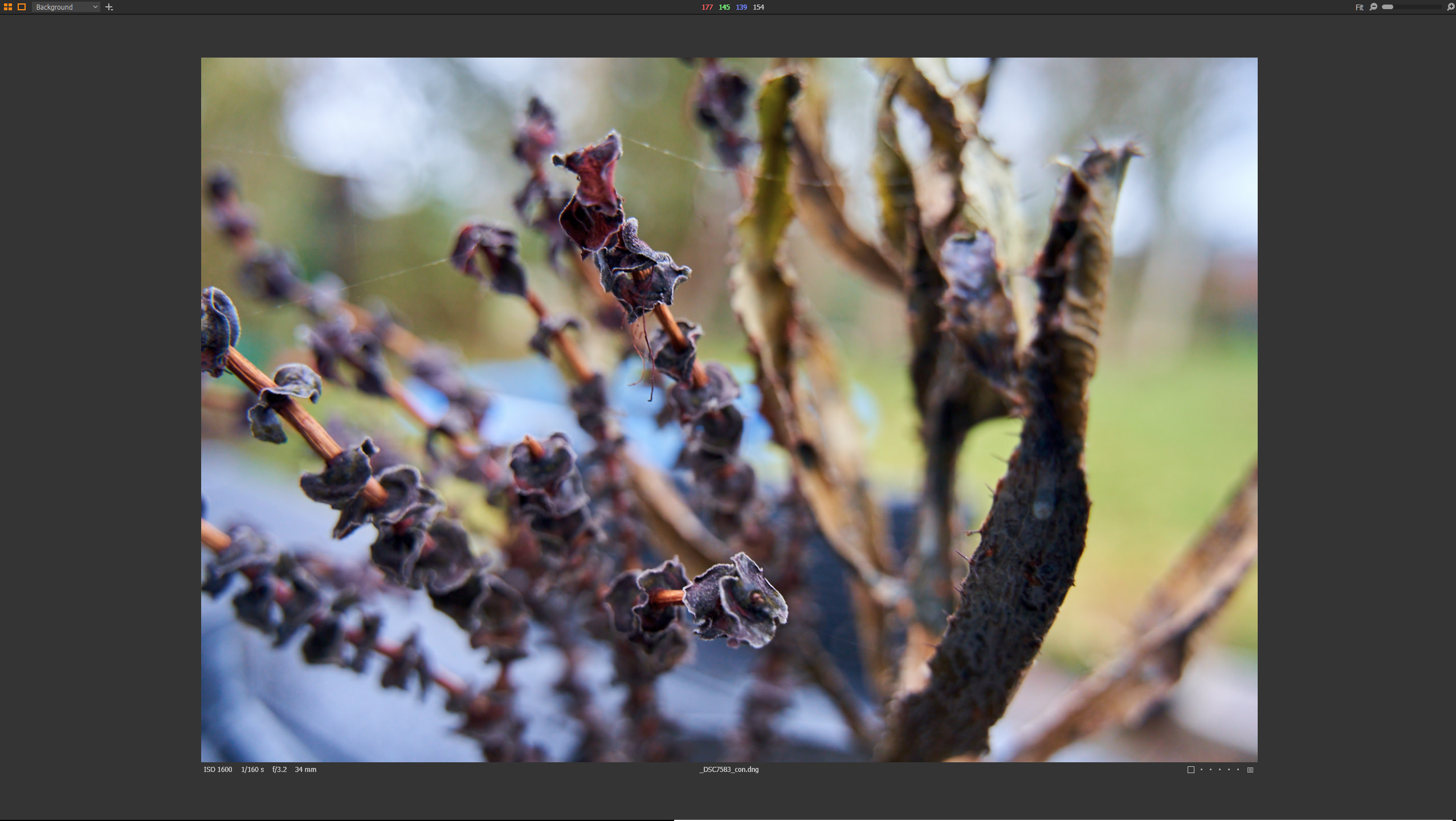
when i do it in C1-21 on my windows pc the result is as on the second image (press f) - but it is not full-screen like in the tutorial and also i have to manually remove both toolbar and browser (ctrl+b & ctrl+t) -
it does take quite at bit away from the "speed edit" name having to toggle so many things on and off
but is there a way to
a: make real full-screen like the tutorial
b: is it possible to make the switch like in the tutorial - as in not having to manually toggle toolbar and browser on and off
if the pictures are mixed the the two most alike is mine the last is a screen grab from tutorial
https://www.youtube.com/watch?v=UHd74DiCILo
thanks in advance :)
Max

-
oh and by the way if i try to make the picture larger it just zooms - all that grey is unused space
0 -
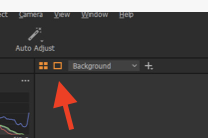
The extra grey space is because you have the proof margin switched on, which gives you some extra space round the preview..
I believe that the difference in what full screen looks like, and the lack of auto-hiding of the browser and the tools, are both due to slight differences between the Windows and Mac versions. I don't know the technical details, but it appears that it is difficult for them to get it to do the same on the two platforms.
Ian
0 -
thanks a lot Ian that fixed the grey are problem :)
i was considering upgrading but if it the single tap full-screen + quick edit doesn't work, even three months after release, i see no reason for upgrading since it is one of the main selling point - and the main feature i'd consider upgrading for.
0 -
As I said, the full screen issue is as Windows/Mac difference and it has been like that for years. I don't know the technical reason. But I hope that the quick edit works for you?
Ian
0 -

Jan,
The "full" Full screen functionality has always been different - it's not a V21 specific issue. More a screen handling difference for the systems.
It is possible to get the screen to display with only the image visible but more typically a single strip across the top of the window is retained with the Session/Catalog name visible and the "View" drop down menu available.
As I recall the main difference between Mac and Windows is the way that autohide of things like function access menus is performed.
Edit: Ah I see Ian added a comment just about the time I started my response. Overlap.
0 -
hi
and again thx for the replies - i already knew you couldn't do it in either 12 or 20
i did not mean to come off as aggressive if i did, it was just a feature i thought got added and id really like it,
like the full-screen view mode in dxo photolab or in davinci resolve (i know it is a video editor) i just meant i'd pay to get the combination of one key press full-screen and quick edit
btw the quick edit works fine and it would be amazing in full-screen especially on a laptop - but without i would have to turn on and off tools because quick edits - as the name implies is quick and mostly the basic edits
so basically it just slows the process down if i have to alternate instead of just having the tools there and use them.
it's not an "i'm mad" statement just an "i was this close" to upgrading to get this feature but luckily i took a trial and you helped answer my questions so i'm sticking with 20 for now :)
0 -
Jan,
I can get the full screen to be full screen and use it with fast edit but how it initially presents seems to be a matter of how it was left when last used.
The "F" and F11 shortcuts seems to do slightly different things and I suspect F11 is what you really need but with greater confidence about what will appear when you press the key!
As I recall some part of the full screen functionality was re-engineered a little at some point in the past year but there may yet be some mismatches in the way things work. If I were you I would add an entry to the Feature Requests thread to describe how you would prefer to see it working - especially with Speed Edit development now available.
0

投稿コメントは受け付けていません。
コメント
7件のコメント