How to trigger a AppleScript after Barcode Scanning

-

This is for the Enterprise version of Capture One only, presumably you, or your employer, have purchsed that more expensive version. (I haven't)
I reccomend that you use Script Debugger fpr Applescript development, if you are doing so already.
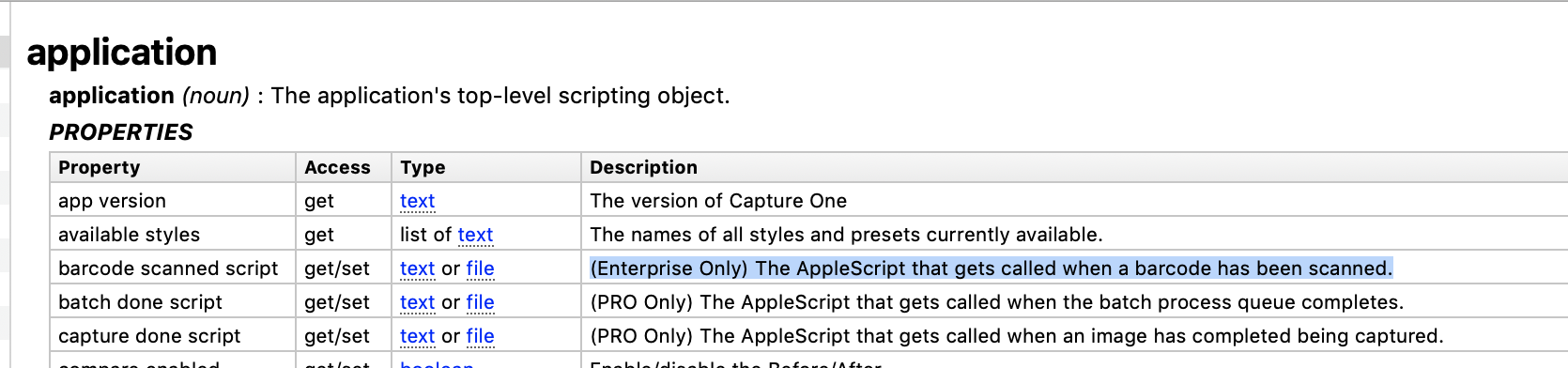
From Script Debugger's DIctionary I get the information in the image below.
You need to set the application's (CaptureOne's) property barcode scanned script to a text string or a file object that points to the file which contains the script to be run.
There are four variables that you need to debug
1) Is the script file an uncompiled or compiled script. I expect it will have to be a complied script.( .app extension)
2) Assuming its a compiled script, and depending on what it does, you may have to give it permissions in OSX's security preferences
3)CaptureOne keeps a scripts folder at ~/Library/Scripts/CaptureOne Scripts. It may be that if the script is stored here, all you need tp provide is a text string with the name of the script file
4)The pointer (object passed to the CaptureOne's property) usually contains the full path to the script. Will this work if it just a text string or must it be a file type of object? I have a tested example somewhere but can't find it just now.
 0
0 -

Hello all. I'm looking for a way to use a barcode scanner to trigger an automation. Can anyone help me with this? Thanks.
0 -
@Jeff Urbina
What is it that you want to happen after the barcode is scanned?
Are you using the nterprose version of CaptureOne?
Are you able to write a little bit of Applescript?
0
投稿コメントは受け付けていません。
コメント
3件のコメント