Fix the greens of Sony cameras

Hi
It is well-known that Sony cameras tend to boost the greens a bit. Is there any chance to correct this, building up a preset with curves?. And I mean a preset that can be applied to a whole bunch of photos, not on a single one only. In Photoshop I do it setting the input for the greens in 132 and the Output in 128
Thanks so much
-

Did you try to build a preset with the color editor ? If you want to use the levels tool, you can also build a preset, in the same way as you would do with Photoshop, that you could apply to your set of pictures when importing.
0 -
Hi Robert,
Thanks for you answer but, can you tell me exactly how?. I mean either using the color editor and the curves tool.
Thanks so much
0 -
Jose,
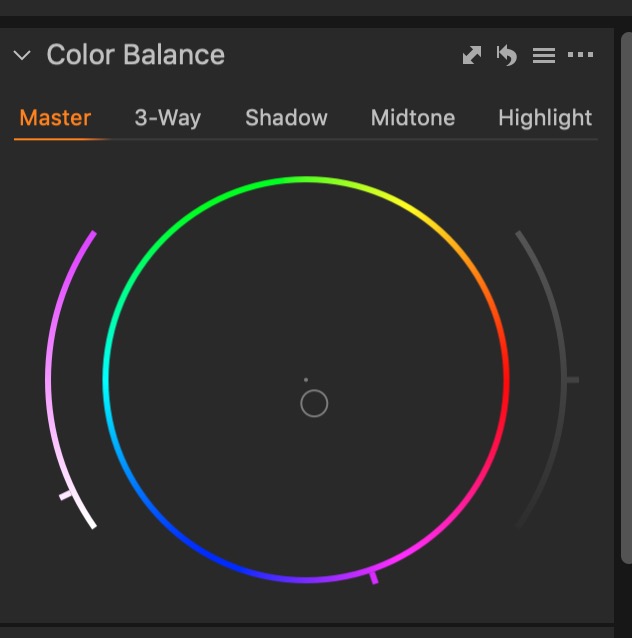
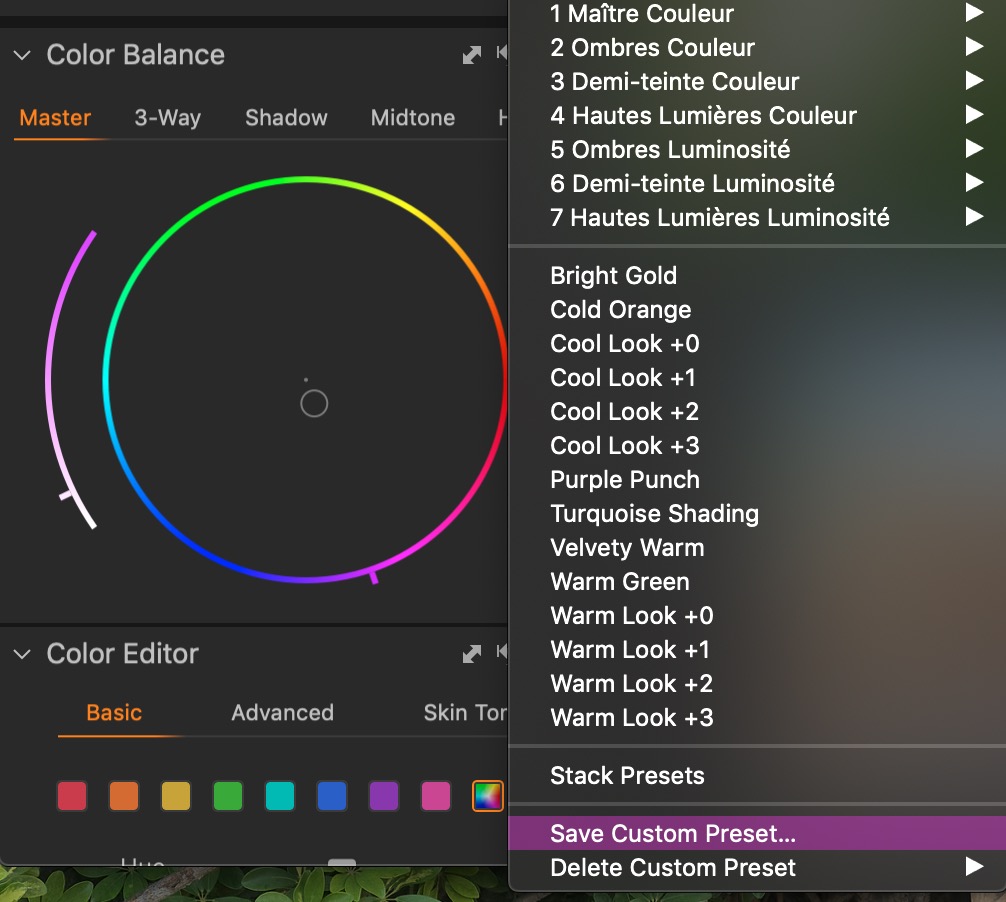
What I do when I have such a problem is going to the "Color Balance" tool, choose "Master", and shift a little bit the dot towards the complementary color (magenta) to compensate the green color shift in your case. Then, click on the menu of the tool (3 sheets icon) and go to "Save custom preset".
 0
0 -
Thanks Robert 👌
0
投稿コメントは受け付けていません。
コメント
4件のコメント