Search and Display Folders and Albums, Groups - NOT the content

Hi, I’m still in my never ending migrating process from Aperture – preparation is the key;-)
Aperture doesn't display the source folder directly and is only Project organised, which is named "User Collection" in C1.
There I came up with a really easy to use function to filter and annotate my library.
Is it possible to search and display folders from the source folders panel and search for albums, group and project in the "User Collection" – Not the images/videos inside. I want to see where these folders, albums and groups with name xy are. For instance all subfolders named "Panorama" which iI use to group these for external processing.
Of course I want to see also their content. But first display the structure of folders/groups and albums in the "User Collection" / "Folders" panel.
-

The "Library" tool will display the structure on your machine and
give you access to their content eventually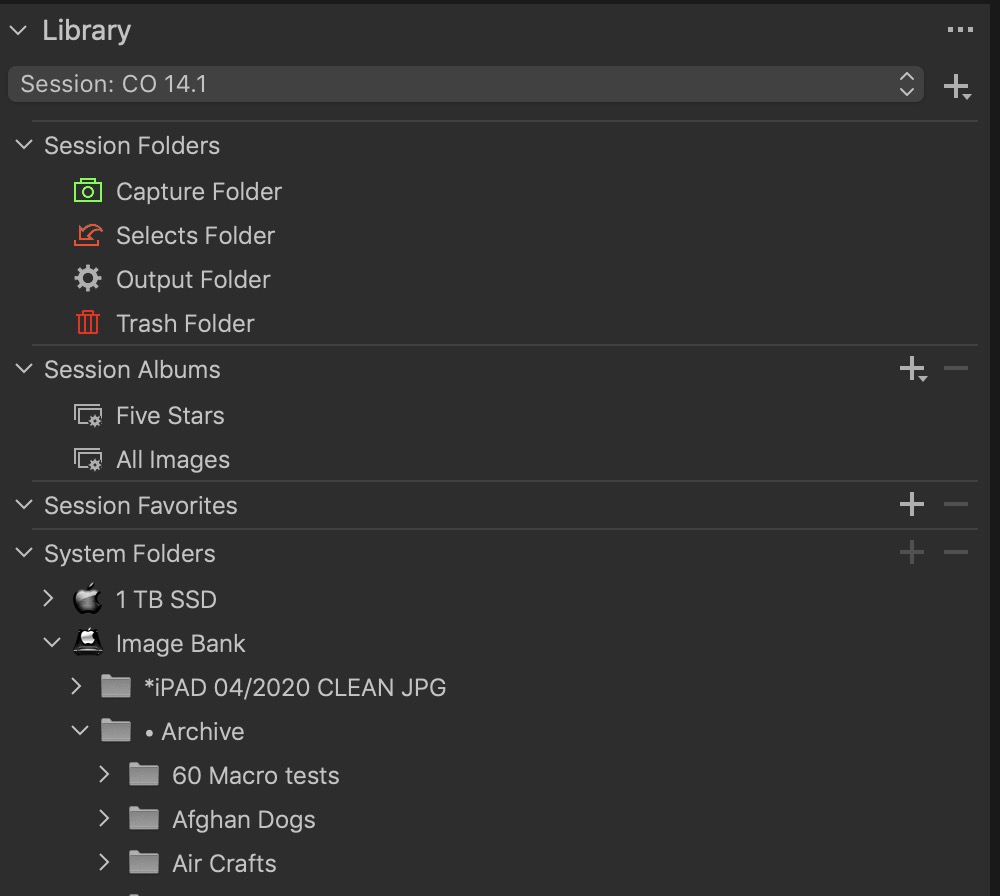 0
0 -
@ Nikon Shooter. Thanks for reply, but I knew this already. I’m looking for an option to search folders and albums, like in the screenshot. Then I’m able select all folders and their content and can to batch annotations, or just know in which collections I got the albums with the name XY. The screenshot shows Apple’s Aperture, but same was possible in Lightroom.
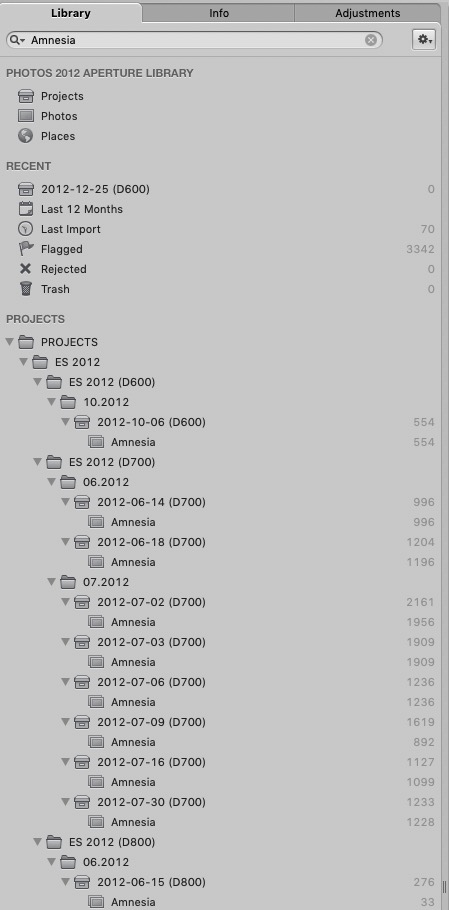 0
0 -
CO will search within a folder but not a disk,
the OS Finder will perform that!
Have a good day…0 -
Hi, thanks again, but nothing new. It doesn't hep me inside CO. Some software include also a OS Finder, like in Adobe Bridge. I really like the "Filters" menu in CO, but it only shows me the annotations. I will send another "Feature Request". Have a nice day too.
0 -
This feature would be helpful if you have more than hundreds of thousands of images. In the past I’ve worked with subfolders via OS Finder, but then I've switched to a database only system.
0
投稿コメントは受け付けていません。
コメント
5件のコメント