Sloooooow import

I'm starting with CO21 and the import is veeeeeeery slow. It took me more than half an hour to make a simple import (1000 files) which is not acceptable when you pay such a price for a software.
Capture One keep saying they make updates regularly to justify the insane update price (more than 200€ every year) but nothing changes.
Do am I the only one not to find that acceptable ?
Does anyone has same issues on import ?
Just to be clear, I've got a machine powerful enough not to be involved in the equation.
I bought CO to switch from Lightroom, but I very angry so far
-

Did you check "exclude duplicates" option is not on ?
0 -
Hello Robert,
thanks for your answer!
"Exclude duplicate" was on indeed, but I don't see why this involves to have such a long import time ? I tried with a smaller folder (250 images) with "Exclude duplicate" off, and it takes 5 minutes so about 20 minutes for 1000 images. This time include the preview generation which seams to be useless because when I browse my images fullscreen I still have 1 seconde to wait with a pixelated images before having the full resolution version.
Camera : 5D MKIII Raw files
Computer:
• iMac (Retina 5K, 27 inches, 2020)
• Processor 3,8 GHz Intel Core i7 8-core
• RAM : 72 Go 2133 MHz DDR4
• Graphic card : AMD Radeon Pro 5700 XT 16 Go0 -
I'd say that it being that slow is not usual, in my experience. I suppose the other things that might affect the speed could be the speed of the card you are importing from, and perhaps of the card reader.
Ian
0 -
Hello Ian,
thanks for your answer. That could have been a good lead, but I import from my NAS which is directly connected throught RJ45 wire. I can imagine it could be slower than an import from a SSD, but not like that. I tried to batch rename, and this is worse... 1 hour to rename the images...
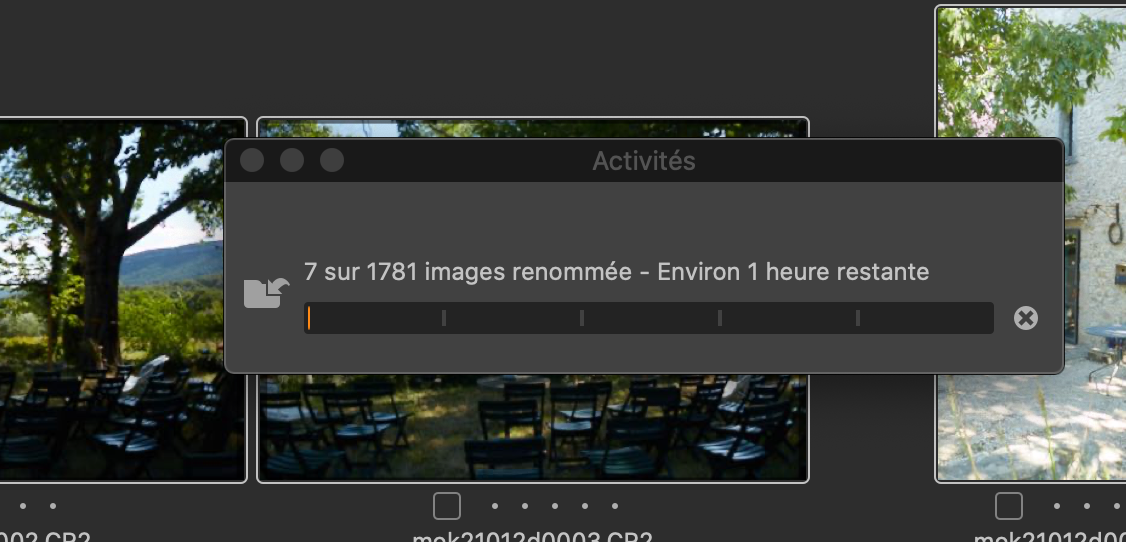
If I'm the only one to face these problem, my bad Capture One, sorry to be peaced off.
Karl
0 -
I wonder if the NAS is the issue, then? Does it import quickly enough direct from a memory card?
I don't use an NAS myself, but I recall over the years users having trouble with them sometimes.
Ian
0 -
No, I never import from my memory cards directly because I often have multiple ones coming back from a photoshoot. I used to have a different workflow. First I put all my images from all my memory cards in my NAS, and then I do the import of everything.
But you're right I should try this way to check if I get better performances.
Thanks anyway.
Karl
0 -

Karl,
You are working from a NAS and in my experience, no matter how connected, that is never a fast experience especially compared to an internal process.
You also have a 5k screen, so your choice of default preview size is important for loading after the import is complete.
If you are also working with large files you will be asking a lot of your Mac's comms capability.
Given the spec of your system (and assuming that the internal comms can feed data fast enough to make full use of it), you would probably be better off importing to the Mac directly if you seek the best ingestion speed performance.
Bear in mind that you can start work on images before an import has completed should you wish to do so.. Also, as I recall, the import process can work with multiple sources at the same time although I would think some care may be required to establish that you can achieve what you want to achieve how you want to achieve it if using that facility.
0 -

Karl,
I have a 10GB NAS unit, and C1 is slow importing. Once everything is imported editing etc.. work as expected. I also have a 5K Retina iMac, and have found the best preview size is 3840. Setting the preview size to 5120 increases the time it takes to snap into focus. Since you are coming from lightroom, no matter what C1 import times will be much slower than you are use to.
0

投稿コメントは受け付けていません。
コメント
8件のコメント