HDR in 15.1 is not working correctly.

I have 4 handheld images that 15.0.1 completed an HDR image. Now I have upgraded to 15.1 and when I select the same 4 images to perform an HDR it states that the images are not the same dimension. What happened with the upgrade?
-

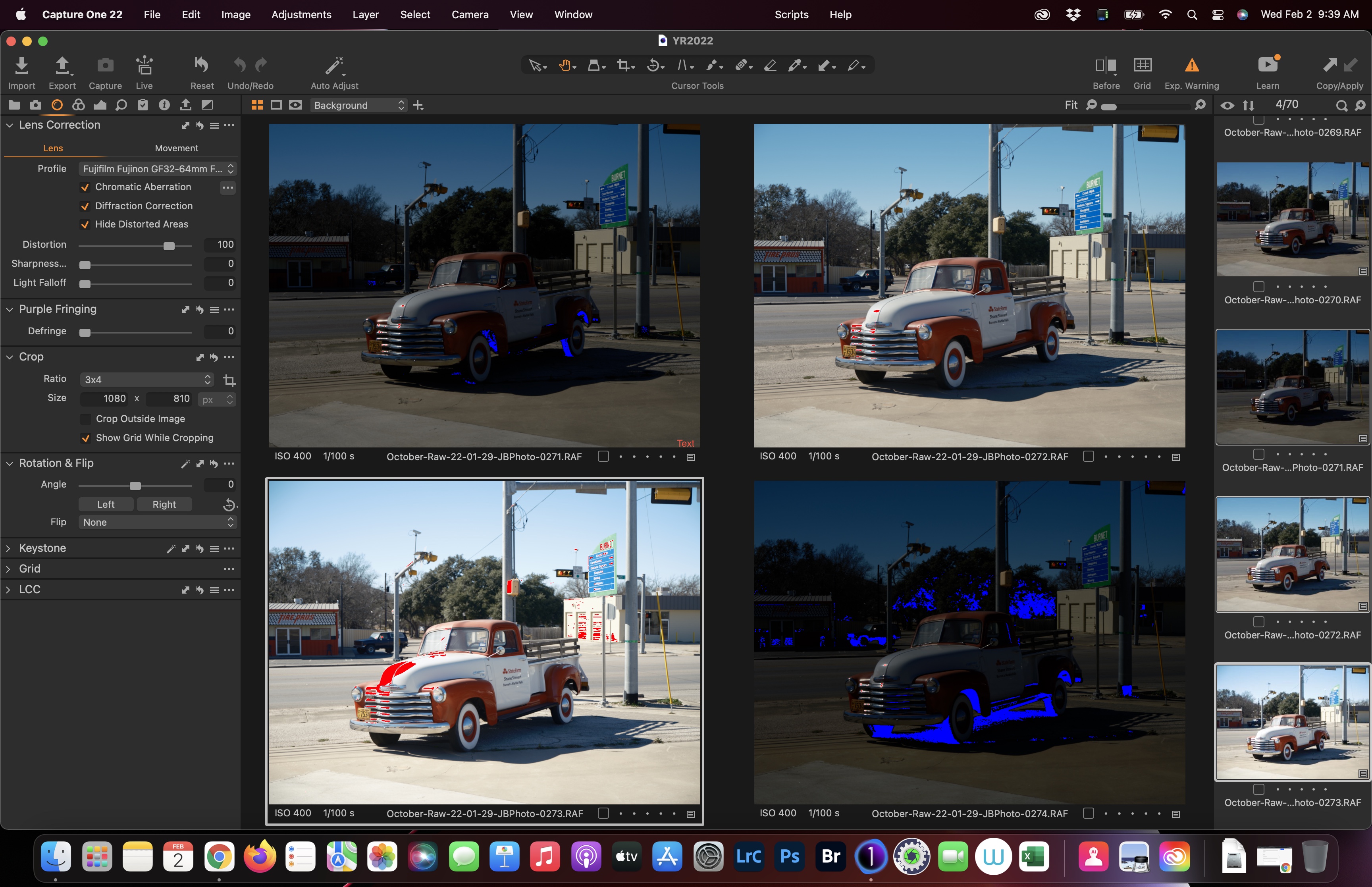
You probably have different lens correction settings on them, which the HDR merge now takes into account. It's not an elegant error handling, and we are aware of this. Make sure distortion is set to the same amount for all images.
0 -
All of the lens correction settings are the same and it still doesn't render an HDR image.
 0
0 -

I don’t think they have enough tester so they release crappy buggy update. I’m having issues with 15.1 and the 15.0 download is not available.
1 -
Similar problem for me in 15.1.something and 15.2.0.77 (just installed). Exposure bracketed images, so I doubt any settings could change in between other than exposure settings.
0 -
I disabled the lens correction on all three images but still complains about the file sizes, some sets work but most don't. I paid for this feature, also when it does work sometimes highlights are blown worse after the merge, not impressed
0 -
The workaround of disabling lens correction works for me, 100% of the time (as of 15.4). It happens on exp-bracketed pictures as FirstName LastName said, so Alexander's suggestion is not relevant here. I had this problem escalated to the dev team and the outcome was that they won't fix it. This is just sw jargon and it may be fixed in the future, but don't hold your breath. I am not sure what to suggest to Pierre (sorry) as far the same workaround not working for him, but I would recommend other people who navigate to this thread give it a shot and report back if they have the opportunity. Just to be absolutely sure, disabling lens correction to me means going to Lens Correction -> Lens -> Profile -> set to Generic. As far as the blown highlights, I don't have this problem. To be completely clear -- I am almost sure this is redundant, but just in case -- the merge per se won't fix anything, you need to bring back the highlights and whites. There is a checkbox to do that automatically at merge time, but I always do it manually with good results. So I am still using it, even if it is clunky. I hope this helps.
0 -
I forgot, to add insult to injury, it's not possible AFAIK to change lens correction setting with a group edit. You have to go picture by picture. I may be missing something, but that's what I have to do.
0
投稿コメントは受け付けていません。
コメント
7件のコメント