Capture 22 Online Zoom help by the hour? Specifically for file organization

Hi there,
Is there anyone out experienced with the ins and outs of Capture 22 that might be willing to do a Zoom call for an hour with some fundamental and detailed questions about file organization in the C1 Library?
regards, Carlos
-

Do you have specific questions about organization, and have you watched relevant videos on C1's Learning Hub/YouTube channel?
Questions about organizing one's images (both on-disk and within C1) come up often, and many are along the lines of "what's the best way to organize my images".
If not basic organization questions, it would be very helpful if you asked specifics. For example, how to select multiple discontiguous ranges of images in the Browser, how to relocate images from one collection/folder to another, how to create albums/smart albums, etc.
Unfortunately this forum has no way (at least that I've found) to do private messaging, and you might not get people to post their email address in this very public place—nor do you probably want to post your address here.
0 -
 Thanks Abbot fo the quick reply. Understood about not posting emails...I guess I might have better luck reaching someone on Youtube thru private messaging. Of course I'm willing to pay for someone's expertise and time. Once I get something - I get it, but can be slow to learn. I find the whole variety of different ways to save and organizing confusing - if for no other reason of the multiple options.
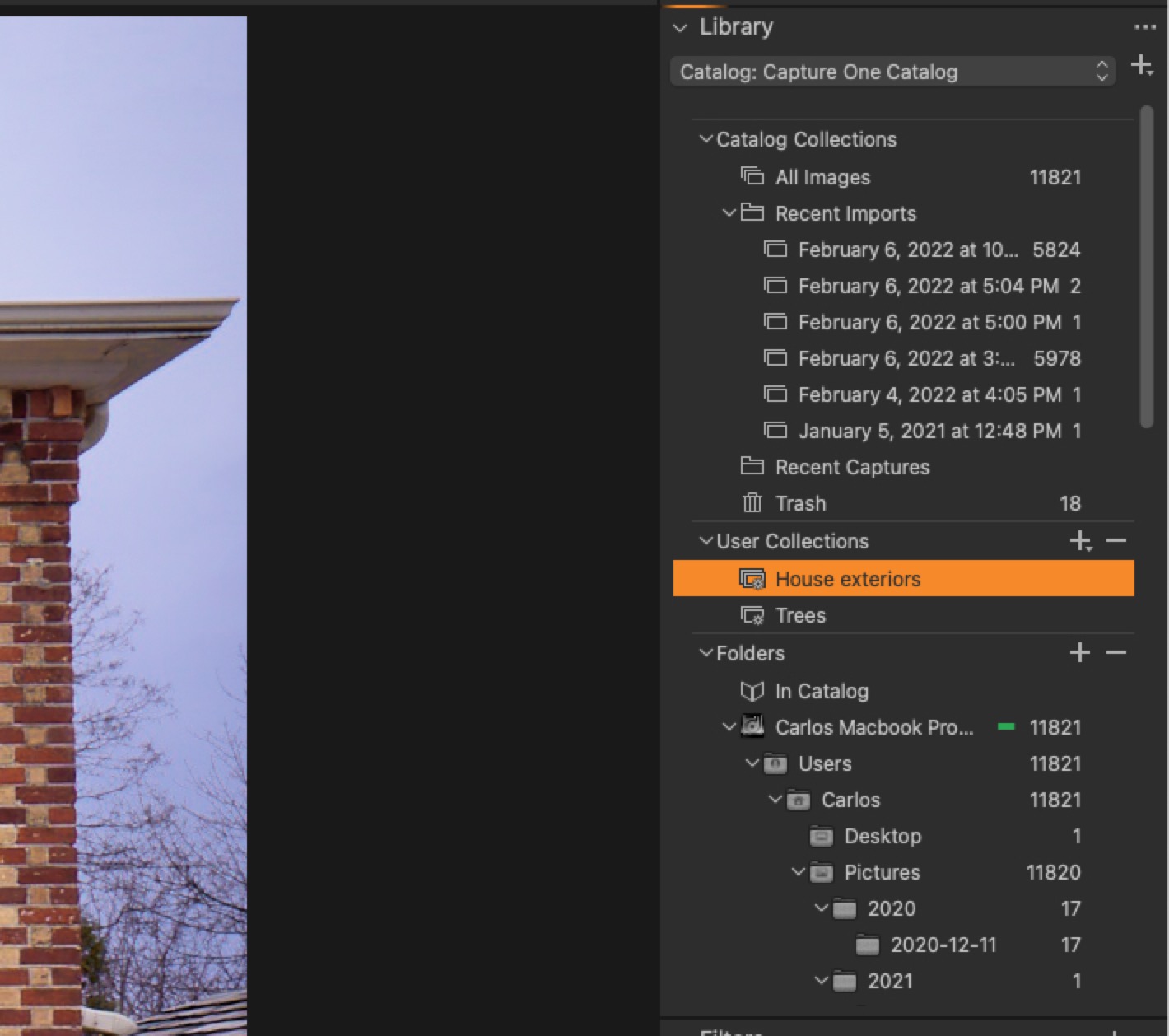
One question I have is, having downloaded a trial of C1 Pro 22 (I've certainly already watched a ton of "how to" videos and making gradual progress, I used to use Lightroom and now editioning DXO PL5 at the moment too before deciding which to purchase) and working extensively on an older file from last year simply by accessing it from the Library, I had then (after doing major edits to that one photo) only then created a master C1 catalogue. I'd then created "Smart Album" with a title "House Exteriors" so I am able to find that edit. Am I then able to add further photos easily to this newly created Smart Album?
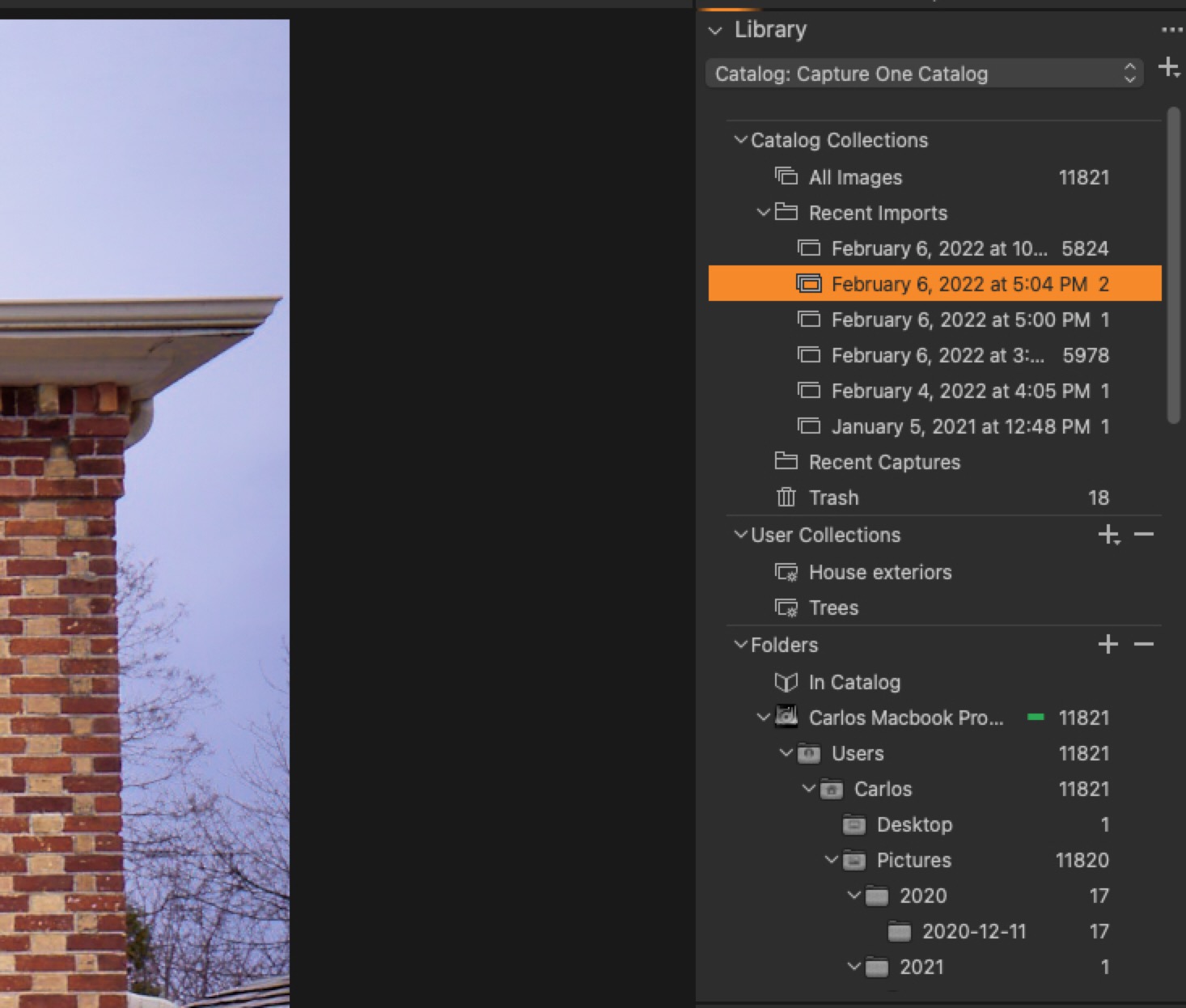
Or is there a way of saving that edited image to the master catalogue (simply calling it "Capture One Catalogue") since I'd done that edit BEFORE creating the master Catalogue? (see screenshots).
I think I'm trying to get my head around what is what and how things are connected within all the choices available. I'll hazard a guess that within these two screenshots I included that my edits I did yesterday before creating the master "Capture One Catalogue" are already contained in the "Capture One Catalogue" and that I don't have to do anything further?thanks again.
 0
0 -
Gidday
No doubt Abbott will get back to you on this, but in the meanwhile, I'll chime in.
working extensively on an older file from last year simply by accessing it from the Library, I had then (after doing major edits to that one photo) only then created a master C1 catalogue. I'd then created "Smart Album" with a title "House Exteriors" so I am able to find that edit. Am I then able to add further photos easily to this newly created Smart Album?
Or is there a way of saving that edited image to the master catalogue (simply calling it "Capture One Catalogue") since I'd done that edit BEFORE creating the master Catalogue? (see screenshots).I'm a little confused here. In order to edit anything in C1, it must be in your library (called "Capture One Catalog" according to your screen caps above), and your user collections are part of that library/catalog as well.
A smart album adds images from your catalogue according to the rules you apply, so you might for example have all images with the keyword "trees" AND images that were rated 3 stars or higher in a smart album. I'm guessing that your two smart albums are using either keywords or words in their file titles to select images. On the assumption that your "trees" smart album is based on a keyword, if you you were at add more images to the catalogue and give them the keyword "trees" (or add the "trees" keyword to images already in your catalogue) then they would automatically be added to your smart album.
BTW, you can also create a simple album under User Collections and drag in images from your catalogue.
As to saving files, once they are added to your catalogue, any edits you do are automatically saved in the catalogue. There's no need (or ability) to save. (I think Lightroom operates on a similar system.)
Does that answer your question?
0 -
Thanks Shane, I can see why my last reply was confusing. In a nutshell, I just watched a good tutorial about catalog organization and going to delete the mess I've made, lose the edits I did to the one photo, and start fresh.
Another question, do you know if Capture One 22 be offered again at some point this year for 50% off as Capture One 21 was last year in the spring? I guess this a question better asked directly to tech support or sales.
0 -
Your post has confused me as well. If I understand you correctly, you need better grasp of what editing in Capture One does as well as organization.
Capture One never changes your original image file: think of the "final image" displayed in Capture One as a "recipe" (the adjustments you made in editing) applied to the original image. Capture One calls this a "variant". If you want to see the original, unaltered image you'll need to create a new variant without adjustments or else toggle the Before/After view (keyboard shortcut is 'y'). This is nice because it lets you easily create multiple "versions" with different adjustments, without the need to have multiple copies of your original image file. For example, you might want color and B&W variants, or variants with different crop ratios.
Shane is correct that Lightroom does an analogous thing, but I think that what Capture One calls "variants", Lightroom calls "versions" or something (Apple's long-dead Aperture did the same thing, btw).
If you understand the above, you'll realize that your "final images" are automatically stored in the Capture One catalog, whereas you won't see before and after versions on-disk unless you Export a variant (using an Export Recipe) and then incorporate that into your catalog along with the original. I wouldn't advise doing this though, because it needlessly complicates your on-disk files and doesn't accomplish anything useful.
Regarding Smart Albums: you can always add (or remove) images from them fairly easily. To add, just ensure that the file(s) you want to add include that album's criteria. For example, in your case you'd add whatever criteria you used to define "House Interiors" for the album. This might be as simple as having added "house interiors" as a keyword. Similarly, to remove a file, just make sure its metadata doesn't contain the album's criteria. In my example, you'd delete the "house interiors" keyword from the image's Keywords list, being careful to delete the keyword only from the image and not from your general keyword list.
Similarly, you could use a color tag or other criteria.
I hope this is enough to get you started.
0 -
Thanks both Shane and Abbott for your answers. All makes sense!
Are you guys working for Capture One or just in the community? If you guys are users of purchased Capture One - double thanks for your help!
I'd also asked if anyone knows if there will be a 50% sale to purchase a C1 22 licence at some point this year as there was last year for C1 21. Might anyone know this answer?
0 -
I'm glad the information was helpful. I don't know about Shane, but I'm just a long-time user.
As for sales, only Capture One knows about that. In the past they've had sales shortly before a new major release is imminent and at one or two times during the year. My feeling is that if you like it and want to get it, just buy when you're ready. That's what I did originally.
0 -
thanks again, it was this video that made things super clear..I wasn't initially patient to sit thru an hour long video, but well worth it now that I did!
https://www.youtube.com/watch?v=YbkBx8djtSw&t=149s
"Capture One 21 Live | Master Catalog Organisation"
0
投稿コメントは受け付けていません。
コメント
8件のコメント