Mysterious tool tab strangeness - error or have I done something wrong?

Can anyone explain this? I've been trying (without success) to make new sessions open with my chosen Workspace (why is this so hard??!??) and now I have this oddity in my tool palette. What're the twos about? Help!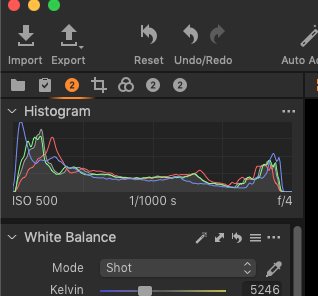
-

Did you by chance switch from 14.2 to 14.3 ? I had something similar ("1" instead of "2" however) when I made the switch. I suppressed the "1", saved my workspace, and they are gone.
0 -
You have 3 twos. When you create a custom tool tab you assign an icon. The dialog looks like this:
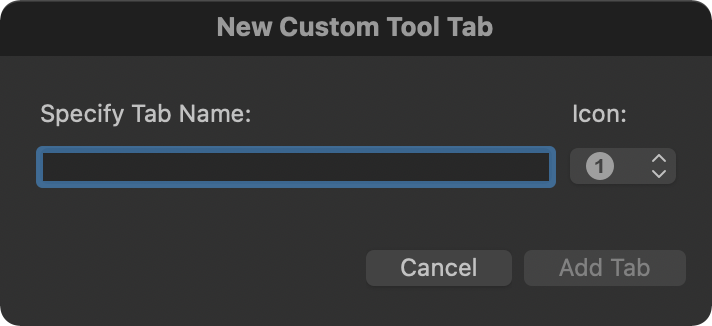
Capture One will sometime create a tool tab for you -- Robert's suggestion that you switched from 14.2 to 14.3 for example. Capture One turned the old "gear" process tool tab into a custom tool tab for your saved workspaces.
If that is what happened to you clean up the workspace by adding/removing tools and tool tabs and re-save your workspace. It will them be available for all catalogs. At least that is what I had to do when switching to 14.3 for my workspace.
0
投稿コメントは受け付けていません。
コメント
2件のコメント