Import Folders include Sub Folders?

One thing I hate in COP 20 is Importing a folder to catalog doesn't include its sub folders. I have to manually create sub folders and import. (I do this in LR with no issues).
Does this issue fixed in 21?
I don't want to upgrade to 21 unless it is fixed.
Thank you.
-
Isn't this option there?
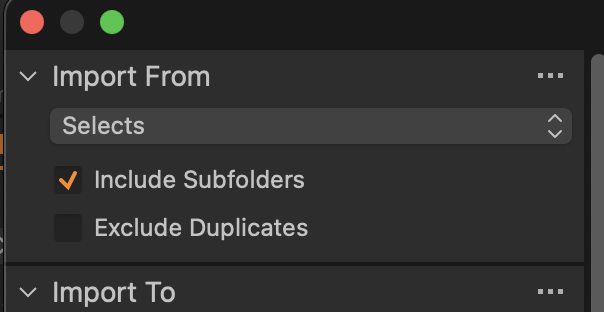
Ian
0 -

No, in 20 that option is not there. That came as new feature with 21.
But before you update to 21: I never experienced that many crashes as with 21. I've no idea what causes them, but just browse through this forum and think twice as you can't go back once the catalogs became updated.
0 -
Of course you generally only hear from people in the forum if they are having problems. I don't find lots of crashes with 21, but your mileage may vary, obviously.
Ian
0 -

Odd... I have this in CO20 and it works. I wonder if you updated from a previous version and somehow your preference file isn't properly updated?
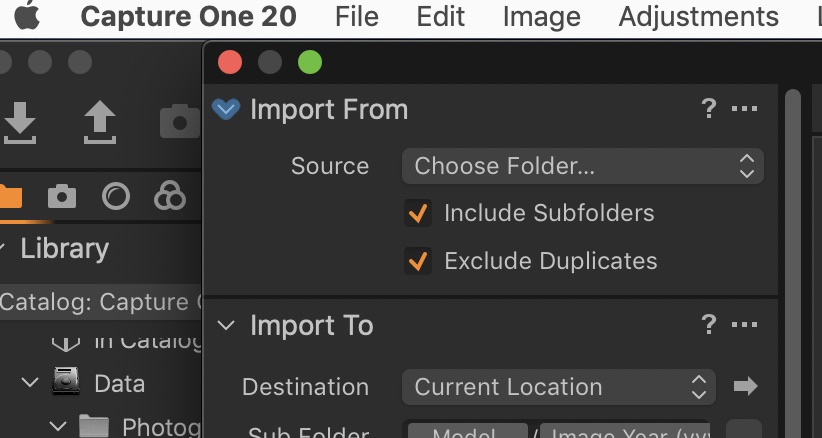 1
1 -
I need to correct myself. The thing coming new to CO 21 was the synchronisation not only of folders but also subfolders in the folders area, not the import function itself. You're all right, that was in CO 20 possible, when importing new files, but not when synchronizing existing folders including their subfolders. Or was it the possibility to exclude picture files in subfolders? Anyway, I'm pretty sure this menu looks different in CO 20.
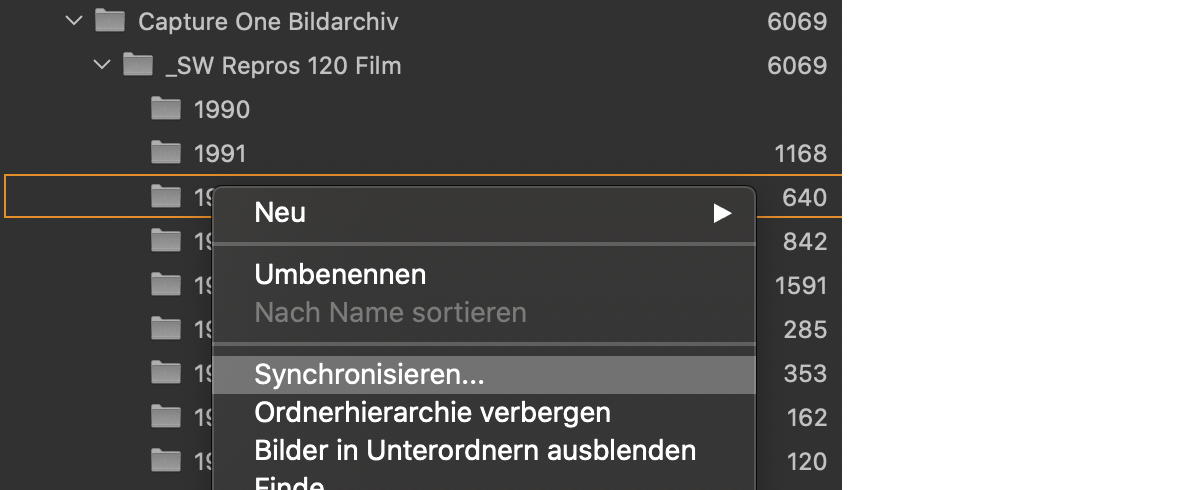
And when I use the synchronisation, the next menu does look different to CO 20:
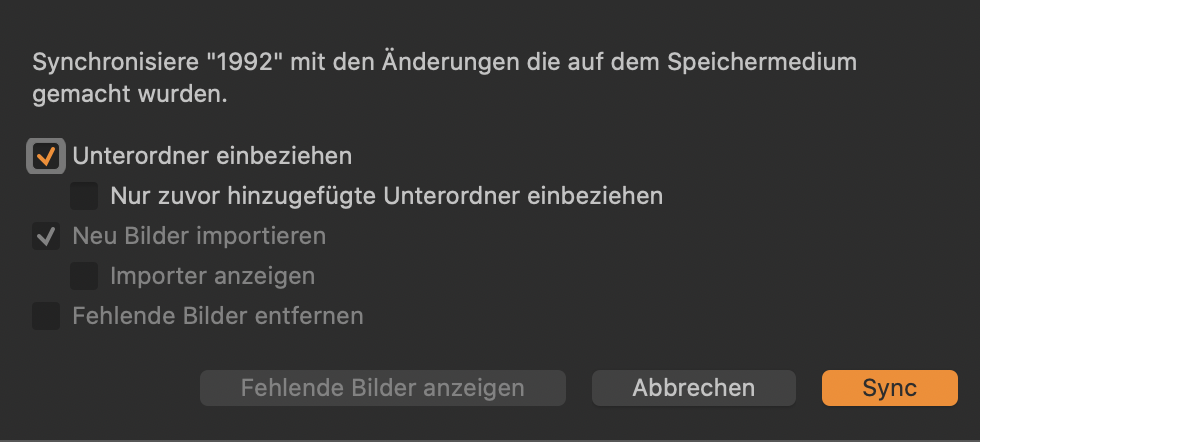
So, you can check the box to "add only previously added subfolders". Usually I don't use the sync option as I mostly import with the import dialogue. But I'm in the process of digitizing old negatives and adding GPS data was not possible at film times and still is not possible in CO times. For CO, that is. Also, renaming files outside of CO is possible with better programs than the poor "rename" command.
1 -
Thank you all For your responses.
"Include Folders" option is there in CO 20 too. But it is just to consider "source" images. Thanks Quentin. Importing to "Current Location" worked. This is what I am looking for.
I was trying with Syncing the Folder where we have to add each folder manually. Thanks Joachim. Seems this was added in CO 21.0

投稿コメントは受け付けていません。
コメント
6件のコメント