Removal of purple tint

Hello, everybody. What technique you, guys, use to remove purple tint in C1 21 Pro 14.3.1?
In the sample image below (I know, the photo sucks, but it illustrates the issue I'm talking about), I have some purple in the beach and in trees. I exaggerated contrast to make my point. I want to reduce purple's overall visibility to make colors look more natural.
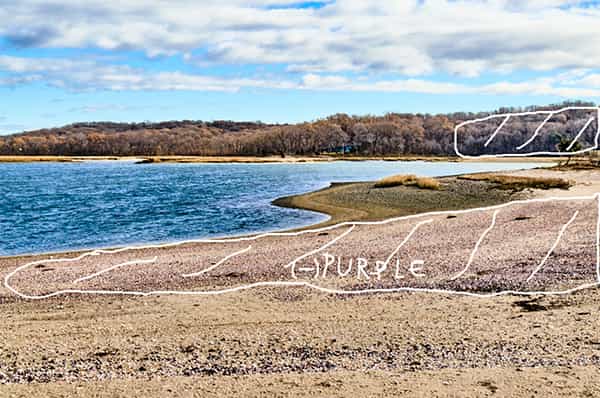
This is not something I need to do all the time, just sometimes. I've had no problem removing purple in Lightroom, but I am still new to C1.
BTW, the ICC profile used in this particular photo is ProStandard. I think the Generic profile makes purple a bit less saturated and a bit lighter, but the difference is negligible.
-
Hi Rob,
A note of caution: C1 does not apply all settings at all zoom levels. If I remember right sharpening and noise reduction are only applied at 50% and higher. For high ISO images with a lot of purple color noise it can appear as if an image is purple because NR is not applied in lower zoom levels. This is probably not the case here, but just to let you know.
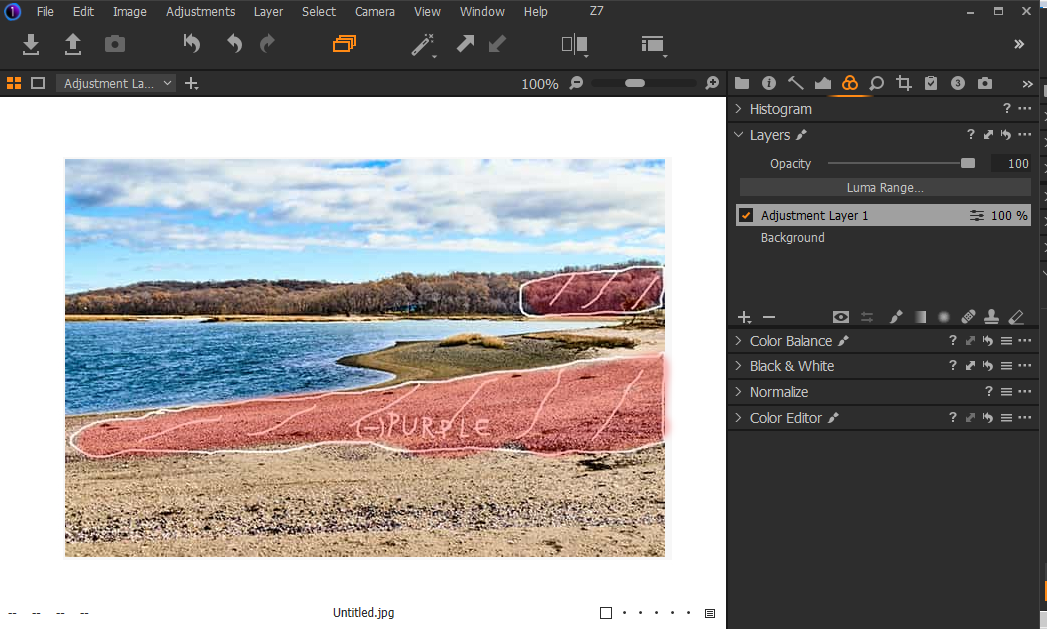
For the image in question: I would probably use the Advanced Color Editor to shift the hue and or desaturate (the purple color only). It probably would not work globally in this image (but try this first). Then create a layer mask and use the Editor only locally. You could also try the white balance locally.
0 -
Or, try the white balance globally first.
0 -
Hey, BeO,
Yes, I agree with everything you've said. The problem lies in my inability to properly manipulate the Advanced Color Editor – yet.
Would you mind to post a screenshot of purple color settings that are desaturated and lightened, please? I only need global adjustment on an entire image. That would be a big help.
Learning how to mask is still on my "to do" list...
0 -
Layer masked with brush (red, type m to show/hide mask):
 0
0 -
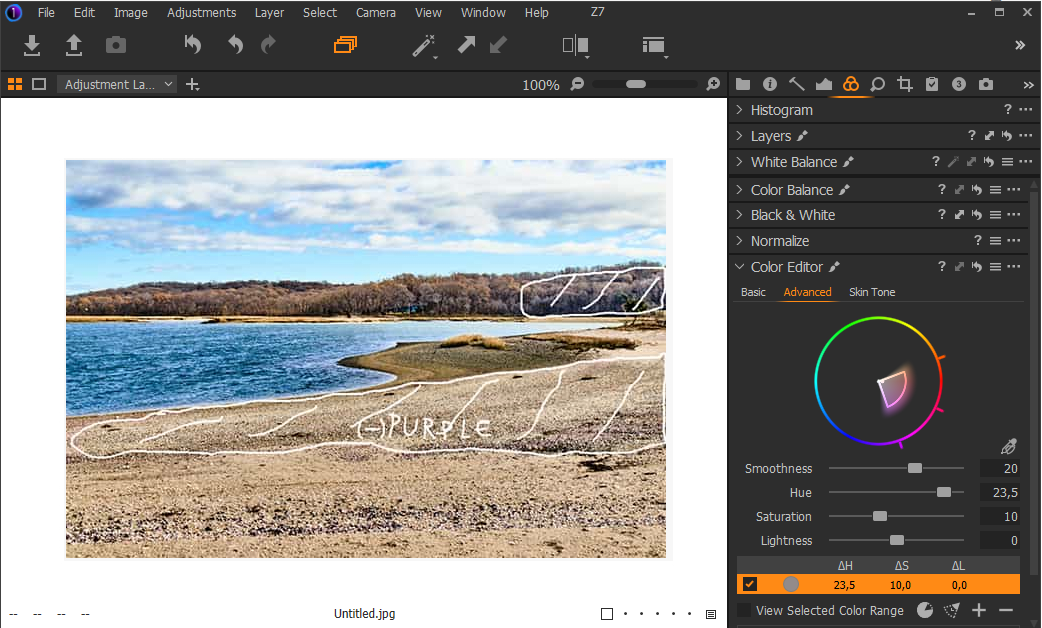
Advanced Color Editor
Hue towards brown/yellow. I even upped the saturation:
 0
0 -
I highly recommend the webinars
0 -
Thanks, BeO,
Your screenshots were very helpful. Thanks for taking your time to make this mini-tutorial. This forum is very helpful in general.
And yes, I am watching webinars, but sometimes it is hard to tell which webinar covers the issue that is currently slowing me down. But, eventually, I will watch them all.
0 -
You're welcome. If I have the time and knowledge it sometimes is fun.
Suggestion: Try the layer mask with the White Balance tool instead of the ACEditor and see the difference. Maybe the Color Balance tool too. This way (I can imagine) you learn something about each tool and their differences.
Webinars: Maybe it is a good idea to first watch a certain webinar and then pick a respective image instead of vice versa.
Cheers
0 -
Maybe it is a good idea to first watch a certain webinar and then pick a respective image instead of vice versa.
Good advice. Editing with masks is still on my "to-do" list.
0

投稿コメントは受け付けていません。
コメント
9件のコメント