Problem with the Crop tool and the orignal aspect ratio

I own a fuji XT-3 with different lenses. I have the problem that the crop tool always wants to crop something away from the image, even if I choose the option "original" for the aspect ratio. What am I doing wrong?
My software version is: 13.1.3.13
Thank you and best regards
Andreas Hundler
-
Hi Andreas, example images and explanation of the behavior you'd expect would be helpful to understand. Just copy&paste (small) screenshots into the text box here.
Cheers
0 -

Andreas,
As BeO has observed some examples could be useful.
However, keeping and aspect RATIO and still cropping is always a possibility.
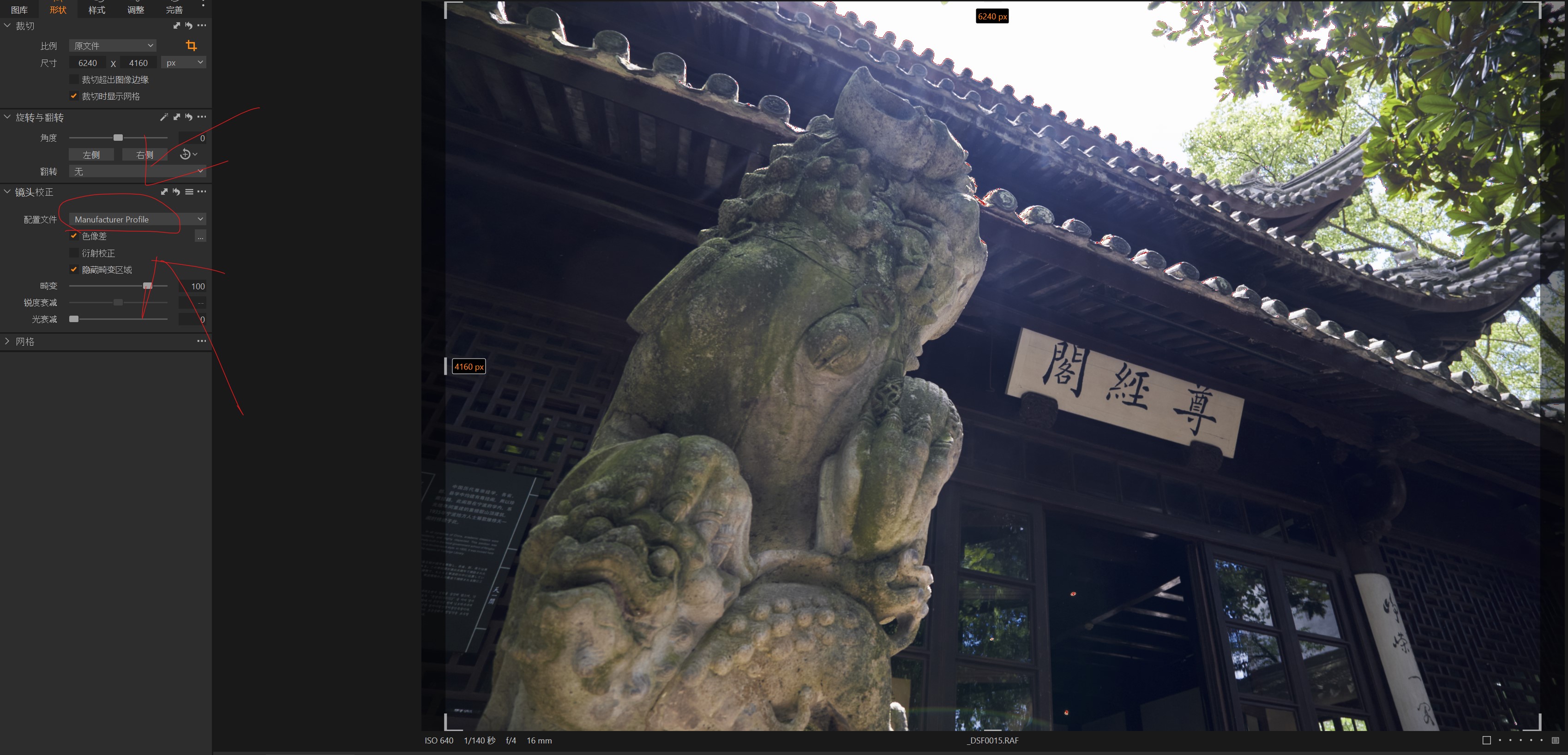
The most likely reason in most cases is that Lens correction has been applied and that can result in pixels at the edge of an image being discarded.
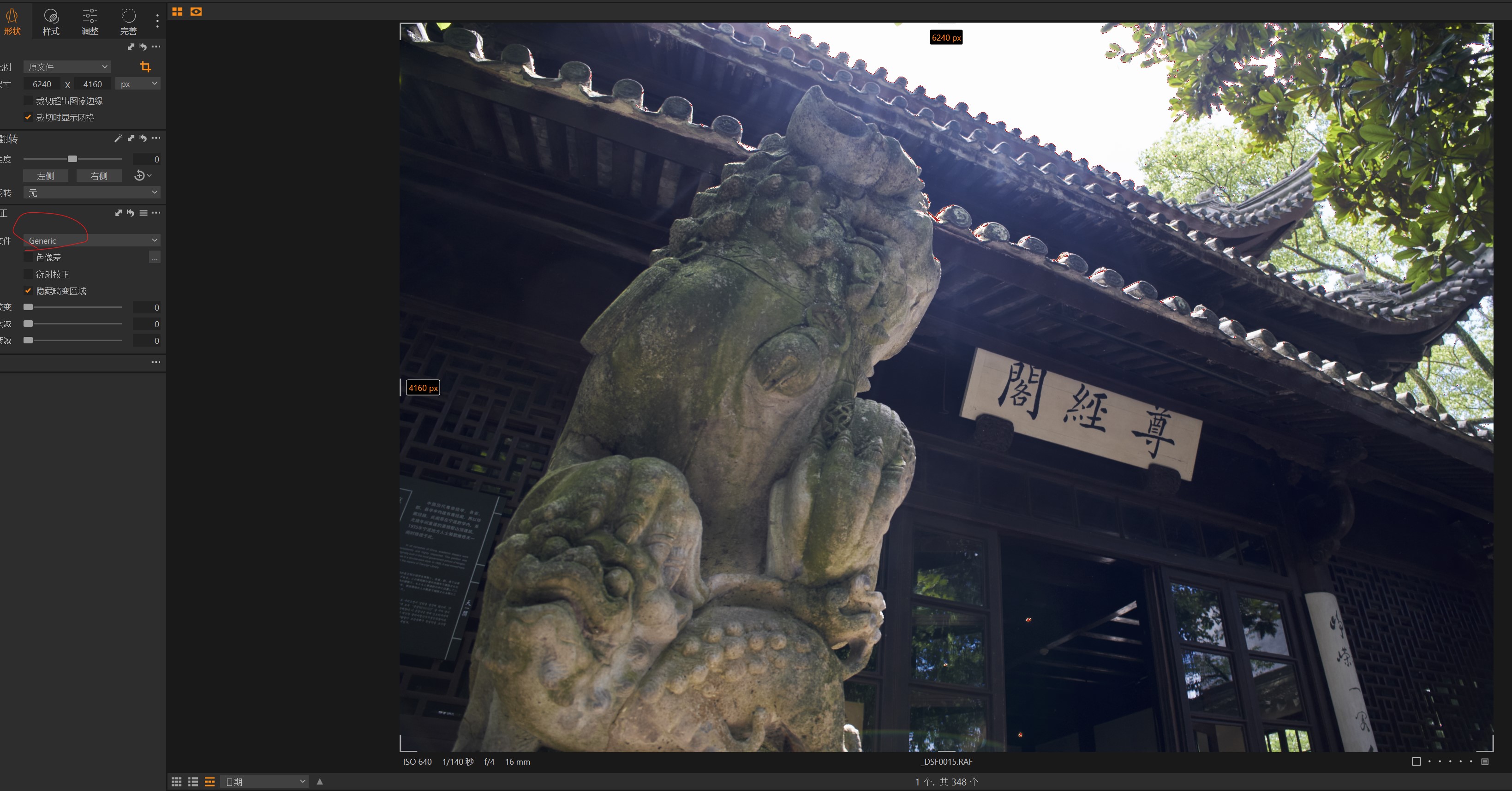
Fuji lenses may use only the internally provided lens corrections ("Manufacturer") or may have Special Capture One derived lens assessments (Lens name). Or nothing (Generic) though that is probably unlikely unless you are using non-Fuji lenses.
There may be other reasons for what you are seeing but an auto crop as the result of a lens adjustment profile would be the most likely possibility and is a good starting point for investigation.
0 -

SFA,
Thanks for the comment, you are correct! As shown in the following snapshots, changing the profile of the lens corrections does affect the image ratio. Besides, different focal lengths have different results. I am using the XF16-80 zoom lens, and the ratio seems doesn't change under longer focal length, e.g. 48mm.
 0
0

投稿コメントは受け付けていません。
コメント
3件のコメント