Manage license not working

My computer broke down and i had to get a new one.
If i push the manage license on the webside now, there is only a button for order history.
Before i could choose the seat, delete one seat and put a new one in. But now there is nothing there than a button for order history, where i land at the main side again.
Of course there is no way of contacting Capture one directly, i did already start a supportticket a week ago, nothing so far.
Any help would be great!
-

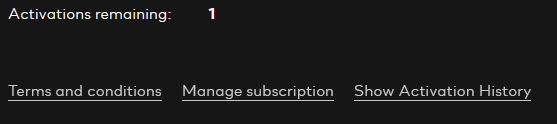
You don't see this line? Click on the "Show Activation History" link to be able to activate/deactivate licenses.
 1
1 -
No i don´t see this.
The only thing i see is a button for order history, as i´ve written in the post. If i would see that line, like i usually did, i would not have the problem.
0
投稿コメントは受け付けていません。
コメント
2件のコメント