Export to JPG recipe also creates TIF in session folder?

I just recently updated to the 14.4.0.101 version. One of my recipes exports to a JPG file. The file is exported correctly and shows up in the Output folder, but then a full size copy of the image that I just exported is also created in the session folder that I'm working from. It's as though I'm also right clicking on the image and creating an "Edit with..." copy. I have another recipe that creates a full size, 16 bit, Prophoto TIF version -- same as the "Edit with..." that I normally produce when I do so -- but this recipe is not checked or highlighted.
Has anyone else seen this? Is this a bug? Thanks, Rob
-

Is this using the new Export window or the older export tab or both?
0 -

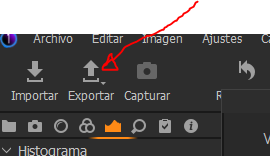
The same thing happens to me, I use the arrow icon
They are my only two enabled Recipes.
If I disable the tif recipe, it only exports the jpg
It is not the ideal solution but it is a solution.
0 -
You should both submit this issue to C1 here:
https://support.captureone.com/hc/en-us/requests/newYou could try adding the old export tool back to the tools menu bar
and see if the problem still happens when using that.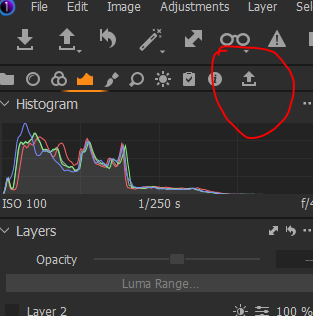 .0
.0
投稿コメントは受け付けていません。
コメント
3件のコメント