Question about the cropping!

Hello,
Usually for Flickr purposes, I crop all my photos with a factor of 3000X2000px.
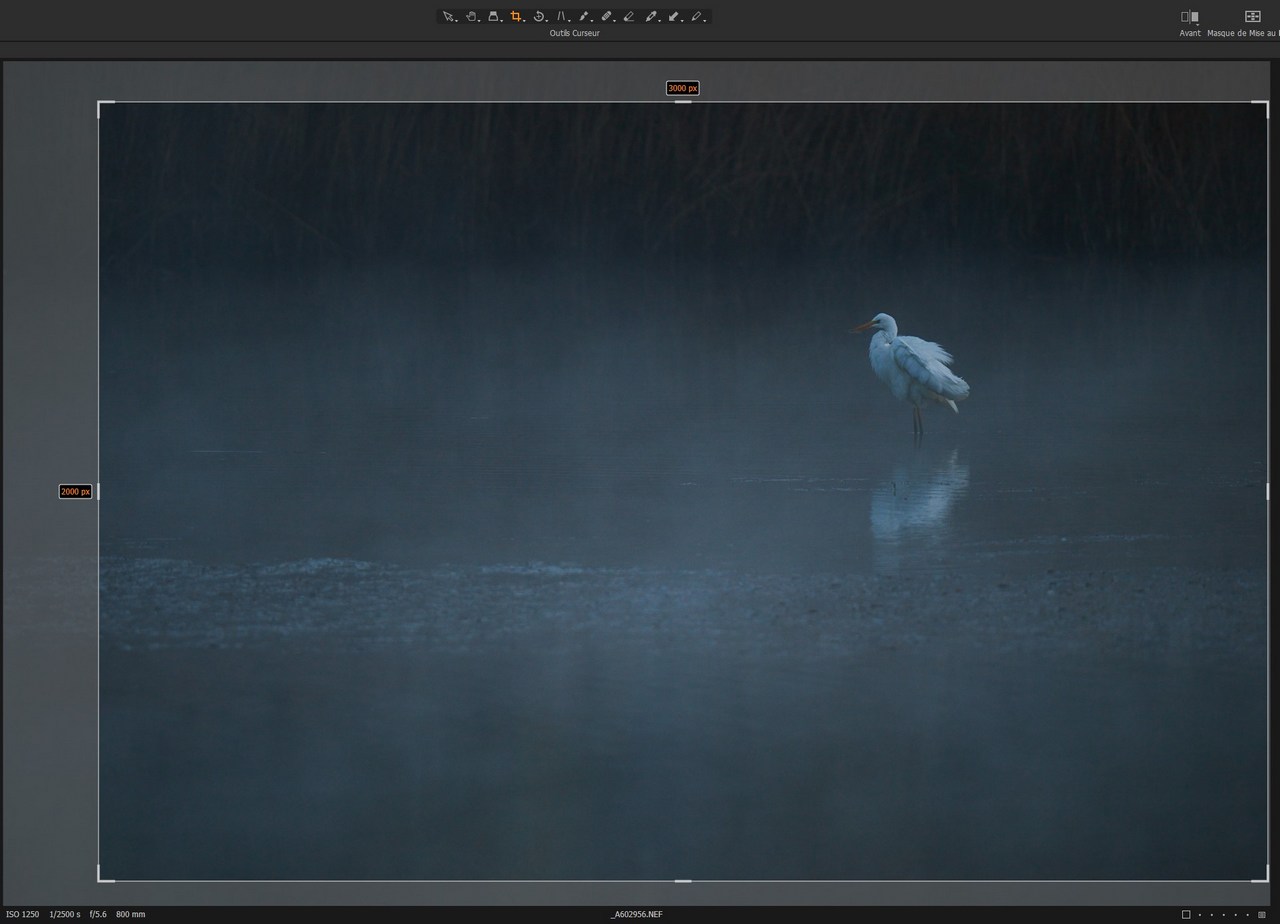
I would like to know if in the cropping tool, it is possible to give and force this constraint. Normally I have to systematically move my cropping frame this to reach my 3000px for the longest side.
If there's a tip ... I'm a taker!
Thank you in advance for your precious help!
Alain.
-
If you have started with a raw file, there are at least a couple of ways of making sure you get a 3000 x 2000 JPG output.
Method 1
- Set the crop tool to a ratio of 3 x 2 (or Original if your camera produces a 3 x 2 aspect ratio anyway).
- Crop the image as you see fit to include what you want in and exclude what you don't. Don't worry at this stage whether you are getting exactly 3000 x 2000.
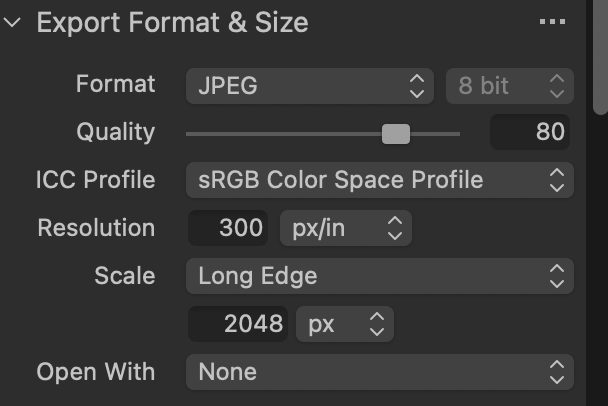
- Create an Export Recipe that produces an image of 3000 pixels on the long side.
- Use that to generate your output. Capture One will upscale or downscale the image as required to give you exactly 3000 x 2000.
The recipe would look something like this. (My one is 2048 on the long side, but you get the idea I hope.)
Method 2
- Create an Export Recipe that gives output to a specific size. You can do this by setting the Scale to Dimensions (NOT Width x height) and setting the dimensions to 3000 x 2000 pixels. Here's a recipe that uses that idea. (Mine is in inches so that I can create output for a 5 x 7 print, but you can change from inches to pixels and set up 3000 x 2000.)
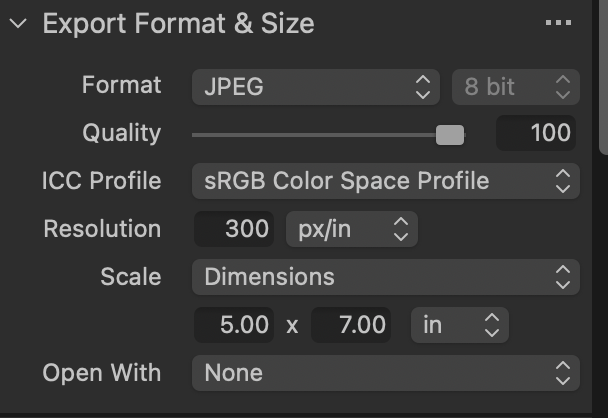
- Make sure that is selected as the active Export Recipe before you crop.
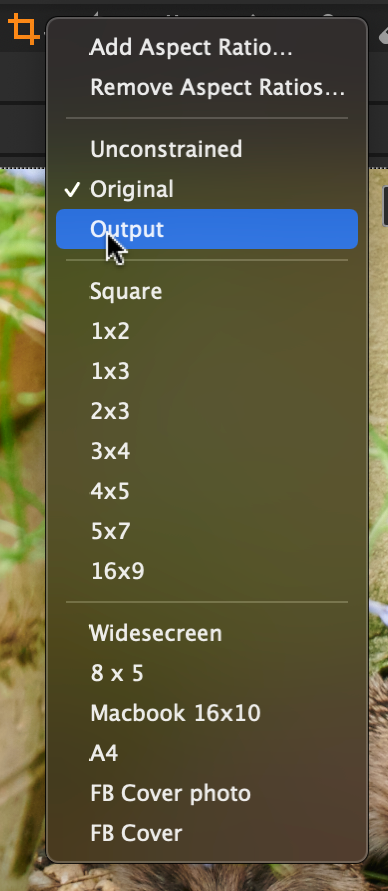
- In the crop tool, set the Ratio to Output. Capture One will crop to whatever your Output recipe ratio is. (Only works if the size is set using Dimensions.) The crop ratio you need is shown here.
The good thing about Export Recipes is that you may spend a little time setting one up, but after you have done that, you don't need to set it up again - just choose the one you need.)
Hope that helps!
Ian
0 -
Thank you very much Ian for your aids!
That is:
 0
0

投稿コメントは受け付けていません。
コメント
2件のコメント