Layers processing order

Hi,
I have already posted on Windows, since it is also a problem on Mac my question as well here:
I am a bit confused about the processing order of multiple layers:
I can move the order of the layers by drag and drop. I assumed that this would also change the order of editing. However, this does not always seem to be true.
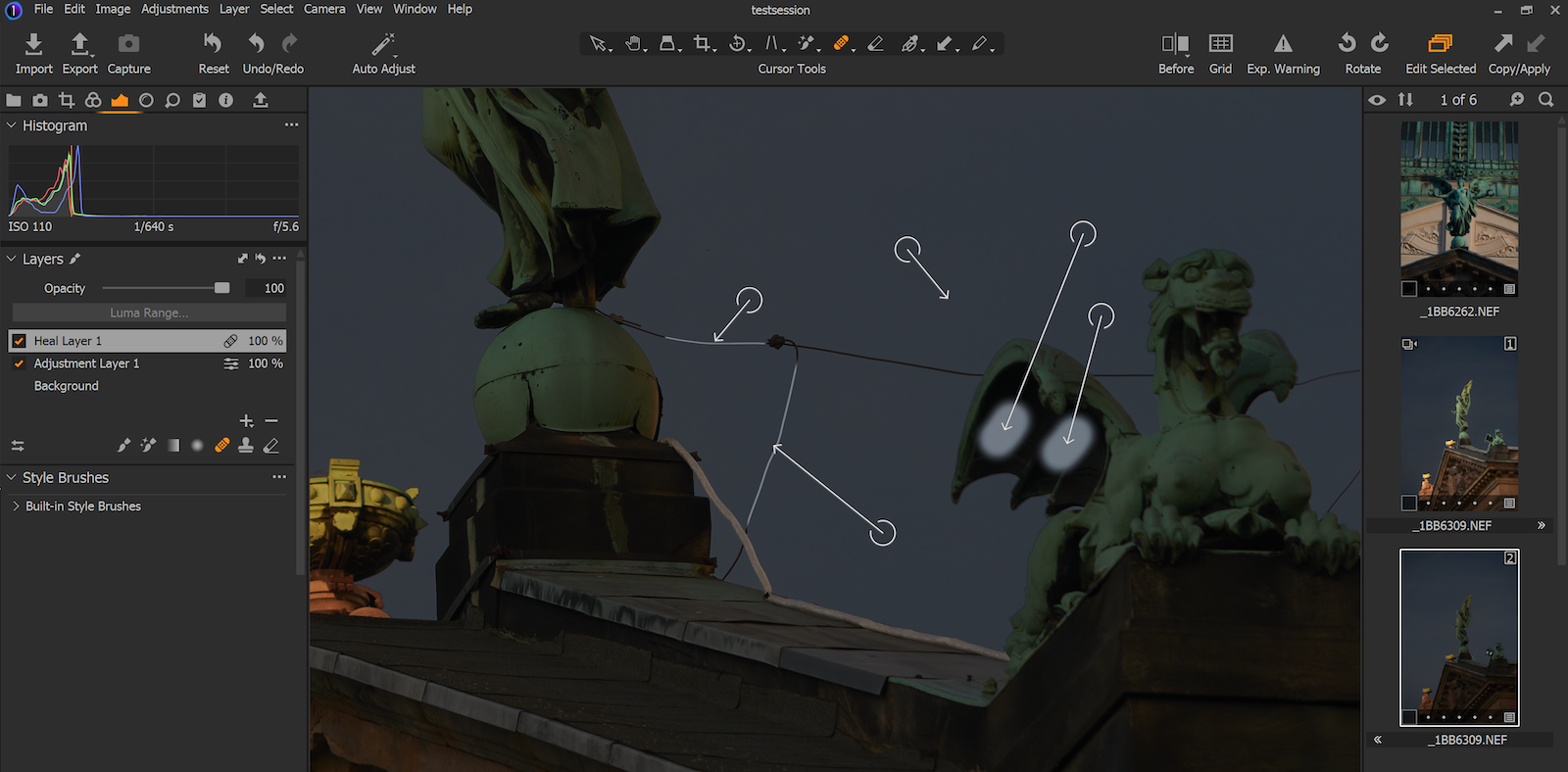
For Example (see Image below):
The sky was extremely darkened with an Adjustment Layer (use of Magic Brush)
When I work with a Healing Mask Layer afterwards, I have the following effects:
No matter where the Heal Layer is placed, it always works with the unmodified original.
Everything that is processed in the Heal Layer and that is not contained in the Adjustment Layer mask is processed untreated. Everything that is also contained in the Adjustment Layer mask is copied with the change. (Therefore, the bright spots appear in the example image).
Is that the way it's supposed to be?
If so, that would mean that you should always apply a Heal Layer first.
Do you have similar experiences with it?
Greetings
Thomas
-

As far as I know, Heal/Clone layers should be first (i.e. directly above the Background layer). That was mentioned in one of David Grover's webinars (a followup to one where he introduced the capabilities). That's so color changes and other edits are applied to healed areas.
0 -
Hello Abbott,
thank you for your answer. gb gave me the following answer in the Windows forum:
layer order has no relevance except as a user interface convenience
That was not clear to me that the display of the order has no effect on processing. Why can you change it at all? And how can I still see afterwards which layer is my first change?
0
投稿コメントは受け付けていません。
コメント
2件のコメント